How Do I Set Up a Fitbit: Quick Start Guide
Setting up a Fitbit can feel a bit daunting if you’re not tech-savvy. But don’t worry, you’re not alone.
Many people just like you want to make the most of their new fitness tracker. Imagine having a device on your wrist that not only tracks your steps but also helps you understand your sleep patterns, heart rate, and overall health.
It’s like having a personal coach, guiding you towards a healthier lifestyle. By the end of this article, you will know exactly how to set up your Fitbit with ease. You’ll discover simple steps that will get your Fitbit up and running in no time. Let’s dive in and transform your fitness journey together!
:max_bytes(150000):strip_icc()/001_fitbit-charge-2-setup-4580598-1669d766b35e4c0db3903cacca45d147.jpg)
Credit: www.lifewire.com
Choosing The Right Fitbit Model
Fitbit offers many models. Each one has different features. Fitbit Inspire is great for beginners. It tracks steps and sleep. Fitbit Charge offers more. It includes heart rate tracking. Fitbit Versa is like a smartwatch. It has apps and music control. Fitbit Sense is advanced. It tracks stress and skin temperature.
Think about your needs. Basic tracking? Choose Inspire. Need more features? Consider Charge or Versa. Want health insights? Sense is best. Budget is important too. Inspire is affordable. Sense costs more. Choose wisely. Enjoy your Fitbit experience!
Charging Your Fitbit
First, find the charging cable that came with your Fitbit. Look for the charging port on your device. It’s usually at the back or side. Connect the cable to the USB port of a computer or a power adapter. Make sure the cable fits snugly into the charging port. The device should start charging. You will see a battery icon on the screen. Charging usually takes a couple of hours. Once charged, your Fitbit will be ready to use.
Creating A Fitbit Account
Start by downloading the Fitbit appon your smartphone. Open the app and tap on “Join Fitbit“. Choose your device from the list. Enter your emailand set a password. Remember to use a strong password. Fill in your personal detailslike height and weight. This helps track your fitness better.
Agree to the terms and conditionsto proceed. A verification email will be sent. Check your email and click the verification link. This confirms your account. Once verified, return to the app. Log in with your new account details.
Downloading The Fitbit App
To start, find the Fitbit app on your phone’s app store. Search for “Fitbit” and tap the app icon. It’s free to download. Press the install button to begin downloading. After downloading, locate the app on your home screen. Tap it to open. The app will ask for some permissions. Allow the needed permissions for the app to function well.
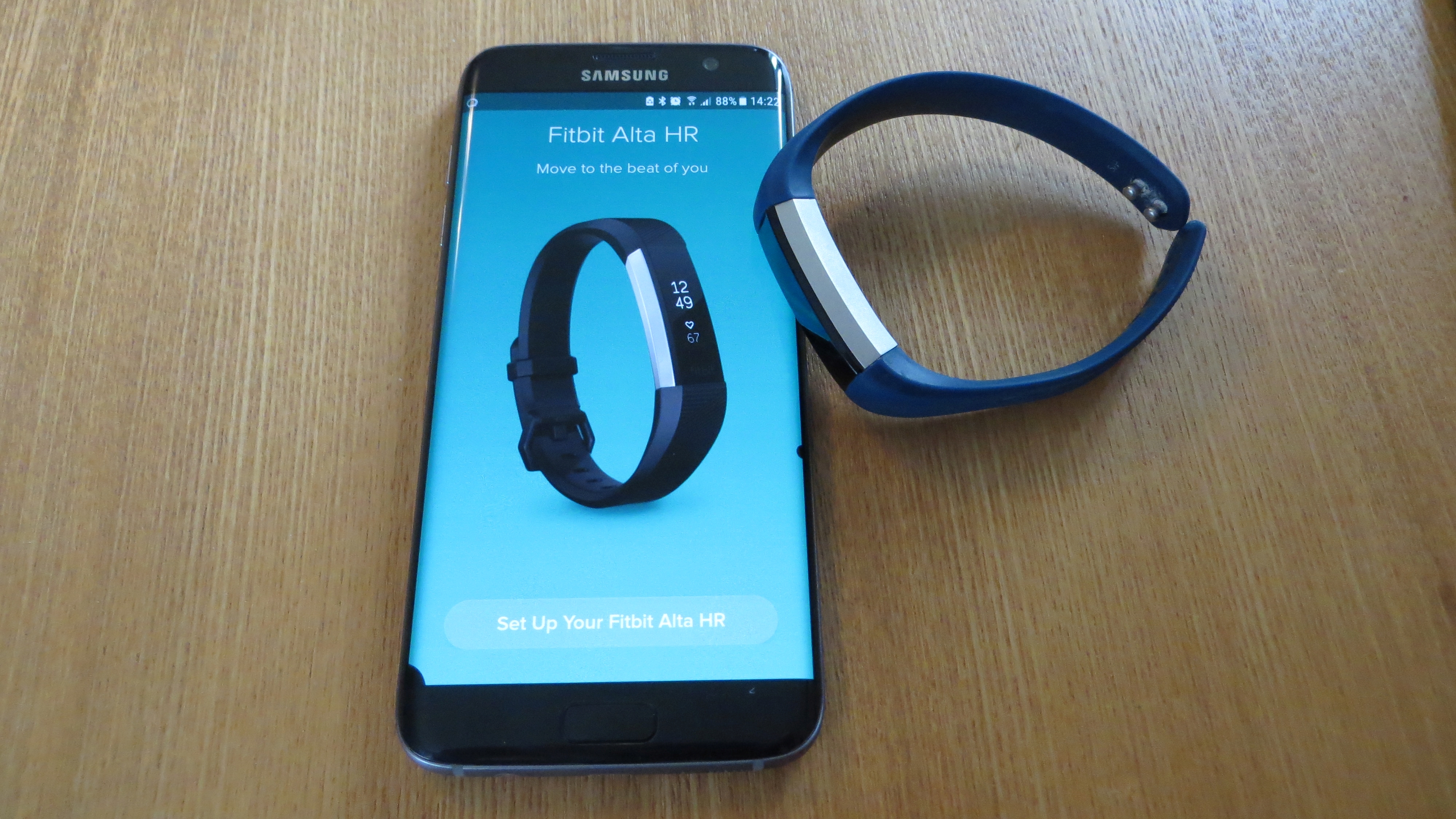
Create an account or sign in. Enter your email and choose a password. Follow the prompts to set up your profile. Select your Fitbit device model in the app. The app will guide you through the setup process. This includes syncing your device. You’ll need Bluetooth enabled for syncing. Follow each step until setup is complete.
Pairing Your Device
Ensure your phone has Bluetoothturned on. Open the Fitbit app. Tap on the device icon. Your phone searches for the Fitbit. Wait for it to appear. Tap on your device name. Follow the on-screen steps. Confirm pairing if asked. Your Fitbit connects to your phone. Check the app for status.
Unable to pair? Try restarting your phone. Restart your Fitbit too. Check if Bluetooth is on. Move closer to your phone. Remove other devices from Bluetooth list. Make sure the app is updated. Check if your phone’s software is updated. Contact Fitbit support if problems persist. They can help you fix it.

Credit: www.youtube.com
Customizing Settings
Inputting your personal informationhelps Fitbit track your activity. Enter your height, weight, and age. This data helps Fitbit give accurate results. Make sure the details are correct. This way, your health statsare reliable.
Setting goals is fun and easy. Choose daily step goals. Aim for a certain number of steps each day. You can also set calorie goals. This helps you watch what you eat. Want to improve sleep? Set a sleep goaltoo.
Decide which notificationsyou want. Choose to get alerts for callsand texts. You can also receive calendar reminders. Pick what’s important for you. This keeps you informed and not overwhelmed.
Syncing Your Fitbit
Fitbit syncs with your phone automatically. This happens when you open the Fitbit app. Make sure Bluetooth is on. Ensure your phone is nearby. The app will search for your Fitbit. Once found, it syncs right away. No buttons to press. Just wait a few seconds. Your data is now updated. This process is quick and easy.
Sometimes, you may need to sync manually. Open the Fitbit app. Tap the Account icon. Find your device name. Tap it. Look for the Sync Now button. Tap it to sync. Your Fitbit will connect to your phone. Data will update in a few seconds. Manual sync is useful if auto-sync fails. It keeps your information current.
Exploring Dashboard Features
Activity Tracking on your Fitbit helps you stay active. It shows steps taken and calories burned. View your daily progress easily. It even tracks your workouts. You can see how long you exercised. Set goals for yourself. Achieve them every day. This feature motivates you. It keeps you moving.
Sleep Monitoring is vital for your health. It tracks your sleep patterns. Learn about your sleep stages. It shows how long you sleep. Understand your sleep quality. You can see when you wake up. It even tracks restless moments. Improve your sleep habits. Get better rest every night.
Heart Rate Analysis is crucial for fitness. It tracks your heart rate all day. See how your heart beats during workouts. This helps you understand your fitness level. Keep an eye on your heart health. It shows resting heart rate too. This helps in knowing your health status.
Maintaining Your Fitbit
Your Fitbit needs regular cleaning. Clean it gently with a soft cloth. Avoid harsh chemicals. They can damage the device. Water is fine for most Fitbits. Dry it well after cleaning. Keep it clean to avoid skin problems. Sweat and dirt can build up. Wipe it after workouts. Keep it looking fresh and new.
Updating your Fitbit is important. Updates fix bugs and add new features. Make sure your device stays up-to-date. Connect it to Wi-Fi for easy updates. Check the app for new updates. Follow the steps to update. It only takes a few minutes. Ensure your device is charged before updating. Enjoy new features after updates.
Credit: www.techradar.com
Frequently Asked Questions
How Do I Connect My Fitbit To My Phone?
To connect your Fitbit to your phone, download the Fitbit app from the App Store or Google Play. Open the app, create an account or log in, and follow the on-screen instructions to pair your device via Bluetooth. Ensure Bluetooth is enabled on your phone for a successful connection.
How Can I Charge My Fitbit Device?
To charge your Fitbit, connect the charging cable to a USB port or wall adapter. Attach the other end to your Fitbit, ensuring the pins are properly aligned. Charging typically takes 1-2 hours. For optimal battery life, avoid charging your Fitbit when it’s wet or exposed to moisture.
How Do I Update My Fitbit’s Software?
To update your Fitbit’s software, open the Fitbit app on your phone. Tap your profile icon, then select your device. If an update is available, you’ll see an option to install it. Ensure your device is charged and connected to Wi-Fi during the update process.
How Can I Sync Fitbit Data With My Phone?
To sync your Fitbit data, open the Fitbit app on your phone. Ensure your device is nearby and Bluetooth is enabled. Swipe down on the app’s home screen to initiate syncing. Syncing transfers your activity data to the app, allowing you to track your progress and set goals.
Conclusion
Setting up a Fitbit is simple and rewarding. You just need a few steps. Start by charging your device fully. Download the Fitbit app on your phone. Follow the app’s instructions to connect your Fitbit. Customize your settings to suit your goals.
Sync it regularly for accurate tracking. Now you’re ready to track your fitness journey. Remember to wear it daily for the best results. Stay active, and enjoy your new healthy lifestyle. With your Fitbit set up, achieving your fitness goals becomes easier.
Happy tracking!

Finnian Delaney is a seasoned writer and editor specializing in technology and electronics. At ElectroDoz, he covers a wide range of topics, with a focus on MacBooks, laptops, fitness trackers, keyboards, and computer hardware. With a knack for making complex tech accessible, Finnian helps readers stay informed and confident when choosing their next device or upgrade.