How to Get Popsocket Back on Base: Quick Fix Guide
Have you ever found yourself in the frustrating situation where your beloved Popsocket has come detached from its base? You’re not alone.
This small yet mighty accessory can make a world of difference when it comes to handling your smartphone, making this a problem you definitely want to solve. But don’t worry—there’s good news. Reattaching your Popsocket to its base is easier than you might think, and we’re here to guide you through it step by step.
Imagine the relief you’ll feel once it’s back in place, ready to support your smartphone habits once again. Let’s dive in and get your Popsocket securely back where it belongs.

Credit: www.wikihow.com
What Is A Popsocket?
A Popsocketis a small gadget for your phone. It helps you hold your phone easily. Popsockets stick on the back of phones. They pop out to give a better grip. They also work as a stand for your phone. You can prop your phone up with it. Popsockets come in many colors and designs. They make phones more fun and easy to use. People love Popsockets for their cool look and great help.
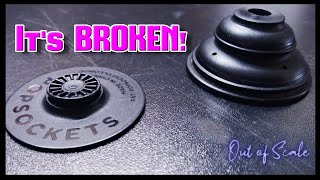
Sometimes, the Popsocket may come off its base. This can happen with frequent use. You might need to reattach it. It is easy to put it back on. Make sure both parts are clean. Dirt can stop it from sticking well. Align the Popsocket with the base. Push it gently until it clicks. Your Popsocket should be back in place.
Credit: www.youtube.com
Common Reasons For Detachment
Over time, popsockets can experience wear and tear. This happens with frequent use. The constant pulling and twisting can weaken the connection. The base may become loose. Sometimes, small cracks appear. These cracks make the popsockets fragile. Regular checks can help spot early damage. Handle with care to extend life.
Adhesive failureis another reason popsockets detach. The sticky part may lose its grip. Dirt and dust can weaken adhesive strength. Clean the surface before attaching. Moisture can also affect the glue. Keeppopsockets dry for better stickiness. Replacement adhesives can restore grip. Check adhesive often for lasting attachment.
Improper attachmentleads to detachment issues. Ensure the surface is flat and clean. Press the popsockets firmly on the base. Wait a few hours before use. This allows adhesive to set. Avoid attaching to fabric or textured surfaces. Proper placement ensures secure hold. Follow instructions for best results.
Necessary Tools For Reattachment
Start by gathering the right cleaning materials. Use a soft cloth and some warm water. They help remove dust and dirt. A little soap can also be useful. Avoid harsh chemicals. These can damage the Popsocket and base. Pat everything dry with a clean towel. Ensuring no moisture remains is crucial for reattachment.
Choose a strong adhesivefor sticking the Popsocket back. Double-sided tape works well. It’s easy to use and doesn’t make a mess. Super glue is another option. Be careful with it. Apply only a small amount to avoid spills. Let it set and dry properly for the best results.
Step-by-step Reattachment Process
First, make sure the base is clean and dry. Dirt can stop the adhesive from sticking. Use a damp cloth to wipe the base. Let it dry fully before moving to the next step. A clean base is key for a strong hold.
Hold the PopSocket above the base. Align it carefullyso it fits right. Check from different angles to make sure it’s centered. This helps it look neat and stay strong.
Press the PopSocket firmly onto the base. Hold it for at least 15 seconds. This helps the adhesive stick well. Avoid moving it for a few hours. This gives it time to bond properly.
Tips For Long-lasting Attachment
Ensure your Popsocket stays secure by cleaning the base and attachment with rubbing alcohol. Press firmly together, holding for 30 seconds. Let it dry completely for the best hold.
Choosing The Right Surface
The surface must be smoothand clean. Avoid rough areas. Dust can weaken the grip. A clean surface helps the adhesive stick better. Test the surface before use. Make sure it is flat. This ensures good contact.
Proper Usage And Care
Press the Popsocket firmly to the base. Hold for a few seconds. This helps it attach well. Avoid pulling too hard. It can break the grip. Clean the Popsocket regularly. This keeps it sticky. Store it safely. Away from heat and moisture. These can damage the glue.
When To Replace Your Popsocket
Popsockets can show wear after a lot of use. Check if the grip is loose. This means it might need replacing. Look for cracks or scratches. These can make it less sticky. Examine the adhesive. If it peels, it’s time for a new one. The pop might not stay in place. This is another sign. Replacing it can make your phone grip better.
There are many choices if you need a new grip. Try a ring holder. It offers a secure grip. Magnetic mounts are also good. They attach easily to metal surfaces. Consider a phone strap. It provides a strong hold. Collapsible grips are fun. They can be colorful and stylish. Explore these options to find what works best for you.

Credit: www.reddit.com
Frequently Asked Questions
How Do You Reattach A Popsocket To Its Base?
To reattach a Popsocket, clean both the base and the Popsocket with a damp cloth. Ensure they are dry and free from dust. Align the Popsocket with the base, press firmly, and rotate it clockwise until it clicks into place.
Can You Reuse A Popsocket Base?
Yes, a Popsocket base can be reused if it’s still sticky. Clean the base with a damp cloth and let it dry. Ensure the Popsocket aligns correctly before pressing it back on the base.
Why Won’t My Popsocket Stick?
If your Popsocket won’t stick, it might be dirty or wet. Clean both surfaces with a damp cloth and let them dry completely. Ensure no dust or debris is present before reattaching.
How Do I Clean My Popsocket?
To clean your Popsocket, use a damp cloth to gently wipe the sticky side. Avoid using harsh chemicals. Let it air dry completely before reattaching to ensure maximum adhesion.
Conclusion
Getting your Popsocket back on its base is simple. Follow the steps carefully. Ensure the base and Popsocket are clean and dry. Press firmly to secure it. This restores your Popsocket’s functionality. No more hassle with a loose grip. Now, you can enjoy easy use again.
Keep your phone steady while texting or watching videos. Regular maintenance prevents future issues. Always check for dust or dirt. A clean base means better adhesion. Enjoy the convenience and comfort of your Popsocket. Happy gripping!

Finnian Delaney is a seasoned writer and editor specializing in technology and electronics. At ElectroDoz, he covers a wide range of topics, with a focus on MacBooks, laptops, fitness trackers, keyboards, and computer hardware. With a knack for making complex tech accessible, Finnian helps readers stay informed and confident when choosing their next device or upgrade.