Do Popsockets Work With Wireless Charging: Find Out Now!
You’ve just bought a sleek wireless charger, eager to embrace the convenience of cable-free power-ups. But there’s one thing stopping you from diving right in: your trusty PopSocket.
It’s your go-to gadget for a better grip and seamless selfies, but now you’re left wondering, “Do PopSockets work with wireless charging? ” This question might seem small, but it holds the key to uninterrupted convenience and style. We’ll unravel the mystery for you.
Imagine never having to compromise on your phone’s functionality or fashion. Stay with us as we explore whether your beloved PopSocket and the wonders of wireless charging can coexist, ensuring you get the best of both worlds.
Wireless Charging Basics
Wireless charging uses magnetic fieldsto send power. A charger and a device need special coils. These coils make a magnetic field. The device picks up this field. Then, it turns it into energy. This energy charges the battery. No cables needed.
Many devices now have wireless charging. Most new smartphonessupport it. Brands like Appleand Samsungoffer this feature. Some earbudsalso use wireless charging. Even a few smartwatches have it. Always check your device’s manual. Make sure it supports wireless charging.
What Are Popsockets?
Popsockets are small gadgets that attach to phones. They help users hold phones easily. The design is simple yet clever. Popsockets stick to phones with adhesive. They pop out and become a grip. This grip makes holding phones more comfortable. Popsockets come in many colors and styles. People can choose what suits them best. Popsockets are also reusable. They can be removed and stuck again.
Popsockets have many uses. They help in taking selfies. The grip is strong and secure. Popsockets can also be used as stands. People prop their phones up to watch videos. They are useful for texting too. The grip prevents dropping phones. Popsockets are popular among kids and adults. They are fun and practical.
Popsockets And Wireless Charging
Popsockets can make wireless charging tricky. They can block the charging path. This might slow down the charging. Efficiency can drop if the popsocket is too thick. A thinner popsocket works better. Some chargers can’t handle popsockets. It’s important to check compatibility.
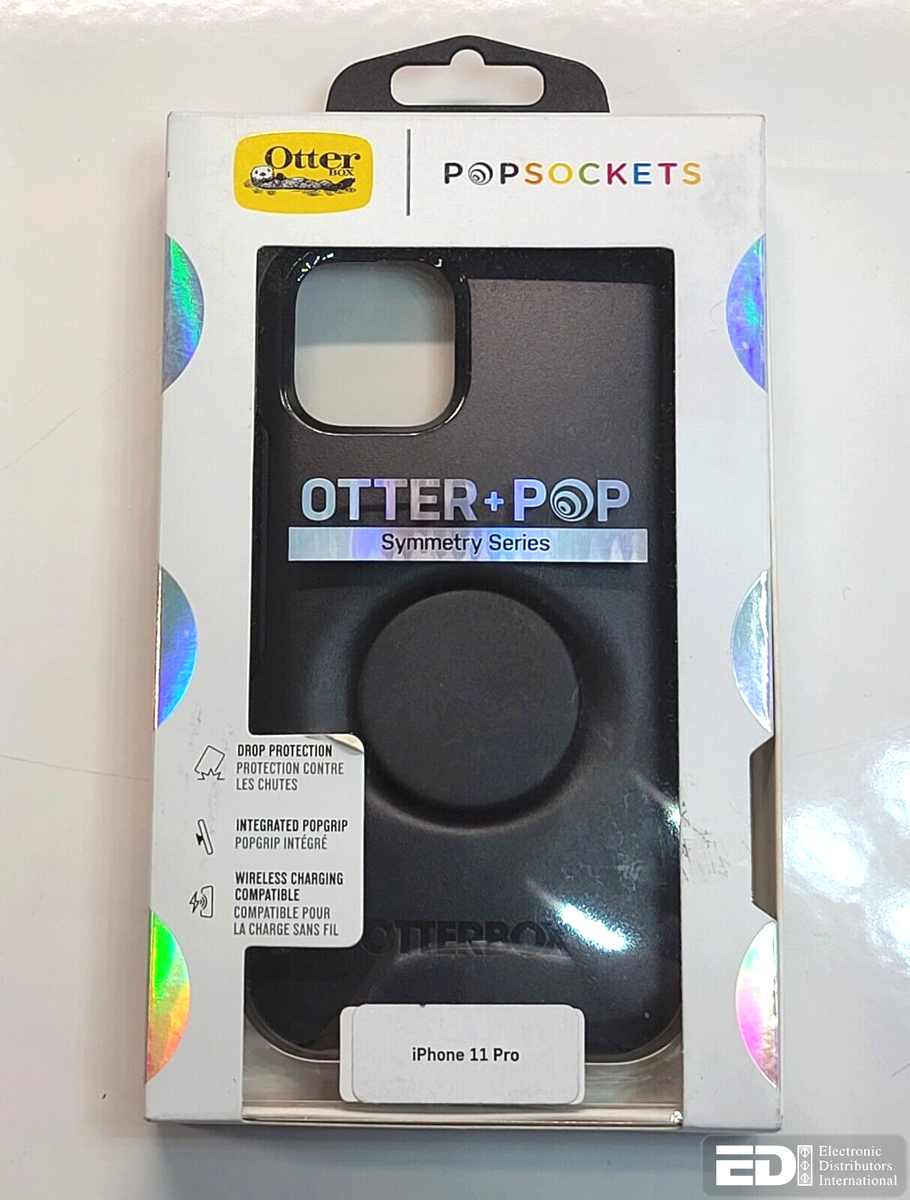
Not all phones with popsockets work with chargers. Some chargers are stronger. They can charge through the popsocket. Others might not work at all. Check if your charger is compatible. Some newer popsockets are removable. This helps with charging. Always check your phone’s case. It might be too thick for charging.

Credit: www.youtube.com
Pros And Cons Of Using Popsockets With Wireless Chargers
Popsockets offer a handy grip for phones but can interfere with wireless charging. Removing the PopSocket before charging is necessary. Some wireless chargers can accommodate phones with Popsockets, but effectiveness varies. Consider placement and charger design for compatibility.
Advantages
Popsockets offer a great grip for phones. They make holding phones easier and safer. With a Popsocket, drops happen less often. It can be a fun and stylish accessory. Many designs exist to choose from. It’s also perfect for taking selfies. Wireless charging works with some Popsockets. Flat designs or removable Popsockets can help. Ensuring compatibility is key for smooth charging.
Disadvantages
Wireless chargers may struggle with Popsockets. Many chargers need close contact. Popsockets create a gap. This gap can stop charging. Some Popsockets need to be removed first. This adds extra steps each time. Not all Popsockets are designed for wireless charging. Finding a compatible Popsocket may be hard. Bulky Popsockets may block charging completely. Choosing the right one is important.
Solutions And Alternatives
Removable Popsocketsare handy for wireless charging. You can take them off easily. With them, charging becomes simple. No more removing phone cases. Just pop them off. They work with many phones. Great for people on the go. They don’t leave sticky marks. Your phone stays clean. Use them as needed. No more tangled cables. Just remove and charge. They are very popular today.
Wireless charging padscan work with Popsockets. Some pads have special designs. They let you charge without removing the Popsocket. This is very convenient. No need for extra steps. Just place your phone down. These pads are easy to find. They work with many devices. Make sure to check compatibility. This ensures a smooth charging process. Your phone charges without hassle. No more popping off accessories.
Credit: arerofast.com
Expert Opinions
Many experts say Popsockets can block wireless charging. The phone needs direct contact with the charger. Popsockets may cause a gap, stopping the charge. Some experts advise removing the PopSocket to charge. Others suggest using special charging pads. These pads have more power. They can charge through thin cases and Popsockets. Some brands offer wireless-friendly Popsockets. They are designed for easy charging. Always check compatibility before buying.
Users share mixed opinions on Popsockets and wireless charging. Some users say their phones charge well with Popsockets. Others say their phones do not charge at all. Users with thin cases have better luck. Users with thick cases struggle more. Removing Popsockets helps many users. Some users prefer special wireless chargers. These chargers work better with Popsockets. Reading user reviews can help others decide what to try.
Final Thoughts
Popsocketsare very popular. They help hold phones better. But, they might block wireless charging. Some wireless chargers work with Popsockets. Some don’t. It’s important to check your charger type.
Think about your needs. Do you need fast charging? Or a strong grip? If yes, make sure your charger can handle Popsockets. Some brands offer chargers that work with Popsockets. These chargers are special.
Making An Informed Decision
Research is key. Read reviews about wireless chargers. See if they work with Popsockets. Ask friends for advice. They might have tried different chargers. Compare prices. Some chargers are cheap. Others are expensive.
Choose wisely. A good charger helps your phone stay charged. It also keeps the Popsocket useful. Make sure your choice fits your lifestyle. A smart decision saves time and money.
Future Innovations
Technology changes fast. Soon, new chargers will be available. They might work better with Popsockets. Companies are always improving their products. Be ready for new ideas.
Keep an eye on new releases. Look for updates from brands. They might offer better solutions. Technology can surprise us. Stay informed for the best options.
Credit: techcrunch.com
Frequently Asked Questions
Can I Wirelessly Charge With A Popsocket On?
Yes, you can wirelessly charge with a PopSocket attached, but it depends. The PopSocket may need to be removed or repositioned. If the phone’s wireless charging coil aligns, charging should work. Ensure the PopSocket doesn’t block the coil for optimal charging efficiency.
Do Popsockets Interfere With Wireless Charging?
PopSockets can interfere with wireless charging if misaligned. They might block the charging coil on some phones. Removing or adjusting the PopSocket can solve this issue. Ensure the phone rests flat on the charging pad for effective charging.
How To Charge Wirelessly With A Popsocket?
To charge wirelessly with a PopSocket, ensure proper alignment. The PopSocket should not block the charging coil. You may need to remove or reposition it. Check your device’s user guide for specific instructions on using wireless charging with accessories.
Are Popsockets Compatible With Wireless Chargers?
PopSockets are generally compatible with wireless chargers. However, positioning is crucial for effective charging. Ensure the PopSocket doesn’t block the charging coil. Some users may need to remove or adjust the PopSocket to ensure optimal charging performance.
Conclusion
Popsockets can interfere with wireless charging. Removing them may help. Check your phone case thickness too. Some cases block the charging signal. Use a thin case for better results. Place the phone correctly on the charger pad. Some chargers work with Popsockets.
Try different angles and positions. Wireless charging may need adjustments with Popsockets. Always test before relying on it. Consider using a removable Popsocket. This way, you can easily switch between styles. Balance convenience and functionality for a smooth charging experience.

Finnian Delaney is a seasoned writer and editor specializing in technology and electronics. At ElectroDoz, he covers a wide range of topics, with a focus on MacBooks, laptops, fitness trackers, keyboards, and computer hardware. With a knack for making complex tech accessible, Finnian helps readers stay informed and confident when choosing their next device or upgrade.