How to Pair Earbuds to Galaxy Watch 6: Easy Guide
Imagine this: You’re out for a run, your favorite playlist is ready to pump you up, and you want to leave your phone behind. You’ve got your Galaxy Watch 6 and your trusty earbuds, but how do you get them to sync up?
You might feel a bit lost trying to connect these two devices, but don’t worry—you’re not alone. You’ll discover a step-by-step guide to pairing your earbuds with your Galaxy Watch 6, ensuring a seamless audio experience. With just a few simple steps, you’ll be ready to enjoy your music hassle-free.
Keep reading to unlock the potential of your Galaxy Watch 6 and make every workout or commute more enjoyable.
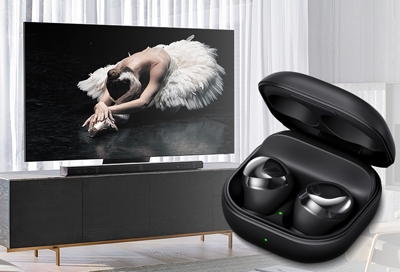
Credit: www.samsung.com
Galaxy Watch 6 Features
Galaxy Watch 6 has strong Bluetoothfeatures. It connects to earbudseasily. The watch finds nearby devices quickly. Pairing is simple and fast. The watch also keeps a stable connection. No drops or interruptions. It works great with different brands of earbuds. Users enjoy music without any trouble. The Bluetooth range is wide. Users can move around freely. The watch and earbuds stay connected.
The watch has great audio capabilities. Sound is clear and crisp. Users hear every beat and note. It supports various audio formats. Listening to different music is easy. Volume control is smooth and precise. Users adjust sound levels quickly. The watch provides a great listening experience. It is perfect for music lovers. Enjoy tunes while exercising or relaxing. The sound quality is impressive and enjoyable.
Compatible Earbuds
Many earbuds work with the Galaxy Watch 6. Brands like Samsung, Apple, and Sony are very popular. Jabra and Bose also make great earbuds. Each brand has different features.
Always check the Bluetooth version. The Galaxy Watch 6 supports Bluetooth 5.0. Earbuds must have this or a newer version. This helps to connect smoothly. Read the product details before buying. Look for words like “compatible with Galaxy Watch”. This ensures they will work together.
Preparing Your Devices
Syncing earbuds with the Galaxy Watch 6 is simple. First, enable Bluetooth on both devices. Then, select your earbuds from the watch’s Bluetooth menu to connect. Enjoy seamless audio during workouts or calls.
Charging Earbuds
Charge your earbuds fully before pairing. Ensure they are connected to a power source. A full charge helps in smooth pairing. Look for the light on your earbuds. It shows the charging status. Red means charging. Green means charged. Charging usually takes an hour. Check your earbuds manual for exact details. Keep your earbuds nearby while charging.
Enabling Bluetooth
Turn on Bluetooth on your Galaxy Watch 6. Go to settings and find Bluetooth. Tap to enable it. Make sure it’s visible. Visibility helps in finding nearby devices. Check if your earbuds are detectable. This ensures easy pairing. Keep your watch and earbuds close. It helps in faster connection.
Credit: insights.samsung.com
Pairing Process
First, turn on your earbuds. Then, press the pairing button. Some earbuds need you to hold the button for a few seconds. Lights on the earbuds may blink. This shows they are ready to pair. Check your earbuds manual if you need help. Activating pairing mode is a key step.
Now, go to your Galaxy Watch 6. Swipe down from the top of the screen. Find the Bluetooth icon and tap it. Look for your earbuds name in the list. Tap the name to connect. Wait a few seconds. Your watch will show if the connection is successful. If it fails, try again. Keep your devices close when pairing.
Troubleshooting Tips
Connection Issues:Sometimes earbuds won’t connect to the Galaxy Watch 6. Ensure Bluetooth is on. Check if the earbuds are in pairing mode. Restart both devices if needed. Keep them close during pairing. This helps maintain a strong connection. Move away from other Bluetooth devices. They can interfere with the signal.
Audio Distortion:If sound is unclear, check the volume settings. Low battery can cause distortion too. Charge the earbuds fully. Clean them to remove dust or dirt. Ensure both earbuds fit snugly in ears. Adjust settings on the watch for better sound quality. Test with different audio files. Some files might be corrupted. Keep the watch software updated. This can fix audio issues.

Credit: www.youtube.com
Maintaining Connection
Keeping your Galaxy Watch 6 updated is very important. Updates help fix bugs and improve performance. Check for updates in the settings menu. Always install the latest software. This ensures the best connection for your earbuds.
Interference can break your earbuds’ connection. Keep your watch away from other devices. Bluetooth devices can cause interference. Ensure there are fewer devices around. This will help maintain a strong connection. Walls and metal objects can also cause problems. Keep them away from your watch.
Frequently Asked Questions
How Do I Connect Earbuds To Galaxy Watch 6?
To connect earbuds to your Galaxy Watch 6, first, turn on Bluetooth on your watch. Then, put your earbuds in pairing mode. Go to the watch’s Bluetooth settings, select the earbuds from the list, and confirm the pairing. Your earbuds should now be connected.
Why Won’t My Earbuds Pair With Galaxy Watch 6?
If your earbuds won’t pair, ensure they are in pairing mode. Check the watch’s Bluetooth is on and the device is not already connected elsewhere. Restart both devices and try again. If issues persist, consult the user manual or support.
Can Galaxy Watch 6 Pair With Any Earbuds?
Yes, Galaxy Watch 6 can pair with most Bluetooth earbuds. Ensure the earbuds are in pairing mode and compatible with Bluetooth standards. Follow the pairing steps to connect. If issues arise, check compatibility specifics in the earbuds’ manual.
What Should I Do If The Sound Is Choppy?
Choppy sound may be due to interference or low battery. Ensure there is no obstruction between devices. Move closer to the watch and ensure both devices are charged. If the problem persists, try reconnecting the earbuds.
Conclusion
Pairing earbuds with your Galaxy Watch 6 is simple. Follow the steps carefully. Make sure Bluetooth is on. Select your earbuds from the watch’s menu. Confirm the connection. Now, enjoy your music on the go. Troubleshooting tips help if problems arise.
Remember to keep your devices updated. Consistent updates ensure better performance. Enjoy wireless freedom with your Galaxy Watch 6. Connecting devices doesn’t need to be hard. With practice, it gets easier. Always check for the latest updates and support. Stay connected and enjoy your tunes effortlessly.

Everett Ashford is an electrical engineer and expert in electronics reviews, tips, and troubleshooting. Specializing in audio and sound devices, including earbuds, AirPods, and headphones, he brings in-depth knowledge and practical advice to help consumers make informed decisions.