Why Does My Fitbit Not Charge: Solve Charging Issues
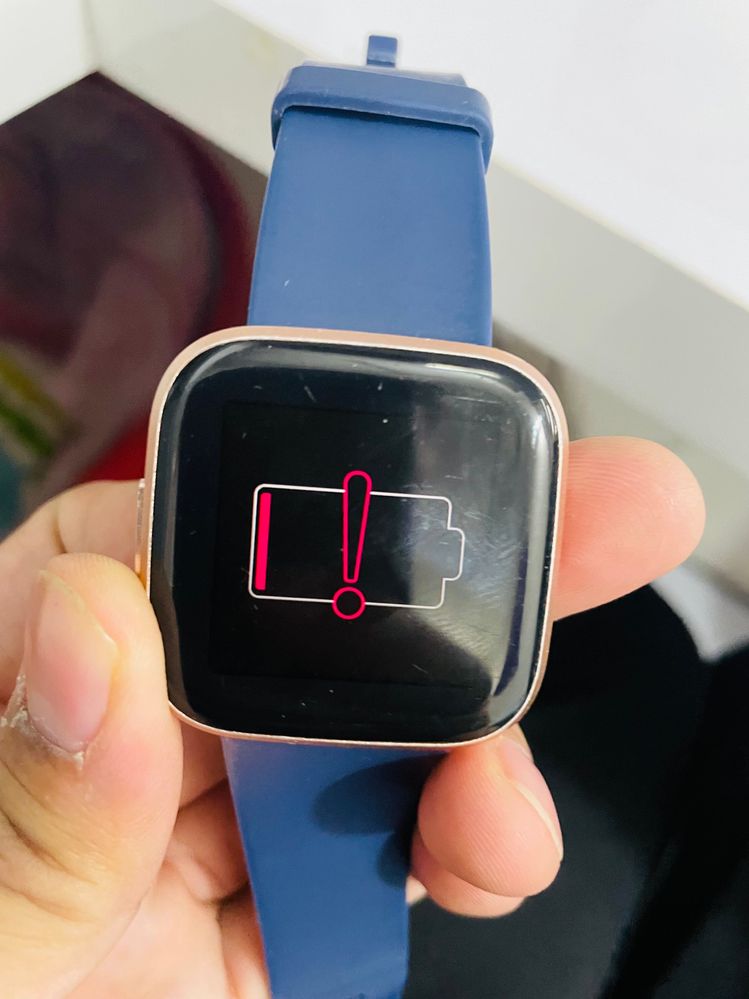
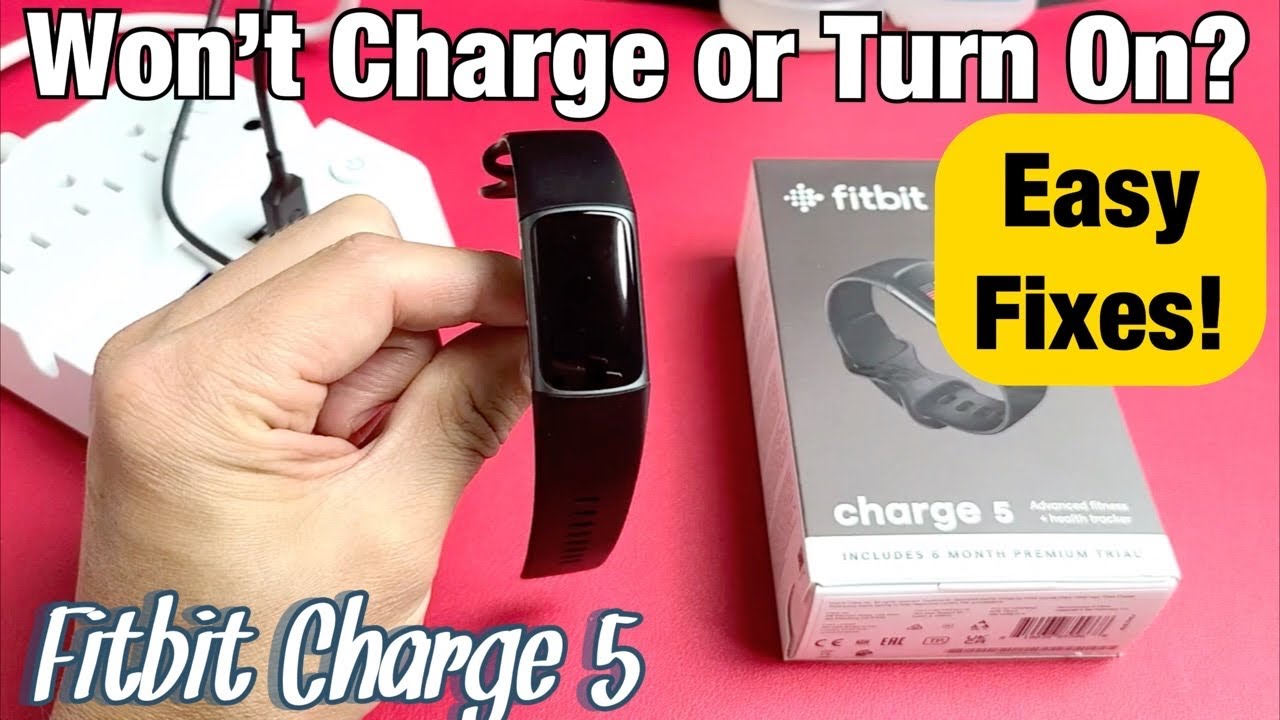
You rely on your Fitbit to track your health and fitness goals, but what happens when it suddenly refuses to charge? Frustration sets in, and you start to wonder if you’ll need to replace your trusty device.
Before you panic, take a deep breath. You’re not alone, and there’s likely a simple solution to your charging woes. We’ll delve into the common reasons why your Fitbit might not be charging and provide easy-to-follow fixes. From examining the charging cable to troubleshooting the device itself, we’ve got you covered.
Don’t miss out on regaining control over your Fitbit and keeping your fitness journey on track. Let’s dive in and get your device up and running again!
Credit: community.fitbit.com
Common Charging Problems
Sometimes, the Fitbit battery might not respond. This can be frustrating. Make sure the charger is working. Check the charging cable for damage. Inspect the charging port on the Fitbit. It should be clean and dry. Dust or moisture can cause problems. You might need to reset the Fitbit. Hold the button for 10 seconds to reset. Try charging again after resetting.
Occasionally, the Fitbit is not recognized. This happens with computers often. Ensure the USB port is working. Test with another device if needed. The charging cable might be faulty. Try using a different cable. Clean the charging contacts on your Fitbit. Make sure they are not dirty. A quick clean can fix the issue. Your Fitbit should be recognized now.
Check Charger And Cable
Charger and cable can often cause charging issues. Look closely for any damage or wear. Bent prongs or frayed wires might be the problem. Replace the charger or cable if you spot any damage.
Not all chargers fit every Fitbit model. Verify your charger is compatible with your device. Using the wrong charger can prevent charging. Check the manufacturer’s guidelines for compatibility. Always use the correct charger for your Fitbit.
Clean Charging Contacts
Charging contactsmust be clean for your Fitbit to charge. Remove dust and debris from the contacts gently. Dust can block the charge. Use a soft brush or a toothpick. Be careful not to scratch the contacts. Scratches can cause charging problems.
Remove Dust And Debris
Keep the charging contacts free from dust and debris. Check the charging port often. Dust can gather quickly. Use a soft cloth to wipe away dirt. A dry cloth works best. Wet cloths may damage the device.
Use Proper Cleaning Tools
Choose the right tools to clean your Fitbit. A soft brush can remove dust easily. A toothpick can help reach tight spots. Avoid using metal tools. Metal can scratch the contacts. Scratches can stop your Fitbit from charging.
Restart Your Fitbit
Experiencing issues with your Fitbit charging can be frustrating. Restarting your device often resolves this problem quickly. Simply follow the restart instructions to ensure your Fitbit charges properly and functions efficiently.
Steps To Restart
Press and hold the button on your Fitbit for 10 seconds. Release the button. Wait for your Fitbit to restart. Check if the screen turns back on. If it doesn’t, try again. Make sure the Fitbit is charged. Sometimes restarting fixes charging problems. It is a simple step. It helps solve many issues.
Benefits Of Restarting
Restarting your Fitbit can fix many problems. Charging issues might disappear. It can improve Fitbit performance. It helps clear minor glitches. Makes the device run smoother. Helps keep the Fitbit working well. This is an easy fix. It can save time and effort. Always try restarting first.
Update Firmware
Updating your Fitbit is very important. New updates fix many problems. They can also add new features. Your Fitbit may not charge because of old firmware. Updates can improve battery performance. They make your device work better. Always check for new updates. This helps keep your Fitbit in good shape.
Updating your Fitbit is easy. First, connect your Fitbit to your phone. Open the Fitbit app on your phone. Check for new updates in the app. Follow the steps to install the update. Ensure your Fitbit is fully charged. It should be close to your phone. This makes the update go smoothly. Restart your Fitbit after updating. This helps it run better.
Check Power Source
Try using a different power outlet. Sometimes outlets can stop working. This is a simple check. Plug a lamp into the outlet. Does it light up? If not, the outlet might be faulty. Switch to a working outlet. This can help your Fitbit charge.
USB ports on computers can be tricky. Not all ports give power. Plug your Fitbit into a known working USB port. Make sure the computer is on. Some computers have sleep settings. They stop giving power when asleep. Use a port you know works well.
Contact Fitbit Support
Having trouble with your Fitbit not charging? It can be frustrating. Sometimes, you need extra help. Contact Fitbit Support when your device won’t charge at all. If the screen stays black, it may need expert care. Also, if the battery drains quickly, seek help. They can guide you through troubleshooting steps. If your device is under warranty, support can offer replacements. Always have your Fitbit account details ready. This helps in quick assistance.
If you hear unusual sounds, reach out for help. This might signal a bigger problem. Don’t wait for the issue to grow. Support experts can solve many problems fast. They know the Fitbit devices well. This makes them the best choice for help. Remember, asking for help is smart. It keeps your Fitbit working longer.
:max_bytes(150000):strip_icc()/FitbitVersa4fb523sragus-b6a7c7d1e2714672a1e8abe19bb4903e.jpg)
Credit: www.greensafaris.com
Credit: www.youtube.com
Frequently Asked Questions
Why Isn’t My Fitbit Charging?
Your Fitbit might not charge due to a faulty cable or dirty contacts. Ensure the charging cable is securely connected and the contacts are clean. Try using a different USB port or charger. If the problem persists, consider replacing the charging cable or contacting Fitbit support for further assistance.
How Do I Fix Fitbit Charging Issues?
First, clean the charging contacts and ensure the cable is properly connected. Use a different USB port or charger to test the connection. Restart your Fitbit by holding the button for 10 seconds. If issues persist, consider replacing the charger or contacting Fitbit support for help.
Can A Damaged Charger Affect Fitbit Charging?
Yes, a damaged charger can prevent your Fitbit from charging properly. Check for visible damage or frayed cables. If the charger is damaged, replace it with a new one from Fitbit or a reputable retailer. Using a faulty charger can lead to further issues with your device.
Why Does My Fitbit Charge Slowly?
Slow charging may result from using a low-power USB port or adapter. Ensure your charger is compatible and provides sufficient power. Clean the charging contacts to ensure a strong connection. If the problem continues, try a different charger or contact Fitbit support for further assistance.
Conclusion
Experiencing Fitbit charging issues can be frustrating. Try cleaning the charging contacts. Ensure the charger is properly connected. Check for any software updates. Consider restarting your device. Sometimes, resetting the Fitbit helps. Always use the original charger for best results.
If problems persist, contacting customer support is wise. Regular maintenance prevents future charging troubles. Caring for your device ensures longer battery life. Remember, a well-functioning Fitbit improves your fitness tracking experience. Stay proactive in solving charging issues. Enjoy seamless tracking with a properly charged Fitbit.
Keep your fitness journey on track with these tips.

Finnian Delaney is a seasoned writer and editor specializing in technology and electronics. At ElectroDoz, he covers a wide range of topics, with a focus on MacBooks, laptops, fitness trackers, keyboards, and computer hardware. With a knack for making complex tech accessible, Finnian helps readers stay informed and confident when choosing their next device or upgrade.