Can I Use A Power Bank As A Power Source: Safe Guide
Yes. You can use a power bank as a power source for many USB devices, including phones, tablets, cameras, wireless earbuds, USB lights, small fans, and some routers.
A power bank is not a universal replacement for a wall outlet, though. It must provide the right voltage, current, connector, and power level for your device. It also needs enough stored energy to run the device for the time you need.
For people in the United States, a power bank can be useful during travel, power outages, camping trips, and work away from an outlet. The safest approach is to check the device label and the power bank specifications before connecting them.

What Is a Power Bank?
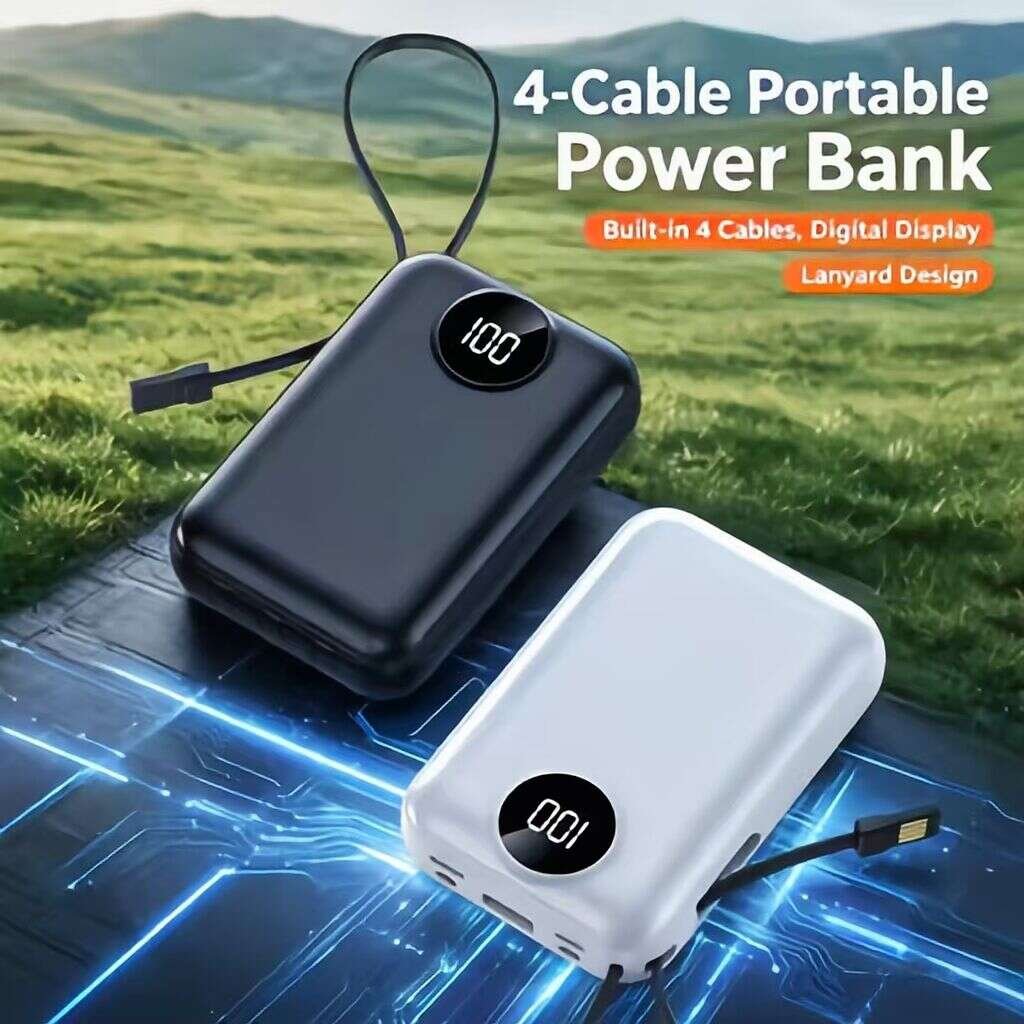
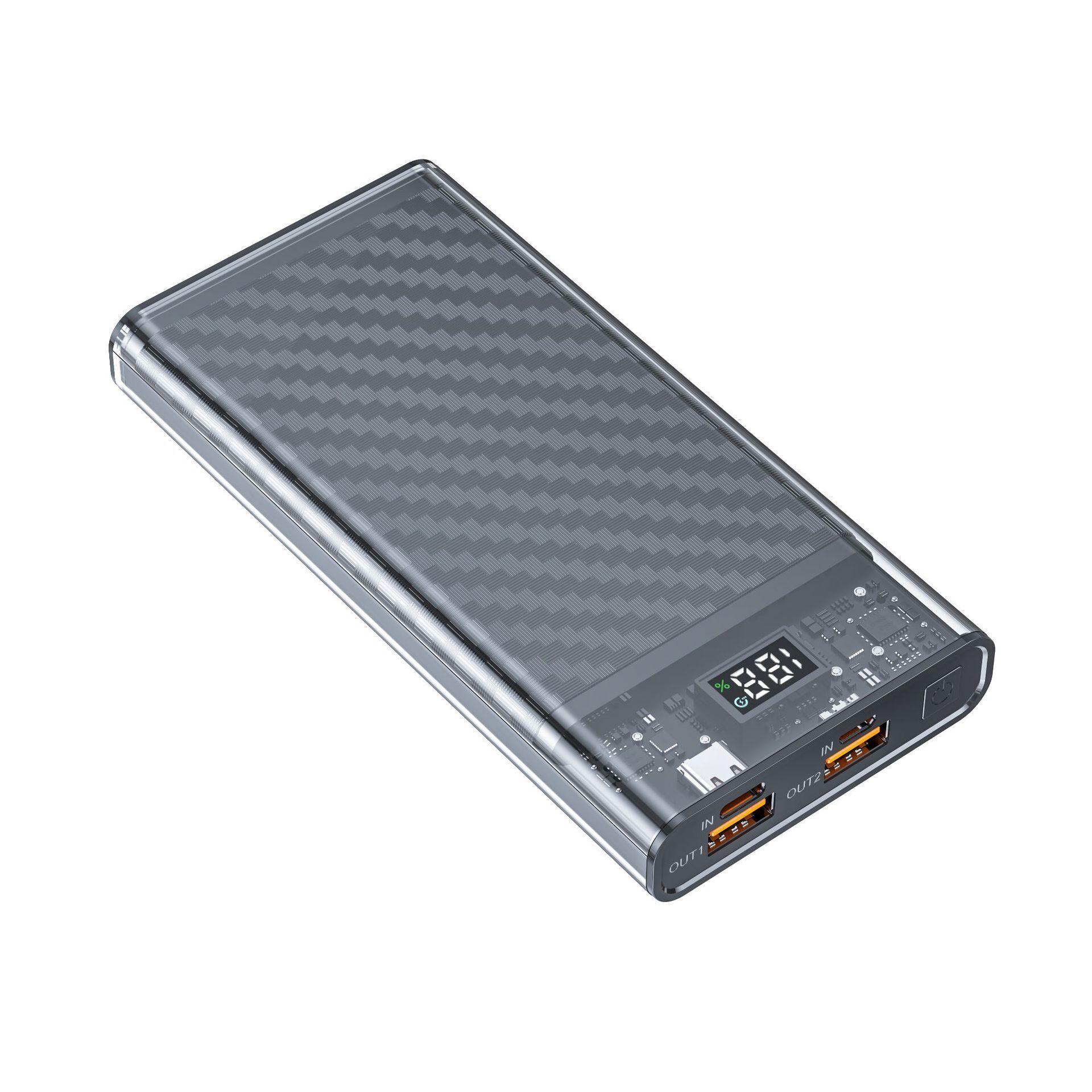
A power bank is a portable battery pack with one or more charging circuits. It stores energy in internal lithium-ion or lithium-polymer cells and sends that energy through a USB port.
Most power banks include:
- A battery rated in milliamp-hours, or mAh
- One or more USB-A or USB-C output ports
- A charging input for refilling the battery
- Protection against overcharging, overheating, short circuits, and excessive current
- A control circuit that adjusts the output for compatible devices
The mAh number describes battery capacity, not the amount of power delivered directly to your device. A power bank may store energy at a cell voltage near 3.7 volts, then convert it to 5 volts, 9 volts, 12 volts, or another USB Power Delivery level at the output.
That conversion causes some energy loss. The result is that a “20,000 mAh” power bank will not deliver 20,000 mAh at every output voltage.
Power bank terms to understand
| Term | What it means |
|---|---|
| mAh | Battery capacity stated as milliamp-hours |
| Wh | Watt-hours, a more useful measure for comparing energy |
| Output voltage | The electrical pressure supplied to the device |
| Output current | The amount of current available, measured in amps |
| Output power | The total power available, measured in watts |
| USB-C Power Delivery | A system that can negotiate higher voltage and power levels |
| Pass-through charging | Charging the power bank while it also powers another device |
| Low-current mode | A mode intended for small devices such as earbuds or smartwatches |
A power bank’s label or manual should list its output limits. If it lists several ports, check whether the maximum output changes when more than one port is used.
How to Tell if a Power Bank Will Power Your Device
Check four things before using a power bank: the connector, voltage, current, and total wattage.
1. Check the connector
The plug must physically fit the device. Common options include:
- USB-C
- USB-A
- Micro-USB
- Lightning, usually through a cable
- A special DC barrel connector on some routers, monitors, and electronics
A matching connector does not guarantee compatibility. Two USB-C devices may support different charging speeds or power levels.
2. Check the required voltage
USB devices often accept 5 volts, but some devices can use higher voltages through USB Power Delivery.
Do not connect a power bank to a device that requires a different fixed voltage unless the power bank or a proper converter is designed for it. Sending the wrong voltage to a device can prevent it from working or cause damage.
For ordinary USB charging, the device and charger usually communicate through the charging system. For devices with a DC barrel plug, voltage matching is much more critical.
3. Check the current and wattage
The device may list its requirement in amps or watts.
Use this formula:
Watts = Volts × Amps
For example, a device labeled 5V and 2A needs:
5 × 2 = 10 watts
A power bank that can provide 5V at 3A can supply up to 15 watts at that output. A power bank limited to 5V at 1A may not provide enough power.
If the device lists only watts, compare that number with the power bank’s maximum output. Leave some margin rather than choosing a power bank that matches the requirement exactly.
4. Check whether the device needs continuous power
A phone can usually stop drawing power when its battery is full. Some devices, such as small computers, routers, and USB lights, may need power continuously.
A power bank can run a device while its own battery has energy. When the power bank reaches its low-battery limit, it will shut off unless it is connected to a charger and supports the required charging behavior.
What Devices Can a Power Bank Run?
A power bank works best with small USB-powered devices. It may also run higher-power equipment if the power bank supports the required output.
Usually compatible
These devices commonly work with a suitable power bank:
- Smartphones
- Tablets
- Wireless earbuds
- Smartwatches
- E-readers
- Digital cameras
- USB LED lights
- Small USB fans
- Portable speakers
- USB heating accessories designed for power banks
- Some handheld game systems
- Some small routers and network devices
Sometimes compatible
These devices may work, but you must check their power requirements:
- Laptops with USB-C charging
- Portable monitors
- Raspberry Pi computers
- Mini projectors
- Wi-Fi routers
- 12-volt camping equipment
- USB-powered printers
- Small medical or accessibility devices
A laptop may require 45 watts, 65 watts, 100 watts, or more. A phone-focused power bank may provide only 10 to 20 watts, which is not enough for many laptops.
Usually not compatible
A standard power bank generally cannot run:
- Refrigerators
- Microwaves
- Coffee makers
- Hair dryers
- Space heaters
- Full-size televisions for long periods
- Desktop computers
- Sump pumps
- Most tools with motors or heating elements
These products usually need far more power than a USB power bank can provide. They may also need alternating current from an AC outlet rather than the direct current supplied by USB.
Can a Power Bank Run a Laptop?
Yes, but only if the power bank supports the laptop’s charging method and power requirement.
Most newer laptops that charge through USB-C need a power bank with USB-C Power Delivery, often called USB-C PD. Check the laptop charger for its wattage. A 65-watt laptop charger, for example, usually calls for a power bank that can deliver at least 65 watts through its USB-C output.
A lower-power power bank may still charge the laptop slowly when it is asleep or turned off. It may not charge the battery while you are using the laptop.
Before buying or using one, check:
- The laptop’s required charging wattage.
- Whether the laptop accepts USB-C charging.
- The power bank’s USB-C output wattage.
- Whether the included cable supports the required power.
- Whether the power bank has enough capacity for the intended work period.
A 20,000 mAh power bank may technically charge a laptop, but the result depends on the laptop battery, operating load, conversion losses, and power bank output.
Can a Power Bank Run a Router During a Power Outage?
Sometimes. A router can run from a power bank if its input is compatible with the bank’s output.
Many home routers use a DC power adapter rather than a USB port. Read the router adapter label. It may say something such as 12V, 1A, which equals 12 watts.
A regular 5-volt USB output cannot directly replace a 12-volt adapter. You would need a suitable USB-C PD trigger cable or a regulated voltage converter designed for that purpose. The cable must provide the correct voltage, use the correct plug size and polarity, and support enough current.
Do not guess with a barrel connector. A connector that fits can still have the wrong voltage or polarity.
Also remember that keeping the router powered may not keep your internet service working. Your modem, fiber terminal, cable equipment, or provider network may also lose power.
How Long Will a Power Bank Last?
The run time depends on the power bank’s usable energy and the device’s power draw.
A simple estimate is:
Run time in hours = usable watt-hours ÷ device watts
Example calculation
Suppose you have a 20,000 mAh power bank.
A rough internal-energy estimate is:
20,000 mAh ÷ 1,000 × 3.7 volts = 74 watt-hours
The actual usable output will be lower because the power bank must convert battery voltage and loses some energy as heat. If you plan around 80% usable energy, the estimate becomes:
74 Wh × 0.80 = about 59 Wh
If your device uses 10 watts:
59 Wh ÷ 10 W = about 5.9 hours
This is a planning estimate, not a guarantee. Actual run time changes with:
- Device power use
- Screen brightness and processor load
- Charging losses
- Cable quality
- Power bank age
- Temperature
- Output voltage
- Whether the device battery is charging at the same time
Typical planning examples
| Device load | Approximate result from about 59 usable Wh |
|---|---|
| 5 watts | About 12 hours |
| 10 watts | About 6 hours |
| 20 watts | About 3 hours |
| 45 watts | About 1.3 hours |
These figures are hypothetical estimates. They do not represent a test of a particular power bank.

Can I Use a Power Bank While It Is Charging?
It depends on whether the power bank supports pass-through charging.
Pass-through charging lets the bank receive power while sending power to another device. Some models support it, some disable the output, and some allow it only under limited conditions.
Even when pass-through charging works, it may not act like a true uninterruptible power supply, or UPS. A brief interruption may occur when the wall power fails. That interruption can restart a router, computer, or other sensitive device.
Check the manual for:
- Whether pass-through charging is supported
- Which ports can be used at the same time
- Whether output power is reduced
- Whether the bank can remain connected for long periods
- Whether the feature is recommended for continuous operation
For a router, security system, medical device, or other device that must stay on, use a purpose-built UPS or battery backup unless the power bank manufacturer clearly documents the needed behavior.
How to Use a Power Bank as a Power Source
Follow these steps when connecting a device.
Step 1: Read the device label
Find the input voltage, current, or wattage. For a phone or tablet, the information may appear in the manual or on the manufacturer’s support page.
For a router or other DC device, read the original power adapter.
Step 2: Compare the output
Confirm that the power bank can provide the required voltage and enough current or wattage.
For USB-C devices, check the USB-C PD profile. Do not assume that every USB-C port provides the same output.
Step 3: Choose the correct cable
Use a cable rated for the charging standard and power level. A weak or damaged cable can limit charging or become warm.
For a DC device, use only a cable or converter that matches:
- Voltage
- Current capacity
- Plug size
- Polarity
- Connector type
Step 4: Connect the device
Turn on the power bank if it has a button. Connect the cable to the correct output port, then connect the other end to the device.
Look for the normal charging symbol or power indicator.
Step 5: Check for stable operation
After a few minutes, check whether:
- The device is charging or staying on
- The power bank remains cool or only mildly warm
- The cable and connector are not loose
- The device is not repeatedly starting and stopping
- The power bank is not shutting down
Stop using the setup if you smell burning, see swelling, hear unusual sounds, or notice excessive heat.
Why Does the Device Keep Turning Off?
A power bank may shut down even when it still has charge. The most common cause is low power draw.
Some power banks turn off when a device draws less current than the bank’s minimum threshold. This can happen with:
- Wireless earbuds
- Smartwatches
- Small fans
- USB lights
- Sensors
- Microcontrollers
- Devices with a nearly full battery
Try the power bank’s low-current mode if it has one. This mode may keep the output active for longer.
Other possible causes include:
- The device needs more power than the bank can provide.
- The cable is damaged or poorly made.
- The output voltage is not compatible.
- Multiple devices are sharing the available power.
- The power bank is overheated.
- The power bank battery is worn out.
- The device requires a charging protocol the bank does not support.
Test the device with a different known-good cable and a compatible wall charger. If the device also fails with the wall charger, the device may have its own fault.
Is It Safe to Use a Power Bank as a Power Source?
A quality power bank used within its specifications is generally designed for this purpose. Safety depends on the battery, charger, cable, environment, and usage.
Follow these rules:
- Use a power bank from a reputable manufacturer.
- Stop using it if the case swells, cracks, leaks, or becomes unusually hot.
- Keep it away from direct sun, hot cars, and other heat sources.
- Do not cover it with blankets or clothing while it is operating.
- Use the charger and cable recommended by the manufacturer when possible.
- Do not open, crush, puncture, or modify the battery pack.
- Keep lithium battery products away from water unless they are specifically rated for it.
- Do not use a damaged power bank.
- Store it partly charged in a cool, dry place if you will not use it for a long time.
- Recycle it through a battery recycling program rather than placing it in household trash.
The U.S. Consumer Product Safety Commission publishes recalls and safety information for consumer products, including portable battery packs. Check its recall database if you are concerned about a specific model.
Travel safety in the United States
The Federal Aviation Administration generally requires spare lithium batteries and power banks to travel in carry-on baggage rather than checked luggage. Power banks up to 100 watt-hours are commonly allowed, while larger units may need airline approval and may have additional limits.
Airline policies can change. Check the current FAA guidance and your airline’s rules before traveling.
Can I Leave a Power Bank Connected All the Time?
It is usually better not to leave a portable power bank connected continuously unless the manufacturer says it supports that use.
A power bank is designed mainly for portable, occasional use. Long-term operation can create issues such as:
- Heat buildup
- Repeated battery cycling
- Battery aging
- Unexpected shutdowns
- Poor pass-through behavior
- Reduced reliability during an outage
For equipment that needs permanent backup power, use a UPS, a dedicated DC backup unit, or another solution designed for continuous operation.
A power bank may be suitable for short-term backup, such as keeping a phone or small USB light running during an outage. It is less suitable as a permanent power system for critical equipment.
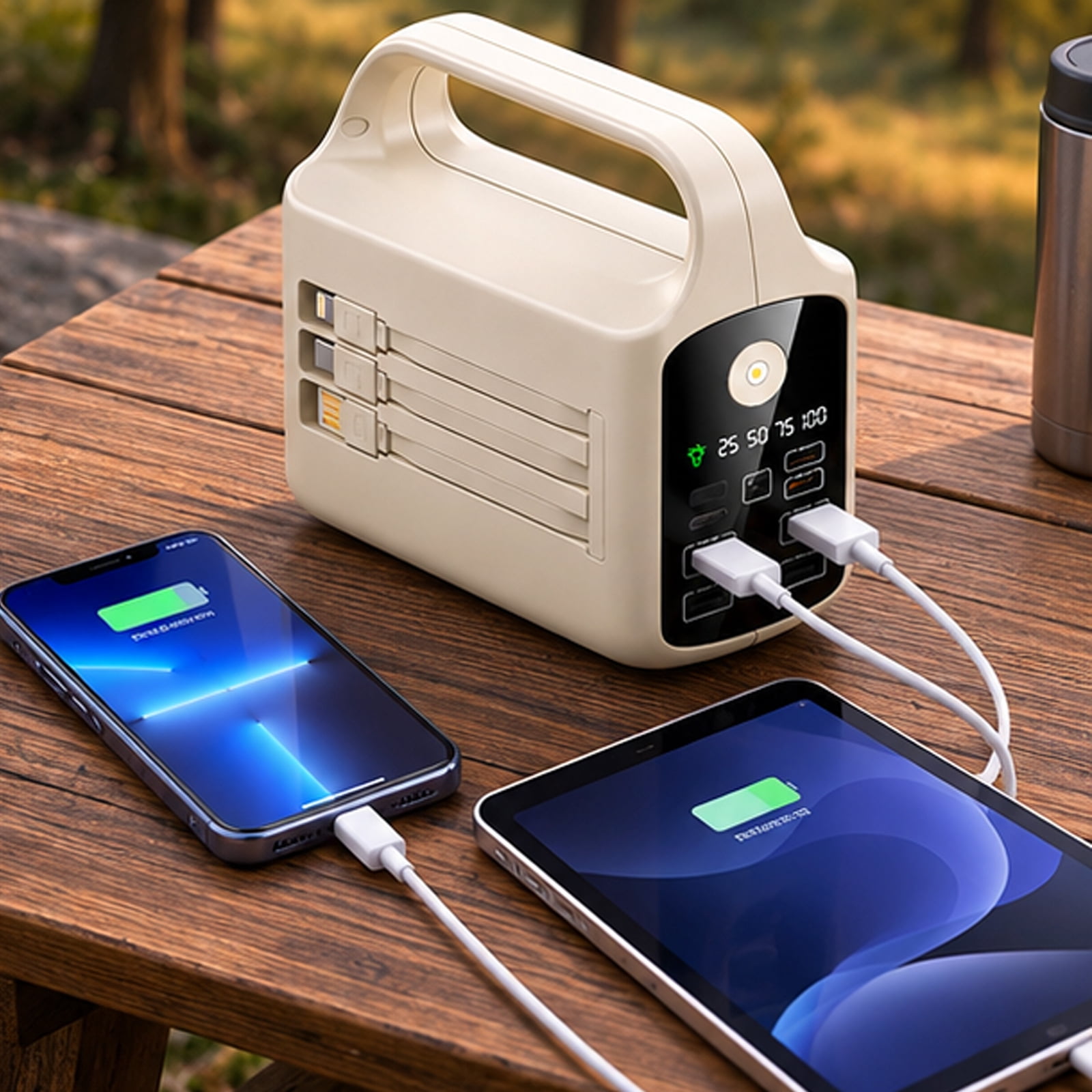
Power Bank vs. UPS vs. Portable Power Station
These products overlap, but they are not interchangeable.
| Product | Best for | Main limitation |
|---|---|---|
| Power bank | Phones, tablets, USB accessories, some USB-C laptops | Limited output and no guaranteed UPS function |
| UPS | Routers, computers, networking equipment, short backup periods | Often heavier and designed for fixed use |
| Portable power station | Larger devices, camping, emergency backup, AC equipment | Larger, heavier, and more expensive |
Choose a power bank when the device already uses USB and portability matters most.
Choose a UPS when the device must remain on without even a brief interruption.
Choose a portable power station when you need much more energy or AC outlets. Check its continuous wattage and surge rating before running equipment with motors or heating elements.
Common Mistakes to Avoid
Assuming a larger mAh number always means more output
Capacity is only one part of the decision. A power bank with high capacity may still have a low wattage limit.
Treating USB-C as a guarantee of fast charging
USB-C describes the connector shape. It does not guarantee USB Power Delivery, high wattage, or compatibility with every device.
Using a random DC adapter cable
The plug may fit while the voltage or polarity is wrong. This can damage the device.
Ignoring the cable
A cable may support charging at a lower rate than the power bank. Damaged cables can also cause unstable charging and heat.
Using a power bank for a high-power appliance
A power bank is not a small generator. Check the wattage before connecting any device with a heater, compressor, or motor.
Relying on a power bank as a guaranteed UPS
Many power banks briefly stop output when input power changes. That can reboot connected equipment.
Key Takeaways
- Yes, you can use a power bank as a power source for many USB devices.
- Check the device’s voltage, current, wattage, and connector first.
- USB-C does not automatically mean high-power charging.
- A power bank may run a laptop or router only when its output matches the device requirements.
- Use watt-hours, not just mAh, to estimate how long the battery will last.
- Pass-through charging does not always provide true UPS protection.
- Do not use a damaged, swollen, wet, or unusually hot power bank.
- For permanent backup power, a UPS or dedicated battery system is usually the better choice.
Frequently Asked Questions
Can I use a power bank to charge and use my phone at the same time?
Yes. The phone can usually operate while connected to a power bank. Charging may be slower if you use demanding apps, navigation, gaming, or video recording at the same time.
Can I use a power bank to run a USB fan all night?
Possibly. Find the fan’s wattage and divide the power bank’s usable watt-hours by that number. The fan may stop early if its power draw falls below the bank’s minimum output threshold.
Can I use a power bank with a 12V device?
Only if the power bank provides a compatible 12-volt output or a suitable regulated converter is used. Do not connect a 5-volt USB output directly to a 12-volt device.
Can I use a power bank to charge a laptop?
Yes, if the laptop accepts USB-C charging and the power bank supports the laptop’s required USB-C PD wattage. A low-wattage bank may charge the laptop slowly or only when it is idle.
Can I bring a power bank on a U.S. flight?
Power banks generally belong in carry-on baggage, not checked baggage. Capacity limits and airline rules apply, so check the current FAA and airline guidance before travel.
Conclusion
A power bank can serve as a practical portable power source when the device uses compatible USB power. Match the output voltage and wattage, use the right cable, estimate the available run time, and watch for heat or unstable operation.
For a phone, tablet, light, or other small USB device, the answer is usually yes. For a router, laptop, or higher-power appliance, check the specifications carefully. If the device must run continuously without interruption, use a UPS or battery system designed for that job.
Sources and further reading
- Federal Aviation Administration: PackSafe—Portable Electronic Devices and Spare Batteries
- U.S. Consumer Product Safety Commission
- USB Implementers Forum
- U.S. Department of Transportation: Lithium Battery Safety

Everett Calloway is a consumer electronics writer and technology enthusiast at ElectroDoz. He enjoys exploring the latest gadgets, electronic devices, and innovative technologies that make everyday life easier. Everett focuses on creating helpful product reviews, detailed buying guides, practical how-to articles, and troubleshooting tips. His goal is to simplify complex technical information and help readers understand product features, compare their options, and make informed purchasing decisions. When he isn’t researching new electronics, he enjoys exploring emerging technology trends and discovering useful gadgets.