How to Charge Solar Power Bank: Step-by-Step Guide
Imagine being on a thrilling outdoor adventure, surrounded by nature’s beauty, with your devices fully powered, ready to capture every moment. Sounds perfect, right?
But, here’s the catch—you need to know how to charge your solar power bank efficiently to make it happen. Whether you’re camping in the woods or exploring new cities, understanding how to harness the sun’s energy can save your day.
You might be wondering if it’s complicated or time-consuming. The good news? It’s simpler than you think. Dive into this guide, and you’ll discover the secrets to keeping your gadgets alive and kicking, no matter where you are. Ready to unlock the full potential of your solar power bank? Let’s get started!
Choosing The Right Solar Power Bank
Solar power banks store energy from the sun. They have different capacities. Capacity tells you how much energy it can hold. A higher capacity means more energy. Some banks charge phones many times. Others can only charge once. Look for useful features. Some have a flashlight. Others are waterproof. Some can charge two devices at once. These features help in different situations.
Find a model that matches your needs. Think about how often you charge. If you travel a lot, get a portable one. Check the size and weight. Some are small and light. Others are bigger and heavier. Make sure it is easy to carry. Price is also important. Choose a bank that fits your budget. But remember, quality is important too.
Preparing The Solar Power Bank
Carefully open the box. Look for any damage. Check the power bank for scratches. Inspect all parts included. Ensure everything is in good condition. Verify the presence of cables. Ensure they are intact. Look for the warranty card. Keep it safe. A well-inspected power bank lasts longer.
Locate the user manual. Read instructions thoroughly. Understand how it works. Follow steps for charging. Know safety precautions. Manuals guide you on proper use. They help avoid mistakes. Familiarize with the solar panel. Learn the best way to charge. User manuals are valuable resources.
Identifying Charging Options
Solar power banks can charge with sunlight. Place the power bank under the sun. Make sure there is no shade. It may take a long time to charge fully. Direct sunlight is best for charging. This method is eco-friendly and saves electricity. Patience is key when using solar panels.
USB charging is faster and more reliable. Plug the power bank into a USB port. Any computer or USB adapter will work. Charging is quicker than solar panels. USB is useful in bad weather. Always use the correct cable for best results. Never force a cable into the port.

Credit: toughtested.com
Charging With Solar Panels
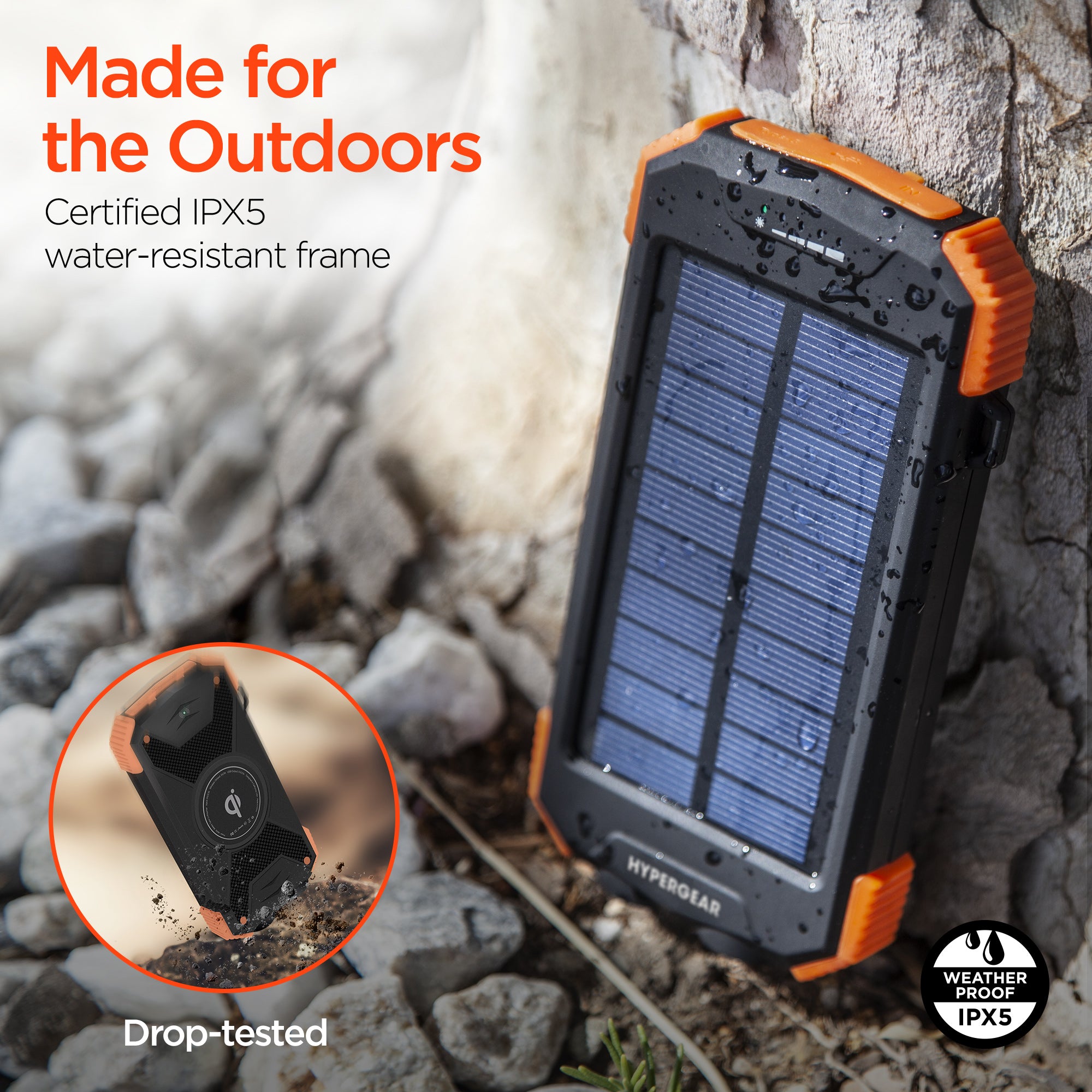
Solar power banks need direct sunlight to charge. Find a sunny spot outside. Avoid shadows from trees or buildings. Angle the panels towards the sun. This helps absorb more light. Keep the panels clean. Dust can block sunlight. Wipe with a soft cloth if dirty. Check the weather. Sunlight is less on cloudy days. Charge may be slower.
Most power banks have lights. These show charging status. Green light means charging. Red light may mean low battery. Check the lights often. This helps you know if charging is good. Use the instruction manual. It explains what each light means. Don’t overcharge the power bank. Disconnect once full. This keeps the battery healthy.
Charging Via Usb
Plug the USB cable into the solar power bank. Connect the other end to the wall adapter. Insert the wall adapter into the electric socket. Ensure the solar power bank is turned on. Charging light should appear. This means it’s charging properly. Allow the power bank to charge fully. This might take a few hours. Once done, remove it from the socket. Avoid charging overnight.
Use the USB cable provided. Connect one end to the solar power bank. Plug the other end into the computer USB port. Ensure the computer is on. Charging light should be on. This shows it’s charging. It might charge slower than using a wall adapter. Allow a few hours for full charge. Disconnect once fully charged. Store safely after charging.
Credit: myhypergear.com
Maintaining The Solar Power Bank
Keep the solar power bank in a cool and dry place. Avoid direct sunlight when storing. This helps the battery last longer. Use a protective case if possible. It prevents scratches and damage. Charge it partially before storing. This keeps the battery healthy. Ensure the storage area is free from dust and moisture.
Check the solar panels for dirt. Clean them with a soft cloth. Dust can block sunlight. Inspect the battery level often. Charge it if it’s low. Look for any physical damage. Fix cracks or dents quickly. Test the USB ports. Ensure they work well. Listen for any strange noises. This could mean a problem.
Troubleshooting Common Issues
Solar power banks can charge slowly sometimes. First, make sure the solar panels are clean. Dust or dirt can block sunlight. Use a soft cloth to clean them gently. Next, check the cables. A damaged cable can slow down charging. Replace it if needed. Also, ensure the power bank is in direct sunlight. Shadows can reduce charging speed. If possible, try to charge when the sun is strong.
Avoid charging through a window. Glass can block sunlight too. Using these tips can help improve charging speed. It is important to remember that solar charging takes time. Patience is key.
Sometimes, solar panels can be faulty. This can stop charging. First, inspect the panels for any cracks or damage. If damaged, they may need replacing. Check the connections too. Loose connections can cause issues. Tighten any loose parts with care.
Try using the power bank on a sunny day. If it still doesn’t work, the panel might be broken. Consider contacting the manufacturer for support. Always handle solar panels with care. They are delicate and need proper maintenance.

Credit: www.amazon.com
Frequently Asked Questions
How Do You Start Charging A Solar Power Bank?
To charge a solar power bank, place it under direct sunlight. Ensure the solar panel faces the sun directly. Most devices have indicator lights that show charging status. For faster charging, use a USB cable connected to a power source, if available.
Can You Charge A Solar Power Bank Indoors?
Yes, you can charge a solar power bank indoors using a USB cable. Connect it to a wall charger or a computer. Charging via USB is faster and more reliable than solar charging indoors. Solar charging indoors is generally inefficient due to limited sunlight exposure.
How Long Does A Solar Power Bank Take To Charge?
Charging time for a solar power bank varies based on sunlight and capacity. Typically, it takes 20-30 hours of direct sunlight. Charging via USB is faster, usually taking 4-6 hours. Always check the manufacturer’s instructions for specific charging times.
Is It Safe To Leave A Solar Power Bank In The Sun?
Yes, it’s safe to leave a solar power bank in the sun for charging. However, avoid extreme heat conditions. Prolonged exposure to heat can damage the battery. Always follow the manufacturer’s guidelines for optimal charging conditions to ensure safety.
Conclusion
Charging a solar power bank is simple and efficient. First, place it under direct sunlight. This helps it absorb energy quickly. Check the indicator lights for charging status. Avoid overcharging by monitoring these lights. Use the power bank to charge devices when needed.
Remember, cloudy days might slow charging. Regular checks ensure optimal performance. Solar power banks are eco-friendly and practical. They’re great for travel and emergencies. With these steps, you can keep your devices powered. Enjoy reliable energy with the sun’s help.
Stay prepared and connected.

Marlowe Quinn is a technology writer at ElectroDoz, with expertise in smartphones, chargers, power banks, phone cases, selfie sticks, and other mobile accessories. Known for breaking down specs and features into easy-to-understand insights, Marlowe helps readers find the right gadgets to stay connected and powered up in their daily lives.