How to Take a Screen Protector off a Phone: Expert Tips
Are you struggling with a stubborn screen protector that just won’t budge? You’re not alone.
Removing a screen protector can be a daunting task, especially when you’re worried about damaging your beloved phone. But don’t worry—you’re about to discover a simple, step-by-step method to safely take it off without leaving any residue or scratches behind.
Imagine the relief you’ll feel when your phone looks pristine and ready for a fresh new screen protector. Keep reading, because what you’re about to learn will save you time, hassle, and possibly a trip to the phone repair shop.

Credit: www.totalleecase.com
Preparation Steps
Start by gathering a few essential tools. A soft cloth is needed. You also need a small plastic card. This helps in removing the protector. Avoid metal tools. They might scratch the screen. A little patience helps too.
Make sure the work area is clean and tidy. Dust and dirt can be a problem. They may stick to the screen. Use a clean table or desk. Ensure good lighting. It helps you see better. This makes the task easier. Keep all tools nearby. It saves time and effort.
Credit: www.youtube.com
Loosening The Screen Protector
Blow warm air on the screen protector. Keep the dryer a safe distance. Heat helps loosen the adhesive. Be careful not to overheat. Too much heat can damage the phone. Move the dryer around slowly. Focus on edges where the protector sticks. Warm air softens the glue.
Make sure the heat spreads evenly. Keep moving the dryer in small circles. This helps avoid hot spots. Even heat ensures easy removal. It softens the adhesive uniformly. Gentle heating is key for safe removal. A uniform approach helps in peeling off the protector smoothly.
Peeling Off The Protector
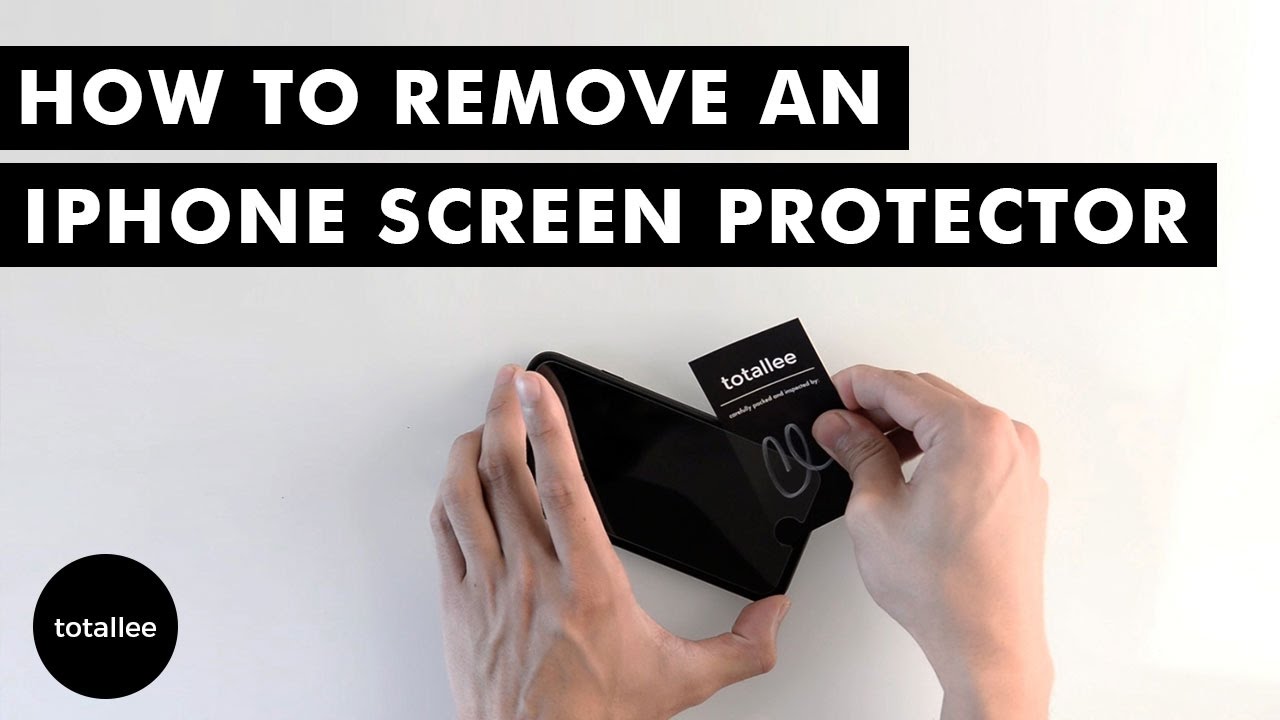
Begin by finding a corner of the screen protector. This is usually easiest with your fingernail. Gently lift the corner, being careful not to scratch the screen. Patience is key here. If the corner is hard to lift, use a thin card. Slide it under the corner to help lift it. Avoid using sharp objects; they can damage the screen.
Once a corner is up, slowly peel the protector. Go slowly to avoid tearing the protector. Hold the phone steady with one hand. Use the other to gently pull the protector. Keep a steady pace. This helps in removing the protector cleanly. If it sticks, pause and start again. A slow, even pull works best.
Removing Residue
Gently lift a corner of the screen protector to start removing it. Slowly peel it off to prevent tearing. If sticky residue remains, use a soft cloth and mild cleaning solution to wipe it away.
Use Adhesive Remover
To clear sticky marks, adhesive remover can help. Apply a small amount on a clean cloth. Gently rub the sticky area. Watch the residue lift off easily. Be careful not to scratch the phone. If needed, repeat the steps. Ensure no adhesive remover enters phone openings.
Wipe With A Microfiber Cloth
Use a microfiber cloth to clean the screen. Rub gently in circles. This cloth picks up dirt and grease. It won’t scratch the screen. Always keep the cloth clean. A dirty cloth may cause scratches. If dust remains, use the cloth again. Keep the phone looking clear and shiny.
Cleaning The Screen
Choose a gentle cleaner for your phone screen. Some cleaners can damage screens. Avoid strong chemicals like bleach or alcohol. These can cause harm. Opt for a soft cloth and a little water. A microfiber cloth works best. It removes dirt without scratching. Spray the cleaner on the cloth. Never spray directly on the screen. This keeps your phone safe. Wipe gently to clean off any dust.
Scratches can make your screen look bad. Use the right tools to avoid them. Do not use your nails to remove the protector. This can cause scratches. Use a card or soft tool instead. Slide it under the protector’s edge. Lift it slowly. Be patient while doing this. It keeps your screen scratch-free. Avoid sharp objects near your screen. They can cause damage.

Credit: www.portplugs.com
Installing A New Protector
Place the new screen protector on the phone. Align carefully with the edges. Start from one side and move slowly to the other. Make sure the protector is straight. Use your fingers to press down. If it is not straight, lift and try again.
Smooth out air bubbles using a card or cloth. Push bubbles to the edge. Start from the center and move outward. Press gently but firmly. Check for any remaining bubbles. Repeat if needed. A smooth screen protects better. Enjoy your clear screen!
Frequently Asked Questions
How To Safely Remove A Screen Protector?
To safely remove a screen protector, gently lift a corner with your fingernail or a plastic card. Slowly peel it off, applying even pressure to avoid damage. If it resists, use a bit of heat from a hairdryer to loosen the adhesive.
Will Removing The Protector Damage My Phone?
Removing a screen protector correctly won’t damage your phone. Ensure you peel it off slowly and gently. Avoid using sharp tools. If you’re cautious, both the screen and protector should remain intact. Always clean the screen after removal for optimal performance.
Can I Reuse A Screen Protector?
Reusing a screen protector is not recommended. Once removed, the adhesive loses its effectiveness. Dust and debris may also cling to it, compromising clarity and adhesion. It’s best to replace it with a new one for optimal protection and performance.
How Often Should I Replace My Screen Protector?
Replace your screen protector when it shows visible scratches or peeling. Generally, consider replacing it every 6-12 months. Frequent replacement ensures your screen remains clear and protected. If you notice reduced touch sensitivity, it might also be time for a new one.
Conclusion
Removing a screen protector can be simple and stress-free. Follow the steps carefully to avoid damage. Use tools like a toothpick or credit card. Gently lift the protector from the corner. Peel it slowly, keeping your phone safe. Clean the screen after removal for best results.
A microfiber cloth works well for this. Consider replacing the protector if needed. Protecting your phone screen is important. With practice, this task becomes easier. Enjoy a clean, clear phone screen today. Thank you for reading!

Marlowe Quinn is a technology writer at ElectroDoz, with expertise in smartphones, chargers, power banks, phone cases, selfie sticks, and other mobile accessories. Known for breaking down specs and features into easy-to-understand insights, Marlowe helps readers find the right gadgets to stay connected and powered up in their daily lives.