How to Connect a LG Sound Bar to TV: Easy Guide
Are you ready to elevate your TV’s sound experience with a new LG sound bar? Connecting your sound bar to your TV can transform your home entertainment setup, immersing you in high-quality audio that enhances every movie, show, or game.
But if you’re unsure how to make that connection seamless, don’t worry—you’re in the right place. This guide will walk you through the simple steps to connect your LG sound bar to your TV, ensuring you enjoy every sound detail effortlessly.
Imagine the thrill of cinema-like sound right in your living room. Let’s get started on making it a reality!
Choosing The Right Connection Method
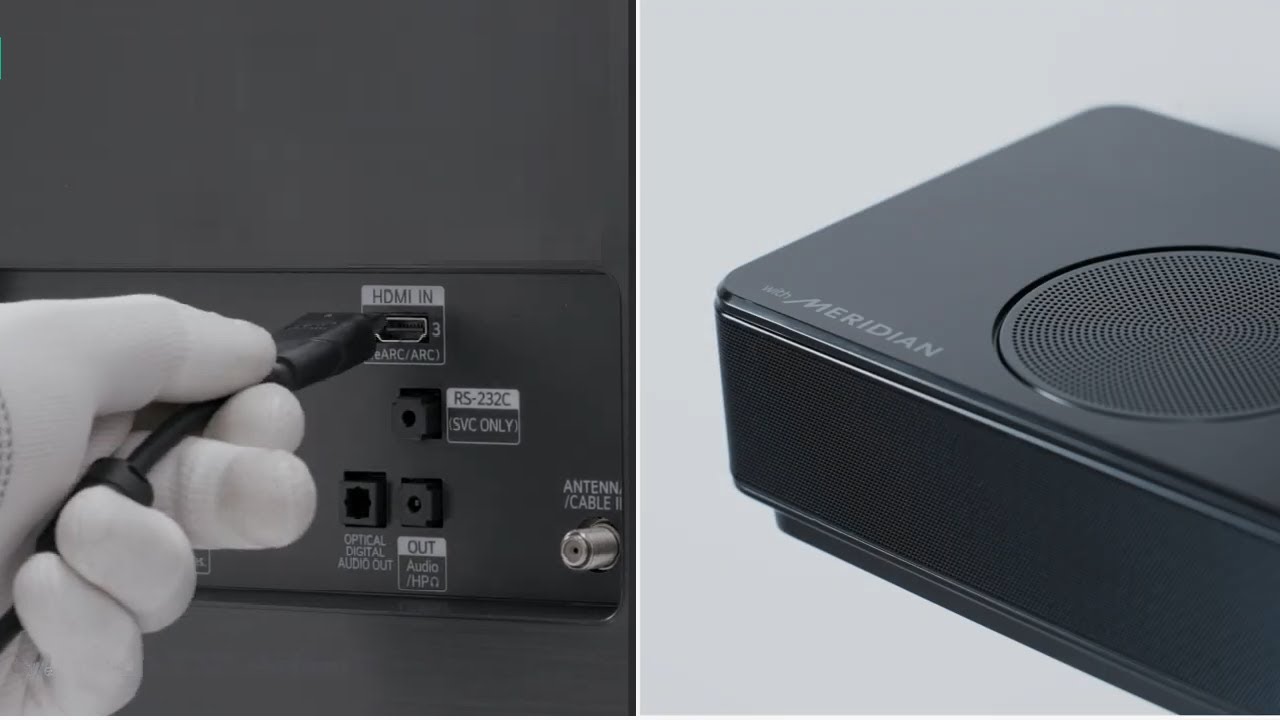
HDMI ARC is a smart choice for connecting a sound bar. High-quality audio travels through one cable. Easy setup. Plug the HDMI cable into the TV’s ARC port. Connect the other end to the sound bar. Make sure both devices support ARC. Once connected, the TV remote can control sound volume.
Optical cables provide clear sound. Connect one end to the TV’s optical out port. The other end goes to the sound bar. This method offers digital sound quality. It is perfect for watching movies. Check if your devices have optical ports. This connection is simple and reliable.
Bluetooth is a wireless option for connecting your devices. Pair the sound bar with the TV. Ensure Bluetooth is enabled on both. This method reduces cable clutter. Perfect for flexible setups. Sound quality may vary. Make sure the devices are close for a stable connection.
RCA cables are older connectors but still useful. Connect one end to the TV’s audio out ports. Plug the other end into the sound bar’s input. Red and white plugs are easy to identify. This method is less popular but works well. Check if your sound bar supports RCA input.
Credit: www.youtube.com
Preparing Your Devices
Check Compatibilitybetween your TV and sound bar. They should work together. Look for HDMI or optical ports on both devices. These ports are common for connection. If unsure, read the manuals.
Next, gather necessary cables. An HDMI cable or an optical cable is needed. Most sound bars come with these cables. If not, buy one at an electronics store.
Make sure there is a power supplyfor both devices. Plug the sound bar into a power outlet. Check if the TV is plugged in too. Power is important for everything to work.
Connecting Via Hdmi Arc
Find the HDMI ARC porton your TV. This port lets sound flow both ways. Check your TV’s back. Look for a label that says ARC. Some TVs have more than one HDMI port. Make sure you pick the right one.
Grab your HDMI cable. Plug one end into the TV’s ARC port. The other end goes into the sound bar’s ARC port. Push firmly so it fits snugly. This connection sends sound to the sound bar.
Turn on your TV. Open the settings menu. Find the audio settings. Change audio output to HDMI ARC. This tells the TV to use the sound bar. Save the settings. Now enjoy better sound!
Using Optical Cable
Find the optical ports on both the sound bar and the TV. These ports are usually labeled as “Optical” or “Digital Audio”. Look for a small square-shaped port. Double-check the labels to avoid confusion. Make sure the ports are clean and free from dust.
Take your optical cable. Insert one end into the sound bar’s optical port. Then, connect the other end to the TV’s optical port. Ensure a snug fit for best sound quality. Avoid bending the cable too much.
Go to your TV’s audio settings. Select optical output as the audio source. Check the volume level on both devices. Adjust settings to your liking. Ensure sound is coming from the sound bar. Enjoy your movies and music!
Pairing With Bluetooth
Find the Bluetooth settingson your TV. Use the remote to open the settings menu. Look for the Bluetooth option. Make sure it is turned on. Sometimes, it is under “Connections”.
Find the Bluetooth buttonon your LG Sound Bar. Press and hold the button. This makes the Sound Bar search for devices. You might see a blinking light.
Go back to your TV menu. Look for the LG Sound Bar name. Select it from the list. Your TV will connect to the Sound Bar. Now, you should hear the TV sound from the Sound Bar.
Credit: www.lg.com
Setting Up With Rca Cables
Search for RCA audio outputs on your TV. These are usually red and white ports. The TV’s manual can help locate them. These outputs send sound to the sound bar. Make sure the TV is off before connecting.
Plug the RCA cables into the TV’s red and white ports. The other ends go into the sound bar. Ensure each color matches. Red to red and white to white. This ensures the sound is right.
Turn on the TV and the sound bar. Use the sound bar’s remote to choose the RCA input. The sound bar will now play the TV’s sound. Adjust the volume to your liking. Enjoy your improved sound!
Troubleshooting Common Issues
Connecting an LG sound bar to your TV involves checking cable connections and ensuring compatible audio settings. Verify the HDMI ARC or optical cable is securely plugged in. Adjust TV settings to enable external audio output for optimal sound experience.
No Sound Output
Sometimes, the sound bar may not give any sound. First, check if the volume is up. Make sure the mute button is not on. Check if the sound bar is connected to the right port. Use the TV remote to select the correct audio output. Try using a different cable to see if it helps.
Connection Drops
Connections can drop if the cables are loose. Check all cables and make sure they are secure. Check if any wireless devices are too far from each other. Keep other electronics away from the sound bar. These can cause interference with the signal.
Audio Delay
Audio might not sync with the video. This can be annoying. Check the audio settings on your TV. Some TVs have a lip sync setting. Adjust it to fix the delay. Ensure the sound bar firmware is up-to-date. Sometimes, updates can fix delay issues.
Credit: www.lg.com
Enhancing Audio Experience
Adjust Sound Bar Settingsfor a better experience. Use the remote to change settings. Try different volume levels. Make sure the sound is clear. Find the setting that sounds best to you.
Explore Sound Modesto find the right one. Some modes make movies sound better. Others are good for music. Try each mode. See which one you like the most. You can change modes anytime.
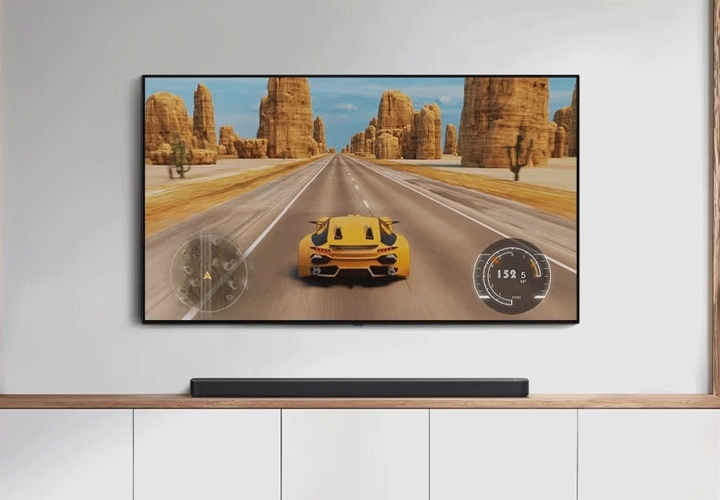
Position Sound Bar Properlyfor the best sound. Place it in front of the TV. Make sure it is not blocked. Keep it at ear level if possible. This helps the sound reach you better. A good position makes a big difference.
Frequently Asked Questions
How Do I Connect My Lg Sound Bar To Tv?
To connect your LG sound bar to your TV, use an HDMI ARC cable for the best audio quality. If your TV doesn’t support HDMI ARC, use an optical cable. Ensure both devices are powered off before connecting. Once connected, power them on and select the appropriate input on your sound bar.
Can I Use Bluetooth To Connect My Lg Sound Bar?
Yes, you can connect your LG sound bar to your TV using Bluetooth if both devices support it. Simply enable Bluetooth on both devices. Then, pair your sound bar with your TV by selecting the sound bar from the available Bluetooth devices list on your TV.
Why Is My Lg Sound Bar Not Working With My Tv?
If your LG sound bar isn’t working with your TV, check all connections and ensure cables are properly plugged in. Make sure both devices are set to the correct input/output settings. Updating the firmware on both devices may also resolve connectivity issues.
What Cables Do I Need To Connect Lg Sound Bar?
To connect your LG sound bar to your TV, you’ll need an HDMI ARC cable or an optical cable. HDMI ARC provides the best audio quality and supports more features. If your TV doesn’t support HDMI ARC, use an optical cable for digital sound transmission.
Conclusion
Connecting your LG sound bar to your TV enhances your audio experience. Follow the steps carefully for a seamless setup. Ensure your cables are correctly plugged in. Double-check the sound settings on your TV. Select the right input source on your sound bar.
Test the sound to confirm the connection works. Adjust the volume to your liking. Enjoy clearer audio with every show or movie. Troubleshoot if issues arise. This setup boosts your home entertainment. Happy listening and enjoy your enhanced sound quality!

Everett Ashford is an electrical engineer and expert in electronics reviews, tips, and troubleshooting. Specializing in audio and sound devices, including earbuds, AirPods, and headphones, he brings in-depth knowledge and practical advice to help consumers make informed decisions.