Should I Clear TPM When Resetting Laptop: Essential Guide
Have you ever faced the daunting task of resetting your laptop and stumbled upon the option to clear TPM? If you’re scratching your head wondering what TPM even is and whether you should clear it, you’re not alone.
TPM, or Trusted Platform Module, is a security feature that can feel like a mysterious entity when you’re trying to breathe new life into your device. But before you rush to click that button, it’s crucial to understand what clearing TPM means for your laptop’s security and performance.
This choice could significantly impact your device’s future functionality. Dive into this guide and discover whether clearing TPM is the right move for you, empowering you to make informed decisions without compromising your laptop’s safety or your peace of mind.
What Is Tpm?
TPM stands for Trusted Platform Module. It’s a small chip inside your laptop. It helps keep your computer safe. TPM stores keys and passwords securely. It’s like a digital safe in your computer. Clearing TPM means removing stored keys. It can help fix security problems. But be careful before clearing it. You might lose access to some files. Make sure you know what you’re doing. If unsure, ask an expert for help. Your laptop’s security is important. Keep TPM safe and secure.
Role Of Tpm In Computers
TPM stands for Trusted Platform Module. It is a small chip in computers. This chip helps with security tasks. It keeps your data safe. TPM stores encryption keys. It also checks if your system is safe. Many computers use TPM for extra protection.
TPM helps with secure boot. This means it checks your computer before starting. If something is wrong, TPM will know. It can stop harmful software. TPM is like a guard for your computer. It helps keep important informationsafe.
Some laptops have TPM built in. Others do not. It’s important to know if your laptop has TPM. It can make your computer more secure. But you might not need it for every task. Always think about security needs first.
Reasons To Reset A Laptop
Resetting a laptop can fix software issues. It often makes the device run faster. Old files and unnecessary apps slow down the system. Cleaning them helps improve performance. Sometimes, resetting is needed for security. If the device has a virus, resetting can remove it. It also ensures privacyby erasing personal data. Selling a laptop? Resetting it removes all information. It’s important to clear it before handing it over. Resetting also helps when the system is unstable. Frequent crashes or freezes can be resolved this way. It’s a way to start fresh, like a brand-new device. Resetting doesn’t fix hardware problems, though. For hardware, you might need repairs. Always back up important files first. Resetting deletes everything.
Clearing Tpm: Pros And Cons
Clearing TPMhelps protect your laptop. It removes old keys and data. This makes your laptop safe from hackers. But clearing TPM might remove important keys. These keys help your laptop run well. Without them, some programs may not work.
Prosinclude better security. Old data gets erased. This helps keep your information safe. Clearing TPM can fix some laptop problems. Your laptop may work better.
Consinclude losing important keys. You might lose access to some files. Some programs might stop working. This can be a problem if you need those programs.
Think carefully before you clear TPM. It can help your laptop. But it might cause problems too. Always check if you need those keys.
Impact On Security
Clearing the TPMwhen resetting a laptop can help. It removes old encryption keys. This can keep your data safe. Without this, old keys might be used to unlock data. So, clearing TPM is often wise. It adds an extra layer of security. Always ensure you have backups first.
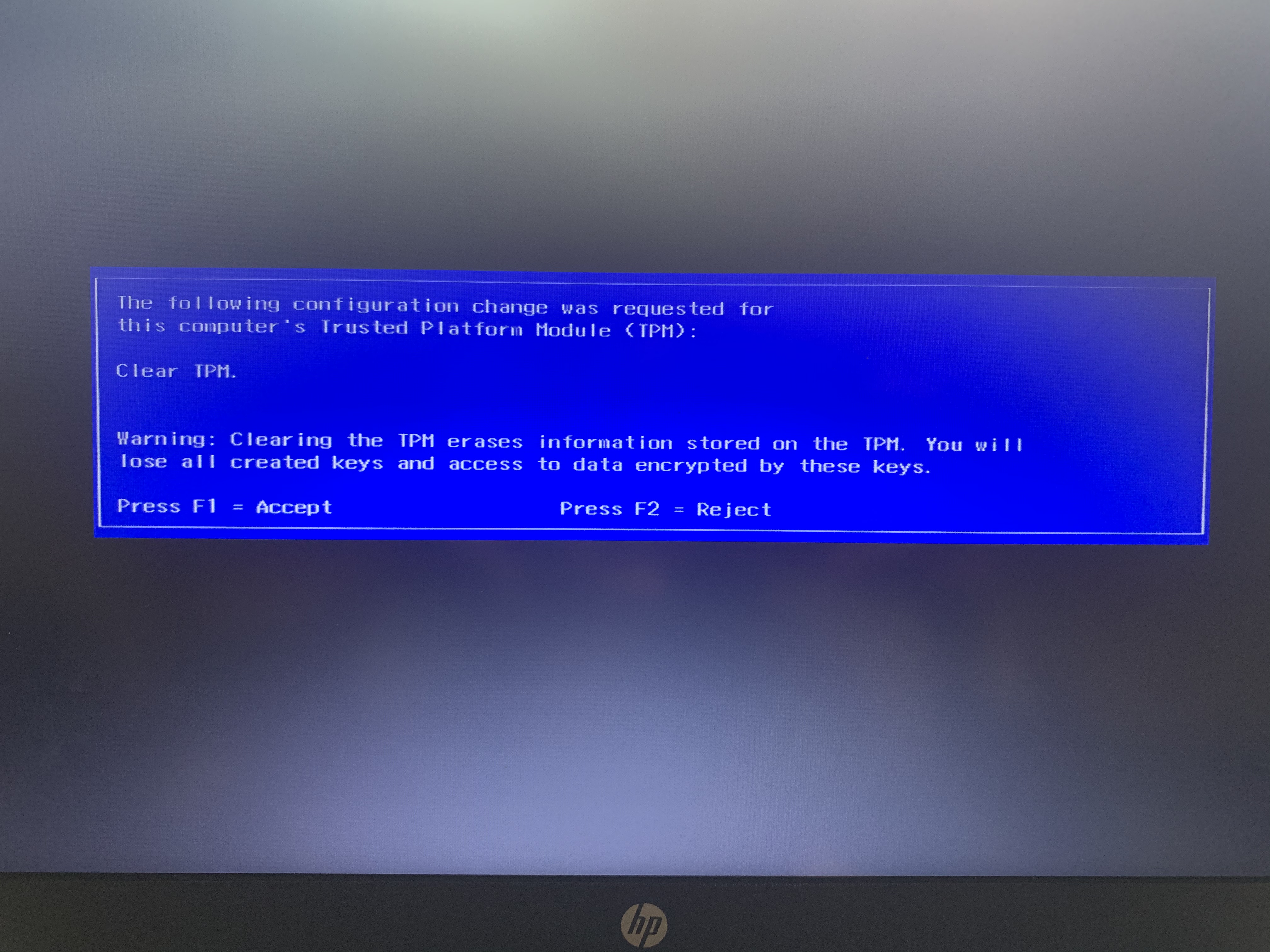
Encryption keysare like secret codes. They protect your files. Clearing TPM removes these keys. This makes it hard for others to access your data. Always remember to save important files elsewhere. Once you clear TPM, you cannot get old keys back. This is important for your laptop’s safety.
Credit: h30434.www3.hp.com
When To Clear Tpm
Clearing the TPM is important for security. When a laptop has a new owner, clearing the TPM is wise. It removes old passwords and keys. This action keeps data safe. It ensures the new owner starts fresh. No leftover data remains from the old user. This step protects personal information.
Sometimes laptops have system errors. Clearing the TPM can help fix these issues. Errors might happen because of corrupted files. Removing these files can solve problems. It helps the laptop run better. Clearing TPM can be a simple fix. It is one way to troubleshoot system problems. Always back up data first. It ensures no important files are lost.
Steps To Clear Tpm
Save all your important files before clearing TPM. Use external drives for safety. You can also use cloud storage. This keeps your data safe during the reset. Losing data can be frustrating. Backup is a smart step before any reset.
Access BIOS or UEFI to clear TPM. Turn off the laptop first. Then, turn it back on. Press the correct key to enter BIOS. The key is often F2 or Delete. Look for TPM settings in BIOS. Follow the instructions to clear TPM.

Credit: www.reddit.com
Common Mistakes
Resetting a laptop can be tricky. Many people forget to clear the TPM. This can lead to security issues. TPM stores keys for encryption. These keys protect your data. If you reset without clearing TPM, old keys remain. Your new settings might not be safe. Always clear TPM during reset. This ensures your laptop is secure. It keeps your data safe. Another mistake is skipping backups. Always save important files first. Resetting erases everything. Don’t lose valuable data. Take time to back up your files. Save them on a USB or cloud. This keeps your memories safe. Be careful and plan ahead. Resetting is simple when done right.
Faqs About Tpm
TPM stands for Trusted Platform Module. It helps secure your laptop. Clearing TPM can be important during a reset. Sometimes, TPM stores old data. This data can cause problems. Resetting removes old settings. Clearing TPM removes old security keys. This makes sure your laptop is safe. Always back up important data. This is important before clearing TPM.
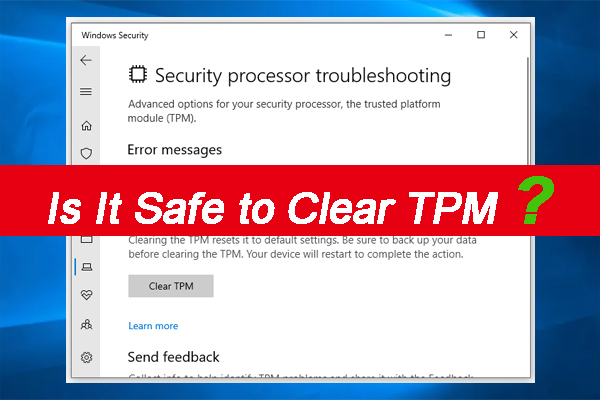
Some laptops need TPM to work right. Without TPM, some features might not work. Ask an expert if unsure. Clearing TPM can be tricky. Follow instructions carefully. Your laptop might warn you before clearing TPM. Read warnings before you clear. They help you understand risks. TPM is there to keep your data safe.
Credit: www.minitool.com
Frequently Asked Questions
What Is Tpm In A Laptop?
TPM stands for Trusted Platform Module. It’s a security chip in your laptop. TPM enhances data protection and ensures system integrity. It stores encryption keys, passwords, and digital certificates. When resetting your laptop, it may be necessary to clear TPM for security purposes.
Why Clear Tpm When Resetting A Laptop?
Clearing TPM removes stored cryptographic information. It helps prevent unauthorized access to your data. Resetting your laptop often requires clearing TPM to ensure security. This process prepares the laptop for new ownership or a fresh start. Always back up important data before proceeding.
How To Clear Tpm On A Laptop?
To clear TPM, access the BIOS or UEFI settings. Follow the prompts to clear or reset the TPM. This process varies between laptop models. Consult your laptop’s manual or manufacturer’s website for specific instructions. Ensure you understand the implications before clearing TPM.
Does Clearing Tpm Delete My Data?
Clearing TPM does not delete your personal data. It removes cryptographic keys stored on the TPM chip. This may affect encrypted files or drives. Always back up important data before clearing TPM. Ensure you have necessary recovery keys for encrypted drives.
Conclusion
Deciding to clear TPM when resetting a laptop depends on needs. It’s important to understand the implications. Clearing TPM can enhance security. But it might also erase important data. Consider your laptop’s purpose. Think about data sensitivity. If unsure, seek professional advice.
It ensures you make a safe choice. Remember, maintaining data security is crucial. A well-informed decision keeps your laptop secure. Always back up important files before making changes. This way, you safeguard your information. Resetting a laptop can be a fresh start.
Make it a secure one too.

Finnian Delaney is a seasoned writer and editor specializing in technology and electronics. At ElectroDoz, he covers a wide range of topics, with a focus on MacBooks, laptops, fitness trackers, keyboards, and computer hardware. With a knack for making complex tech accessible, Finnian helps readers stay informed and confident when choosing their next device or upgrade.