Can Xbox 360 Games Be Played On Xbox One Console: Yes?
Yes, some Xbox 360 games can be played on an Xbox One console through Microsoft’s backward compatibility program. However, Xbox One does not support every Xbox 360 game.
If your game is on the official backward-compatible list, you can play it with a compatible Xbox 360 disc or a digital copy. A physical disc does not run directly from the disc. Instead, the Xbox One checks the disc, downloads a compatible version, and uses the disc as proof that you own the game.
Introduction
For players in the United States, the quickest way to check a game is to search Microsoft’s official Xbox backward compatibility catalog. The list includes selected Xbox 360 games and original Xbox games that work on Xbox One and Xbox Series X|S.
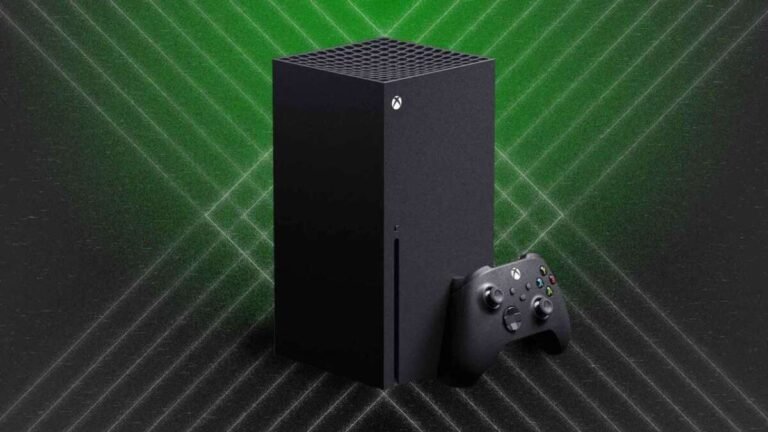
Xbox 360 compatibility is not automatic. The game must be supported by Microsoft, and your console must have the software and storage space needed to install it. Xbox One S All-Digital Edition and Xbox One S All-Digital consoles cannot use Xbox 360 game discs because they have no disc drive.

Which Xbox 360 Games Work on Xbox One?
Only Xbox 360 games in Microsoft’s backward-compatible catalog work on Xbox One. The catalog includes hundreds of titles, but many Xbox 360 games remain unsupported because of licensing, technical, or publisher issues.
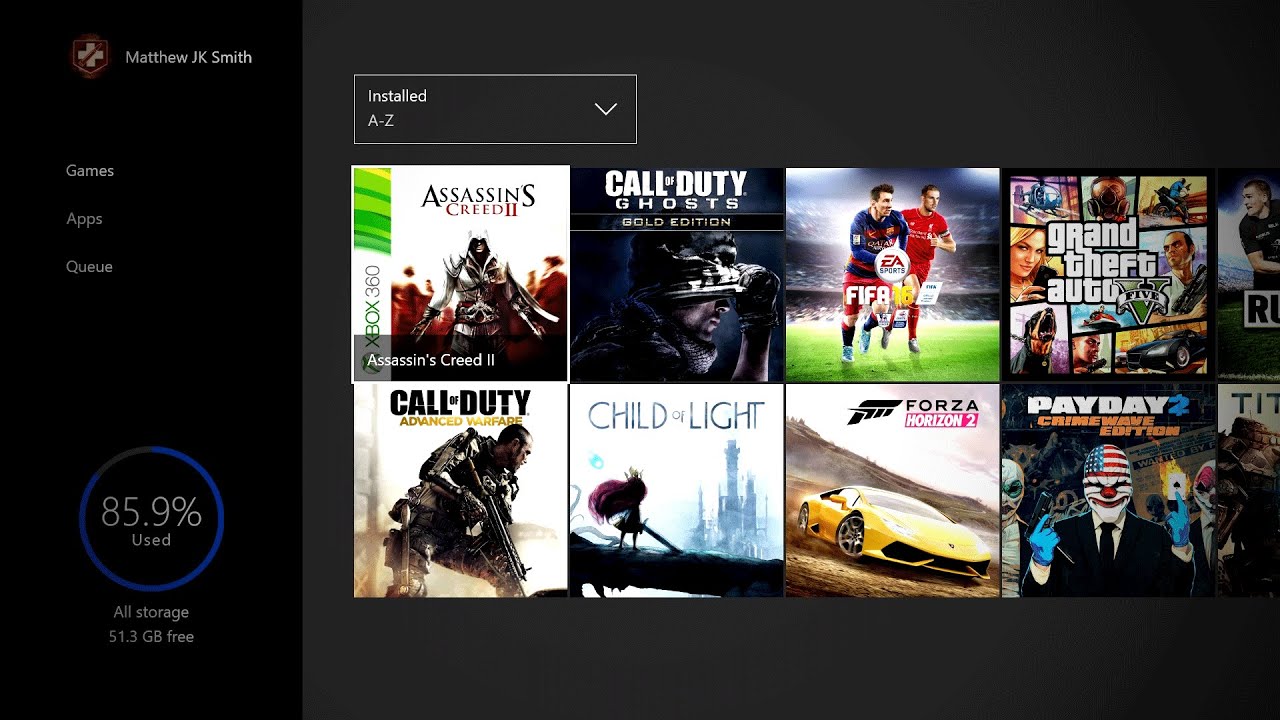
Examples of Xbox 360 games that have supported Xbox One versions include:
- Red Dead Redemption
- Gears of War
- Gears of War 2
- Gears of War 3
- Halo 3
- Halo: Reach
- Fallout 3
- The Elder Scrolls IV: Oblivion
- Mass Effect
- Mass Effect 2
- Mass Effect 3
- BioShock
- Portal 2
- Skate 3
- Left 4 Dead
- Left 4 Dead 2
- Call of Duty: Black Ops
- Minecraft: Xbox 360 Edition
This is only a sample. Availability can vary by title, region, edition, and store status. Some games may be delisted from the Microsoft Store but still work from an original disc if Microsoft lists that disc version as backward compatible.
Microsoft announced in 2021 that it had completed its planned additions to the backward compatibility program. That means readers should not assume that every missing Xbox 360 game will be added later.
How Xbox One Plays Xbox 360 Games
Xbox One uses a software-based compatibility system. The console does not simply read the Xbox 360 game data and run it in the same way as an Xbox 360.
Instead, the process works like this:
- You insert a supported Xbox 360 disc or select a supported digital game.
- Xbox One checks whether the title is backward compatible.
- The console downloads a version made to run on Xbox One.
- You launch the installed game from the Xbox dashboard.
- The console checks your digital license or the game disc before play.
For a disc-based game, the disc usually needs to stay in the drive while you play. The disc works much like a key. It proves ownership, while the installed files provide the playable version.
Digital games are linked to your Microsoft account. If you bought a supported title digitally, it may appear in your library or in the Ready to install section.
How to Play an Xbox 360 Disc on Xbox one
before starting, check these requirements:
- An Xbox One console with a working disc drive
- A supported Xbox 360 game
- Internet access for the first installation
- Enough free storage space
- The Xbox profile that owns the game, if it is a digital title
- The original game disc, if you are using a disc copy
Follow these steps:
- Turn on the Xbox One and sign in.
- Connect the console to the internet.
- Insert the Xbox 360 game disc.
- Wait for Xbox One to identify the title.
- Accept the download or installation prompt.
- Leave the disc in the drive after installation.
- Start the game from My games & apps.
The console downloads the backward-compatible version. The original disc is not enough by itself to play immediately because Xbox One needs the supported game package.
If nothing happens after you insert the disc, the game may not be supported. The disc may also be damaged, dirty, from a different release, or unreadable by the console.

How to Play a Digital Xbox 360 Game on Xbox One
A digital Xbox 360 game is often easier to use because you do not need a disc drive.
- Sign in to the Microsoft account that purchased the game.
- Open My games & apps.
- Go to Full library or Ready to install.
- Look for the supported Xbox 360 game.
- Select the game and choose Install.
- Open the title after the installation finishes.
You can also search for a supported title in the Microsoft Store. Some games are sold as digital purchases, while others may only be available through a disc, a bundle, or a subscription at a given time.
A game bought on one Xbox account may be shared through Xbox home-console settings in some situations. However, the license still belongs to the purchasing account. Do not assume that every profile on every console can access it.
Disc Games and Digital Games Compared
The table below shows the main difference between the two formats.
| Game format | Works on Xbox One? | What you need |
|---|---|---|
| Supported Xbox 360 disc | Yes | Xbox One with a disc drive, internet, and the disc |
| Unsupported Xbox 360 disc | No | The game is not included in the compatibility program |
| Supported digital game | Yes | The purchasing Microsoft account or valid shared license |
| Xbox 360 game on Xbox One S All-Digital | Digital only | A digital license; physical discs cannot be used |
| Xbox 360 Kinect game | Usually no | Check the official catalog for the exact title |
| Xbox 360 arcade game | Sometimes | The exact game must be listed as compatible |
The key difference is ownership. A digital license follows the Microsoft account. A physical license follows the disc, so the disc must remain available when the game starts.
What Features Work on Xbox One?
Backward-compatible games usually retain many of the features that made them useful on Xbox 360. The exact experience depends on the game and its original online service.
Save data
Cloud saves can transfer between Xbox 360 and Xbox One when the save is stored through Xbox Live and the same Microsoft account is used. You may need to start the game on the Xbox 360 and allow the save to sync first.
A save stored only on a USB device or only on the Xbox 360 hard drive may not transfer automatically.
Achievements
Supported games generally keep their Xbox 360 achievement system. Achievements may unlock on Xbox One when you meet the required conditions.
Multiplayer
Online multiplayer can work, but the game’s servers and services must still be available. Backward compatibility does not guarantee that an old publisher server will remain online.
Some games also support local multiplayer, but controller and accessory support can differ from the Xbox 360 version.
Downloadable content
Downloadable content may work if the content and the base game are supported. Some DLC may be unavailable because of licensing, delisting, or compatibility limits.
If you own DLC digitally, check your library and the game’s store page. If you use a disc, make sure the DLC matches the same game region and edition when regional differences apply.
Graphics and performance
Some backward-compatible titles receive improvements on Xbox One X, such as higher resolution or steadier performance. Those improvements are not available for every game.
Backward compatibility also does not turn an Xbox 360 game into a new Xbox One version. The game may still show its original menus, controls, graphics, and loading behavior.
What Does Not Work?
Several common assumptions cause confusion.
Not every Xbox 360 game is compatible
The Xbox One cannot run an unsupported Xbox 360 disc simply because it fits in the drive. Check the official catalog before buying a used copy.
Xbox 360 accessories may not work
Xbox One normally uses Xbox One controllers and accessories. A standard Xbox 360 controller does not generally connect and function as an Xbox One controller.
Special accessories can be a larger problem. Many Xbox 360 Kinect games and games that rely on instruments, cameras, or other hardware are not supported.
Xbox 360 game discs are not upgraded automatically
Inserting a disc does not provide a free Xbox One remake. It provides access to the compatible version when Microsoft supports that title.
Some games have separate Xbox One editions, remasters, or upgrades. Those products are different from the backward-compatible version.
Xbox One cannot play Xbox 360 system software
You cannot install the Xbox 360 operating system on Xbox One. You also cannot use Xbox One as a general Xbox 360 emulator for games outside Microsoft’s approved catalog.
The Xbox One S All-Digital Edition cannot read discs
This limitation is simple but easy to miss. A physical Xbox 360 game requires a disc drive. Digital-only Xbox One consoles can use only supported digital licenses.
Xbox One Compatibility by Console Model
Backward-compatible Xbox 360 games work across the main Xbox One family when the title is supported.
| Xbox One model | Supported Xbox 360 games | Physical Xbox 360 discs |
|---|---|---|
| Xbox One | Yes | Yes |
| Xbox One S | Yes | Yes |
| Xbox One S All-Digital Edition | Yes, with digital licenses | No |
| Xbox One X | Yes | Yes |
| Xbox One Developer or special edition hardware | Usually, if it runs standard Xbox One software | Depends on whether it has a disc drive |
The console model may affect graphics or loading performance, but it does not make unsupported games compatible.
Troubleshooting Xbox 360 Games on Xbox One
Start with the simplest checks. Most problems come from an unsupported title, a license issue, or a disc problem.
The game is not recognized
Check the official backward compatibility catalog. If the title is not listed, Xbox One will not install it through the normal compatibility program.
If the title is listed:
- Restart the console.
- Check that the disc is clean and free of deep scratches.
- Insert another known-compatible disc.
- Confirm that the console is connected to the internet.
- Check for system updates.
- Try installing the game again.
If other discs work but one game does not, the game disc may be damaged or may not match the supported edition.
The digital game is missing
Use the Microsoft account that bought the game. Then check:
- My games & apps
- Full library
- Ready to install
- The Microsoft Store purchase history
- The console’s home-console license settings
If the game was bought through a different account, sign in with that account first. A subscription may also have ended, or the game may no longer be included in a changing catalog.
The game installs but will not start
Check whether the disc is still in the drive. A disc-based backward-compatible game normally requires the disc each time you play.
Then confirm that:
- The console has installed the full game
- You are signed in to the correct account
- The console can connect to Xbox services
- The game does not require unavailable hardware
- The game’s online servers have not closed
Avoid deleting saved data as a first step. Removing local saves can create extra problems if the save has not synced to the cloud.
The save is missing
Use the same Microsoft account on both consoles. On the Xbox 360, connect to Xbox Live and let the game sync its save. Then open the backward-compatible version on Xbox One.
If the save existed only on a local Xbox 360 storage device, it may not be available through cloud synchronization. Keep the original console and storage device until you confirm that the save has transferred.
Should You Buy an Xbox 360 Game for Xbox One?
Buy it only after checking the exact title in Microsoft’s catalog. This is especially important with used games, special editions, and games that have several similarly named releases.
A used disc can be a good option when:
- The title is backward compatible
- You own an Xbox One with a disc drive
- The disc is in good condition
- The digital version is expensive or unavailable
- You do not need an unsupported accessory
A digital purchase may be better when:
- You own an Xbox One S All-Digital Edition
- You want to avoid changing discs
- The game is on sale
- You want the license tied to your Microsoft account
- You do not need a physical case or disc
The main risk is buying a cheap game that is not compatible. Price alone does not show whether a title will work on Xbox One.
Xbox 360 Games vs. Xbox One Remasters
Backward compatibility and remastering are different.
A backward-compatible game is the original Xbox 360 release adapted to run on Xbox One. A remaster is a separately developed edition that may include new textures, higher resolution, improved controls, extra content, or other changes.
For example, a backward-compatible game may keep its original presentation, while a remastered edition may be sold as a separate Xbox One product. Check the product description before buying if visual upgrades matter to you.
Frequently Asked Questions
Can I play any Xbox 360 game on Xbox One?
No. Only Xbox 360 games included in Microsoft’s backward-compatible catalog work on Xbox One. Check the exact title before buying or inserting a disc.
Do I need the Xbox 360 disc to play on Xbox One?
Yes, if you are using a physical copy. Xbox One downloads the compatible game files, but the disc usually must stay in the drive as proof of ownership.
Can Xbox One play Xbox 360 games without the internet?
A first-time installation normally requires an internet connection because the console must download the compatible version. After installation, some games may work offline, but disc checks, updates, licenses, and online features can affect this.
Can I use my Xbox 360 controller on Xbox One?
Usually not. Xbox One games and backward-compatible Xbox 360 games normally use an Xbox One controller. Some special accessories may also be unsupported.
Do Xbox 360 saves transfer to Xbox One?
They can transfer when the save is synced through Xbox Live and you use the same Microsoft account. Local-only saves may not transfer automatically.
Can I play Xbox 360 games on Xbox One S All-Digital Edition?
Yes, if you own a digital version of a supported game. You cannot use a physical Xbox 360 disc because the All-Digital Edition has no disc drive.
Do Xbox 360 games look better on Xbox One?
Some titles receive performance or resolution improvements, especially on Xbox One X. The improvement depends on the specific game and does not apply to every backward-compatible title.
Final Answer
Xbox One can play many, but not all, Xbox 360 games. Supported digital games can be installed from your Microsoft account. Supported physical games can be installed by inserting the disc, but the disc must normally remain in the drive.
Before you buy a game, check Microsoft’s official backward compatibility list. Also confirm whether you have a disc-drive model, whether you need a special accessory, and whether your old save or online features matter. Those checks will prevent most compatibility surprises.

Everett Calloway is a consumer electronics writer and technology enthusiast at ElectroDoz. He enjoys exploring the latest gadgets, electronic devices, and innovative technologies that make everyday life easier. Everett focuses on creating helpful product reviews, detailed buying guides, practical how-to articles, and troubleshooting tips. His goal is to simplify complex technical information and help readers understand product features, compare their options, and make informed purchasing decisions. When he isn’t researching new electronics, he enjoys exploring emerging technology trends and discovering useful gadgets.