
How to Change Ear Tips on Airpods Pro: Easy Guide
Have you ever struggled with getting the perfect fit for your AirPods Pro? You’re not alone.
Many users find that adjusting the ear tips can make all the difference in comfort and sound quality. Imagine enjoying your favorite tunes with crystal clear audio and a snug fit that won’t budge, even during a workout. Sounds great, right?
In this guide, you’ll discover just how simple it is to change those ear tips, ensuring your listening experience is as enjoyable as possible. Whether you’re looking for better sound isolation or just a more comfortable fit, learning how to switch out the ear tips can transform your AirPods experience. Dive in, and find out how you can customize your AirPods Pro to suit your unique needs!
Choosing The Right Ear Tips
Ear tips come in different materials. Silicone is soft and flexible. Foam feels comfy and snug. Each material offers a unique experience. Silicone is easy to clean. Foam adapts to your ear shape. Choose what feels best for you. You might try both options. Experiment to find the perfect fit.
Ear tips have different sizes. Small, medium, and large are common options. Size affects how well your Airpods stay in. A good fit is important. It prevents slipping. Choose the size that feels right. Try different sizes to find your match. Feel comfortable and enjoy your music.
Removing The Old Ear Tips
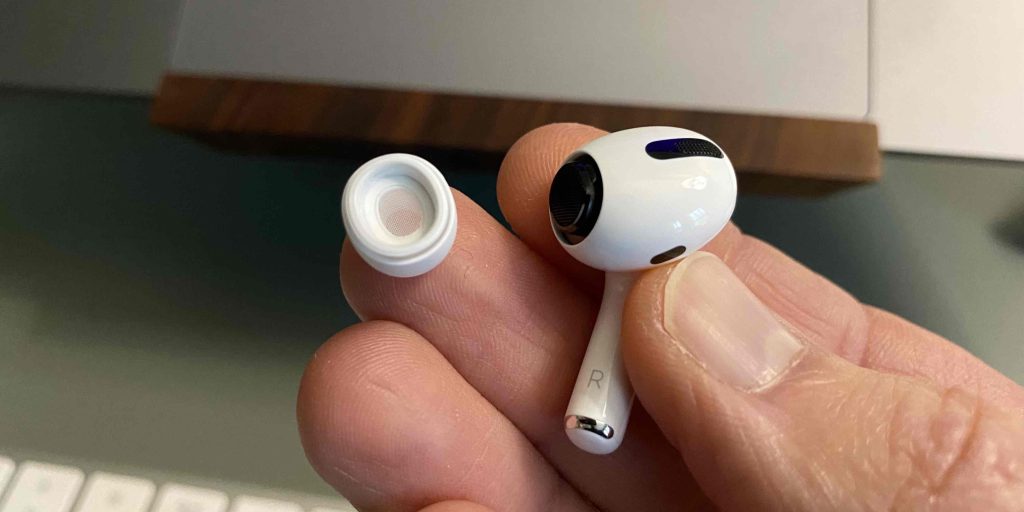
Hold your AirPods Profirmly in one hand. Gently gripthe ear tip with the other hand. Pull it straight out. Do not twist or jerk. This can damage the AirPods. Keep a steady hand. The ear tip should come off easily.
Be careful with the AirPods. Rough handling can cause harm. Always pull the ear tips straight. Avoid twisting or bending. This keeps your AirPods safe. Use a soft cloth to clean. Dirt can cause issues. Always handle with care.
Attaching New Ear Tips
The new ear tips must be aligned properly
Aligning Properly
New ear tips should match the connector. Check the size. Ensure the fit is snug. Improper alignment can cause discomfort. This affects sound quality. Always check before using.
Securing Tips
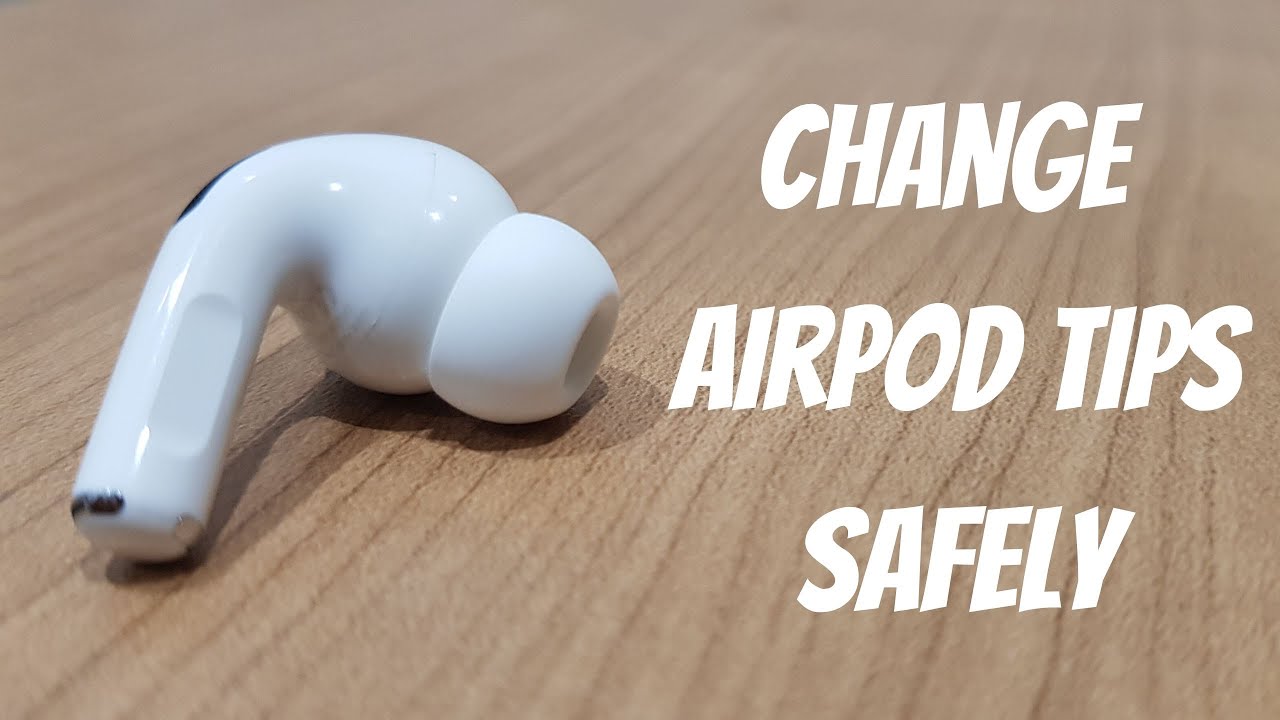
Press the ear tips firmly onto the AirPods. Ensure they don’t fall off easily. Test them by shaking the AirPods gently. If they stay, they are secure. This ensures clear sound. Comfort is important too.
`
Credit: thecfhk.org
Testing The Fit
Comfort Assessmentis crucial for a pleasant listening experience. Try each ear tip size. Small, medium, and large options are available. Insert the AirPods gently into your ears. Check if they feel snug. Ensure they don’t cause any pain. A good fit means better sound isolation. Also, it helps reduce outside noise. If they feel loose, try a different size. Comfort is important for long listening sessions.
Sound Quality Checkis another important step. Listen to your favorite song. Notice if the bass sounds clear. Pay attention to the treble and mids. They should sound balanced. If you hear outside noises, the fit might be wrong. Adjust the ear tips again. Good sound quality makes music enjoyable. Make sure the sound is crisp and clear. Proper ear tips enhance your listening pleasure.
Maintaining Ear Tips
Clean your ear tips with care. Use a soft, dry cloth to wipe them. Avoid using liquids or sprays. Gently remove any dirt or wax. This keeps the sound clear. Also, clean the mesh inside. Be careful not to poke it. Proper cleaning helps your ears stay healthy. It also keeps the ear tips lasting longer.
Replace ear tips when they wear out. Old tips may not fit well. They can feel loose or uncomfortable. New tips help keep the sound quality. They also fit better in your ears. Buying new tips is easy. Make sure they are compatible with Airpods Pro. This ensures a good fit and great sound.
Credit: www.youtube.com
Credit: www.businessinsider.com
Frequently Asked Questions
How Do You Remove Airpods Pro Ear Tips?
To remove AirPods Pro ear tips, gently pull on the base of the ear tip. It should detach with a little force. Hold the earbud securely to avoid damage. Ensure your fingers are clean to maintain the ear tips’ grip.
What Is The Best Way To Clean Ear Tips?
To clean ear tips, use a dry, lint-free cloth. Gently wipe them to remove dirt or debris. Avoid using liquids to prevent damage. Regular cleaning maintains hygiene and sound quality.
How Often Should I Change Airpods Pro Ear Tips?
Change your AirPods Pro ear tips every few months. Regular replacement ensures comfort and hygiene. If you notice wear or discomfort, consider changing them sooner. Personal usage and care will determine exact timing.
Are There Different Sizes Of Airpods Pro Ear Tips?
Yes, AirPods Pro come with small, medium, and large ear tips. Choose the size that fits your ears comfortably. A proper fit enhances sound quality and noise cancellation. Experiment with different sizes to find your perfect match.
Conclusion
Changing ear tips on AirPods Pro is simple and quick. Follow the steps to ensure a perfect fit. A snug fit improves sound quality and comfort. Always choose the right size for your ears. Regularly check the tips for wear and tear.
This keeps your AirPods working well. Clean them gently to maintain hygiene. With practice, switching tips becomes second nature. Enjoy your music with better sound and comfort. Remember, proper care extends the life of your ear tips. Happy listening!

Everett Ashford is an electrical engineer and expert in electronics reviews, tips, and troubleshooting. Specializing in audio and sound devices, including earbuds, AirPods, and headphones, he brings in-depth knowledge and practical advice to help consumers make informed decisions.