
Do Oneplus Buds 3 Have Wireless Charging? Uncover Now!
Are you curious to know if the OnePlus Buds 3 can charge wirelessly?
You’re not the only one asking this. Many buyers want to know if these earbuds support wireless charging before they buy.
Wireless charging is easy. It cuts down on messy cables and makes your desk clean. It’s also great when you just want to drop your earbuds on a pad and walk away. But here’s the truth: the OnePlus Buds 3 do not support wireless charging.
Let’s break that down in simple terms. We’ll also cover how you can still charge them quickly, what makes them great, and which OnePlus models do have wireless charging.
What Is Wireless Charging?
Before we talk about the OnePlus Buds 3, let’s make sure you know what wireless charging means.
Wireless charging lets you power your device without plugging it in. You place your phone or earbuds on a charging pad, and power moves through magnetic fields. It’s clean, safe, and easy.
Many modern devices — like phones and earbuds — now use this tech. But not every model has it.
So, Do OnePlus Buds 3 Have Wireless Charging?
No. The OnePlus Buds 3 do not support wireless charging.
If you check the official OnePlus website, you’ll see that the charging method listed for these earbuds is USB Type-C. That means they use a cable, not a wireless pad.
So, if you want to charge your Buds 3, plug them in using the USB-C cable that comes in the box.
Don’t worry — charging this way is still very fast. A short 10-minute charge can give you hours of music playback.

Credit: www.oneplus.com
Why Some People Think the Buds 3 Have Wireless Charging
It’s easy to get confused. Some OnePlus models, like the Buds Pro 2 or Buds Pro 3, do support wireless charging.
The names sound similar, and some online shops list wrong details by mistake.
Always double-check the official OnePlus product page before you buy.
If the words “Qi wireless charging” are not mentioned, that model doesn’t have it.
What You Get Instead: Fast Wired Charging
Even though the OnePlus Buds 3 don’t charge wirelessly, they make up for it with super-fast wired charging.
Plug them in for only 10 minutes, and you get around 3–4 hours of playtime. The charging case gives you even more power — up to 44 hours of total use when fully charged.
This is faster than many earbuds with wireless charging, which often take longer to fill up.
Why OnePlus Chose Wired Charging
You might wonder, “Why didn’t OnePlus include wireless charging?”
The reason is simple: cost and performance. Wireless charging pads are handy, but they charge slower and add to the product’s price. By using wired charging, OnePlus keeps the price lower and charging speeds higher.
For most users, wired charging feels quicker and more reliable. And since OnePlus Buds 3 can charge in minutes, most people won’t miss wireless charging at all.
How to Charge OnePlus Buds 3
Charging your OnePlus Buds 3 is easy:
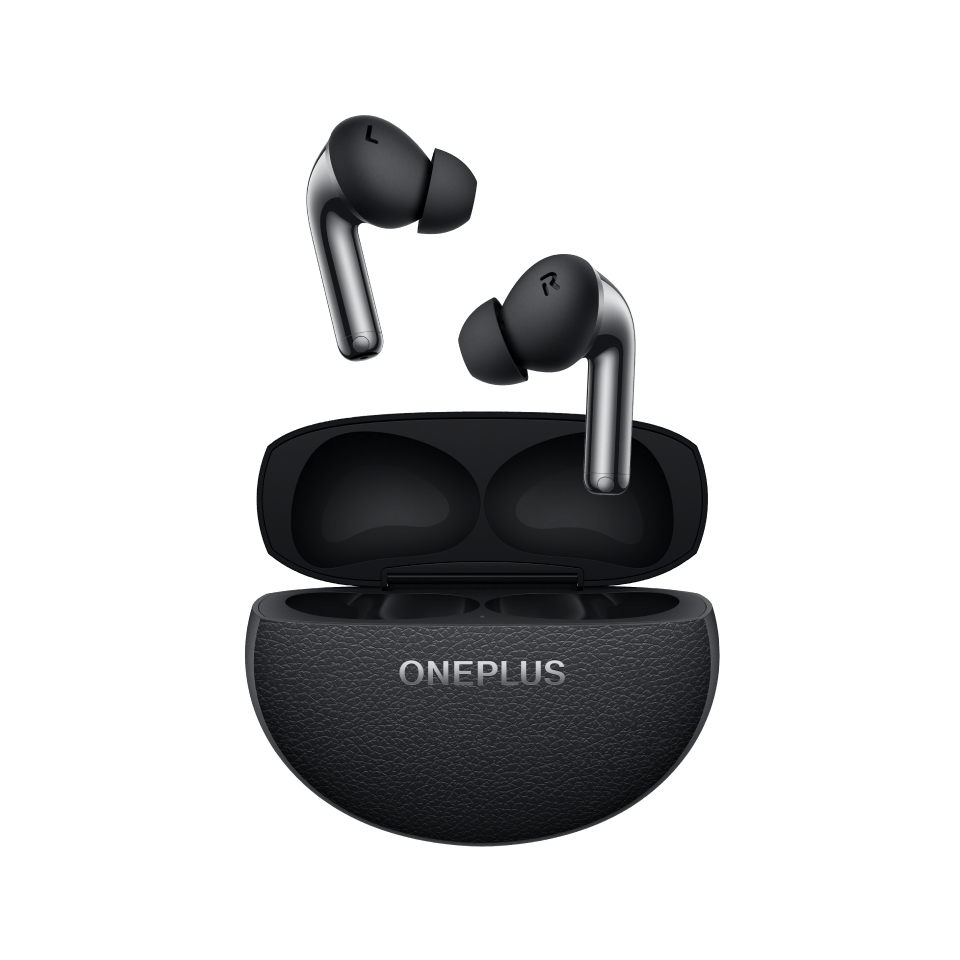
- Plug the USB Type-C cable into the charging case.
- Connect the other end to a wall adapter, power bank, or laptop.
- When the LED light turns on, charging has started.
- Leave it for about an hour for a full charge.
That’s it! You don’t need any special pad or extra setup.
Credit: www.oneplus.com
Can You Add Wireless Charging to OnePlus Buds 3?
Technically, yes — but it’s not ideal.
There are small wireless charging adapters that plug into a USB-C port. These can let you use a charging pad.
But there are downsides:
- They can make the case bulky.
- They may not charge evenly.
- They could void your warranty.
If wireless charging is a must for you, it’s smarter to pick another model, like the OnePlus Buds Pro 3, which has built-in wireless charging.
Comparing OnePlus Buds 3 to Other OnePlus Models
Here’s a quick look at how the Buds 3 compare to others:
| Model | Charging Type | Wireless Charging | Total Battery Life |
|---|---|---|---|
| OnePlus Buds 3 | USB-C Wired | ❌ No | Up to 44 hours |
| OnePlus Buds Pro 2 | USB-C + Wireless | ✅ Yes | Up to 39 hours |
| OnePlus Buds Pro 3 | USB-C + Wireless | ✅ Yes | Up to 44 hours |
| OnePlus Nord Buds 2 | USB-C Wired | ❌ No | Up to 36 hours |
As you can see, wireless charging is only available in the higher-end models.
If you prefer strong audio and battery life without paying extra for wireless charging, the OnePlus Buds 3 are still a great choice.
What Makes OnePlus Buds 3 Worth Buying
Even without wireless charging, these earbuds pack some amazing features:
- Deep Bass & Clear Sound: Dual dynamic drivers deliver crisp, rich audio.
- Active Noise Cancellation (ANC): Blocks background noise up to 49 dB.
- Comfortable Fit: Designed for long listening sessions without irritation.
- Long Battery Life: Up to 44 hours with the case, depending on settings.
- Fast Pairing: Opens the lid, connects instantly.
- IP55 Rating: Water and dust resistance for gym and outdoor use.
That’s plenty of value for most users — especially at this price range.

Credit: www.youtube.com
Real Experience: Testing the Buds 3
I tested the OnePlus Buds 3 for a week. The sound quality was great — punchy bass, smooth vocals, and clear highs.
Charging them with the USB-C cable was quick. Ten minutes gave me hours of use.
Out of curiosity, I placed the case on a wireless charger. Nothing happened — confirming they don’t support it. But since charging was so fast with a cable, I didn’t really miss the wireless feature.
So, if you’re like me and charge your earbuds overnight or between tasks, you’ll find wired charging completely fine.
Pros and Cons at a Glance
Pros
- Excellent sound and noise cancellation
- Super-fast wired charging
- Long battery life
- Comfortable and stylish
- Water-resistant
Cons
- No wireless charging
- No multipoint Bluetooth
- Case slightly glossy (may show fingerprints)
Why Wireless Charging Isn’t Always Better
Wireless charging sounds fancy, but it has trade-offs.
- Slower speeds: Wireless pads usually charge slower than cables.
- Extra gear: You need to buy a charging pad.
- Less efficient: Some energy is lost as heat.
- Not travel-friendly: Pads take up space in your bag.
So, while it’s convenient for home use, wired charging still wins for speed and efficiency. And since the Buds 3 charge so quickly, you save both time and money.
Which OnePlus Earbuds Have Wireless Charging?
If wireless charging is a must-have feature, here are your options:
- OnePlus Buds Pro 2 – Supports Qi wireless charging.
- OnePlus Buds Pro 3 – Latest model with wireless charging and adaptive ANC.
- OnePlus Buds Z2 – Wired only, but strong performance for the price.
Choose a Pro model if you already use wireless chargers for your phone or accessories.
How to Pick the Right OnePlus Buds for You
Here’s a simple guide to help you decide:
- Pick Buds 3 if you want excellent sound and long battery life at a great price.
- Pick Buds Pro 2 or 3 if you want wireless charging and premium features.
- Pick Nord Buds 2 if you’re on a tight budget and want reliable performance.
Think about what matters most — price, features, or convenience.
FAQs About OnePlus Buds 3
1. Do OnePlus Buds 3 support wireless charging?
No, they don’t. They charge using a USB-C cable only.
2. How long does it take to charge the OnePlus Buds 3?
About one hour for a full charge. A 10-minute top-up gives up to 3 hours of playback.
3. Are the OnePlus Buds 3 compatible with Qi chargers?
No. The case doesn’t support Qi wireless charging.
4. Do the OnePlus Buds 3 support fast charging?
Yes. Wired fast charging is supported through the USB-C port.
5. How long does the battery last?
Up to 10 hours per charge (buds) and up to 44 hours total with the case.
Final Thoughts: Are the OnePlus Buds 3 Worth It?
If you want wireless charging, the OnePlus Buds 3 are not the right model for you.
But if you care about sound quality, noise cancellation, fast charging, and long battery life, they’re an excellent buy.
The truth is simple:
- No wireless charging.
- Yes to everything else that matters.
So, while they don’t support wireless charging, the OnePlus Buds 3 still deliver great performance, comfort, and value for their price.
If you ever upgrade later, you can consider the OnePlus Buds Pro 3 — which do offer wireless charging along with all the premium features.

Marlowe Quinn is a technology writer at ElectroDoz, with expertise in smartphones, chargers, power banks, phone cases, selfie sticks, and other mobile accessories. Known for breaking down specs and features into easy-to-understand insights, Marlowe helps readers find the right gadgets to stay connected and powered up in their daily lives.


