
How Much Does It Cost to Mail a Laptop: Ultimate Guide
Imagine you’ve just purchased a shiny new laptop or perhaps you’re sending one to a loved one across the country. The thought of mailing it might seem daunting, especially when you start wondering about the costs involved.
How much does it cost to mail a laptop? As you navigate through choices like carriers, packaging, and insurance, you might find yourself overwhelmed by options and prices. This is where we step in to guide you. You deserve a straightforward answer, and that’s exactly what we’re here to provide.
You’ll discover not just the basic costs, but also some hidden factors that could affect the total price. By the end, you’ll have a clear understanding of what to expect and how to make the most cost-effective decision. Stay tuned to learn how you can save money and ensure your laptop arrives safely at its destination.
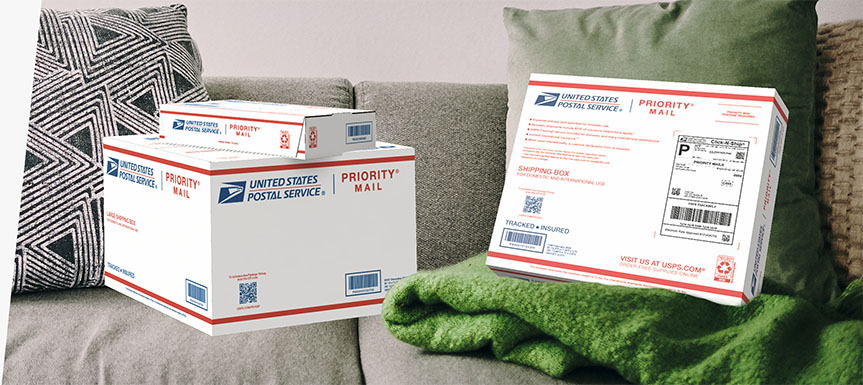
Credit: www.usps.com
Factors Affecting Shipping Costs
Weight is a big factor in shipping costs. Laptops are not very heavy, but packaging adds weight. Dimensions matter too. Bigger boxes cost more to ship. You must pack the laptop safely. This adds size and weight.
Distance affects the cost. Shipping to nearby places is cheaper. Sending a laptop far away costs more. International shipping costs the most. It’s important to check distance before sending.
Speed of delivery affects price. Fast delivery is more expensive. Standard shipping is cheaper. Choose the speed based on need. Faster shipping is best for urgent needs. Slow shipping saves money.
Packaging Requirements
A laptop needs strong protective materials
Seal the box tightly. Use strong tapeon all edges. This prevents the box from opening. Check the seal carefully. Make sure no gaps are present. A good seal keeps the laptop secure.
Label the box clearly. Write the addressand name neatly. Use a marker or label printer. Ensure labels are easy to read. Double-check the details. Incorrect labels delay delivery. Stick the label firmly on the box.
Carrier Options
Postal services are often the cheapest choice. They offer basic shipping for small items. Shipping a laptop can cost more due to its size and weight. Tracking and insurance may be extra. Always check the package size limits before shipping. This ensures your laptop will fit.
Couriers are usually faster than postal services. Costs can vary based on the delivery speed you choose. Same-day delivery is the most expensive. Standard delivery is cheaper but slower. Insurance is often included with courier services. This makes them a safe choice for valuable items.
Some companies specialize in shipping electronics. They offer custom packaging to protect your laptop. These services are usually more expensive. But they offer peace of mind knowing your laptop is safe. Tracking and insurance are often included. Always compare prices before choosing a company.
International Shipping Considerations
Shipping a laptop internationally involves several costs. Fees vary based on distance, carrier, and package size. Custom duties and insurance add to the expenses. It’s crucial to compare shipping options for a cost-effective solution.
Customs Fees
Sending a laptop overseas can have extra costs. Customs fees add to the price. Each country has different rules. Research customs fees for each country. This will help you avoid surprises.
International Regulations
Different countries have their own rules. Understand the international regulations for shipping laptops. Some items may need special permits. Knowing these rules helps in smooth delivery.
Delivery Timeframes
Shipping time varies for each country. Check delivery timeframes before sending. Some places take longer to deliver. Plan ahead to avoid delays. Fast shipping may cost more.
Cost-saving Tips
Mailing a laptop can be costly. To save money, compare shipping options and package it securely. Choose reliable carriers offering insurance to protect your device.
Comparing Carrier Rates
Different carriers have different rates. It’s important to check each one. Compare the prices before sending your laptop. This helps you find the best deal. Some carriers offer special rates for heavy items. These can save you money.
Utilizing Discounts
Many carriers offer discounts. You can find these on their websites. Sometimes, you can get a discount if you send many items. Membership programs also provide savings. These programs often have annual fees. Make sure the savings outweigh the cost.
Choosing Slower Delivery Options
Fast delivery costs more. Slower options are cheaper. If you don’t need quick delivery, choose this option. It can save a lot of money. Waiting a few extra days can be worth it.

Credit: www.taradel.com
Insurance And Tracking
Insurance keeps your laptop safe during mailing. It protects against lossor damage. Without insurance, you take a big risk. If your laptop gets damaged, you pay for repairs yourself. Insurance covers those costs. It gives peace of mind.
Tracking helps you know where your laptop is. You can choose basic trackingor advanced tracking. Basic tracking shows delivery status. Advanced tracking shows detailed location. It helps if your laptop goes missing. Tracking keeps your laptop safe on its journey.
Filing a claim is simple. You report the problem to the mailing service. Fill out a claim form. Provide details of the loss or damage. Attach receipts or photos. The service reviews your claim. If approved, you receive compensation. This process helps recover losses.
Additional Fees And Charges
Sending a laptop by mail involves costs beyond basic postage. Insurance fees may apply to protect against damage. Weight and size also impact the total cost, possibly leading to extra charges.
Handling Charges
Laptop mailing involves handling charges. These cover special care for the device. Extra packaging might be needed. Fragile items need more protection. Handling ensures safe delivery. Costs vary by carrier. Always check fees before mailing.
Fuel Surcharges
Fuel surchargesadd to mailing costs. They depend on fuel prices. Carriers adjust them regularly. Fuel affects transport expenses. These fees change often. They reflect current market rates. Expect variations in cost.
Remote Area Fees
Remote area feesapply to distant deliveries. These areas need special attention. Extra effort ensures delivery. Carriers charge more for these locations. Fees depend on distance. Always check before shipping.
Credit: www.mailpro.org
Frequently Asked Questions
How To Calculate Laptop Mailing Costs?
To calculate laptop mailing costs, consider the package dimensions, weight, and shipping distance. Different carriers offer varying rates based on these factors. Use online shipping calculators for accurate estimates. Also, consider additional costs like insurance and tracking for secure delivery.
Which Carrier Is Best For Laptop Shipping?
Popular carriers like UPS, FedEx, and USPS offer reliable laptop shipping services. Compare rates, delivery speed, and insurance options. Choose the carrier that fits your budget and delivery time requirements. It’s important to read customer reviews for insights on service quality.
What Packaging Is Needed To Mail A Laptop?
Use sturdy packaging to protect your laptop during transit. Bubble wrap and foam inserts ensure safety. Choose a box that fits snugly to avoid movement. Seal the package securely with packing tape. Proper labeling is essential for accurate delivery.
Can I Insure My Laptop During Shipping?
Yes, most carriers offer insurance for electronic items like laptops. Insurance covers loss or damage during transit. Consider the laptop’s value when purchasing insurance. Always check the carrier’s insurance policy terms for specific coverage details and limitations.
Conclusion
Mailing a laptop involves various costs. Consider shipping distance and weight. Different carriers offer different rates. Look for insurance options to protect your device. Packaging is crucial to prevent damage. It’s wise to compare prices before choosing a service. Use reliable tracking to monitor the shipment.
Understanding these factors helps you budget efficiently. Mailing a laptop doesn’t have to be complicated. With a bit of research, you can find the best option. Keep your laptop safe and secure during transit. Make informed choices for hassle-free shipping.

Finnian Delaney is a seasoned writer and editor specializing in technology and electronics. At ElectroDoz, he covers a wide range of topics, with a focus on MacBooks, laptops, fitness trackers, keyboards, and computer hardware. With a knack for making complex tech accessible, Finnian helps readers stay informed and confident when choosing their next device or upgrade.