How to Clean Apple Magic Keyboard: Expert Tips
Are you tired of the grime and dust collecting on your Apple Magic Keyboard? You’re not alone.
This sleek and efficient tool is a favorite among tech lovers, but its pristine beauty can be easily overshadowed by dirt and smudges. Imagine typing away with ease, your fingers gliding over clean, spotless keys. Maintaining this level of cleanliness is simpler than you might think.
You’ll discover straightforward steps to bring your Magic Keyboard back to its original glow, ensuring it remains a pleasure to use every day. Whether you’re a seasoned tech enthusiast or a casual user, giving your keyboard a fresh start can enhance your productivity and elevate your workspace. Dive in and learn how to revitalize your keyboard effortlessly.
Preparation
To clean your Apple Magic Keyboard, you need a few things. Get a soft cloth, like a microfiber one. You also need a small brush. A can of compressed air is useful too. Have some isopropyl alcoholready. Make sure it’s 70% or less. You will also need cotton swabs. These help with small spaces. Gather all these materials before you start.
Always unplug the keyboard before cleaning. This keeps it safe. Never use too much liquid. It can damage the keyboard. Be gentle with the keys. Pressing too hard can break them. Keep the compressed aircan upright. Tilting it may spray liquid. Use the alcohol sparingly. Too much can harm the keys. Follow these steps to keep your keyboard safe.

Credit: m.youtube.com
Initial Dusting
Compressed airis great for cleaning keyboards. It helps remove dirt fast. Hold the can upright. Spray short bursts between the keys. This pushes out dust and crumbs. Keep the can a few inches away. Do not tilt or shake it.
Another good method is the Soft Bristle Brush Technique. Use a clean brush with gentle bristles. Brush over the keys softly. This helps remove stubborn dust. Brush in one direction. It keeps the keyboard neat and tidy.
Deep Cleaning
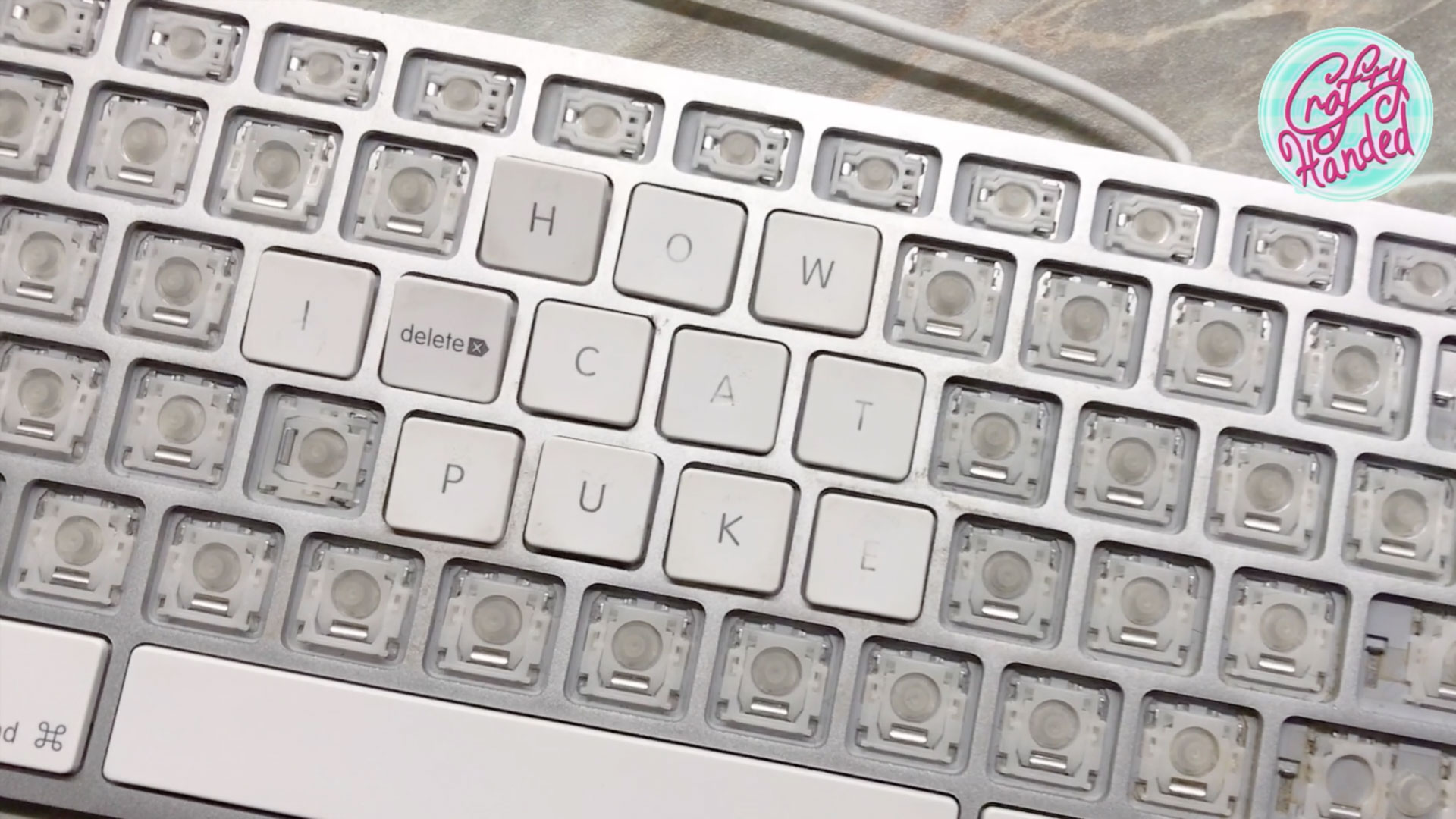
Begin by gently lifting the keycaps using a small tool. A plastic pry tool works best to avoid damage. Place the tool under the keycap edge. Carefully pop the keycap off. Make sure to keep the keycaps safe. You don’t want to lose them. Organize them in order for easy reassembly.
Prepare a soft cloth. Dampen it slightly with water. Avoid using too much water. Wipe the surface of each keycap. Make sure to remove all dirt and stains. If needed, use a little mild soap. Rinse the cloth and wipe again. Let the keycaps dry completely. Ensure no moisture remains before reattaching. A clean surface will help the keyboard look new.
Cleaning Between Keys
Cotton swabs help clean between the keys. Gently rub the swab between each key. This removes dust and crumbs. Use a new swab for each row.
Cleaning solution can make your keyboard shine. Use a mild solution. Spray it on a cloth, not directly on the keyboard. Wipe the keys with the cloth. This keeps the keyboard safe from liquid damage.
Reassembly
Reattaching Keycapsis simple if done with care. First, align the keycap over its spot. Press down gently until it clicks. Check the keycap is secure. Test each key after reattaching. Ensure they move smoothly. Repeat these steps for all keycaps. Take your time for best results. Patience is key in this process.
Final Surface Wipeensures a clean finish. Use a soft, lint-free cloth. Dampen it slightly with water. Wipe the keyboard gently. Focus on areas around keys. Avoid too much water. Dry with another cloth if needed. A clean keyboard looks and feels great. Regular cleaning keeps it nice and neat.
Credit: www.craftyhanded.com
Maintenance Tips
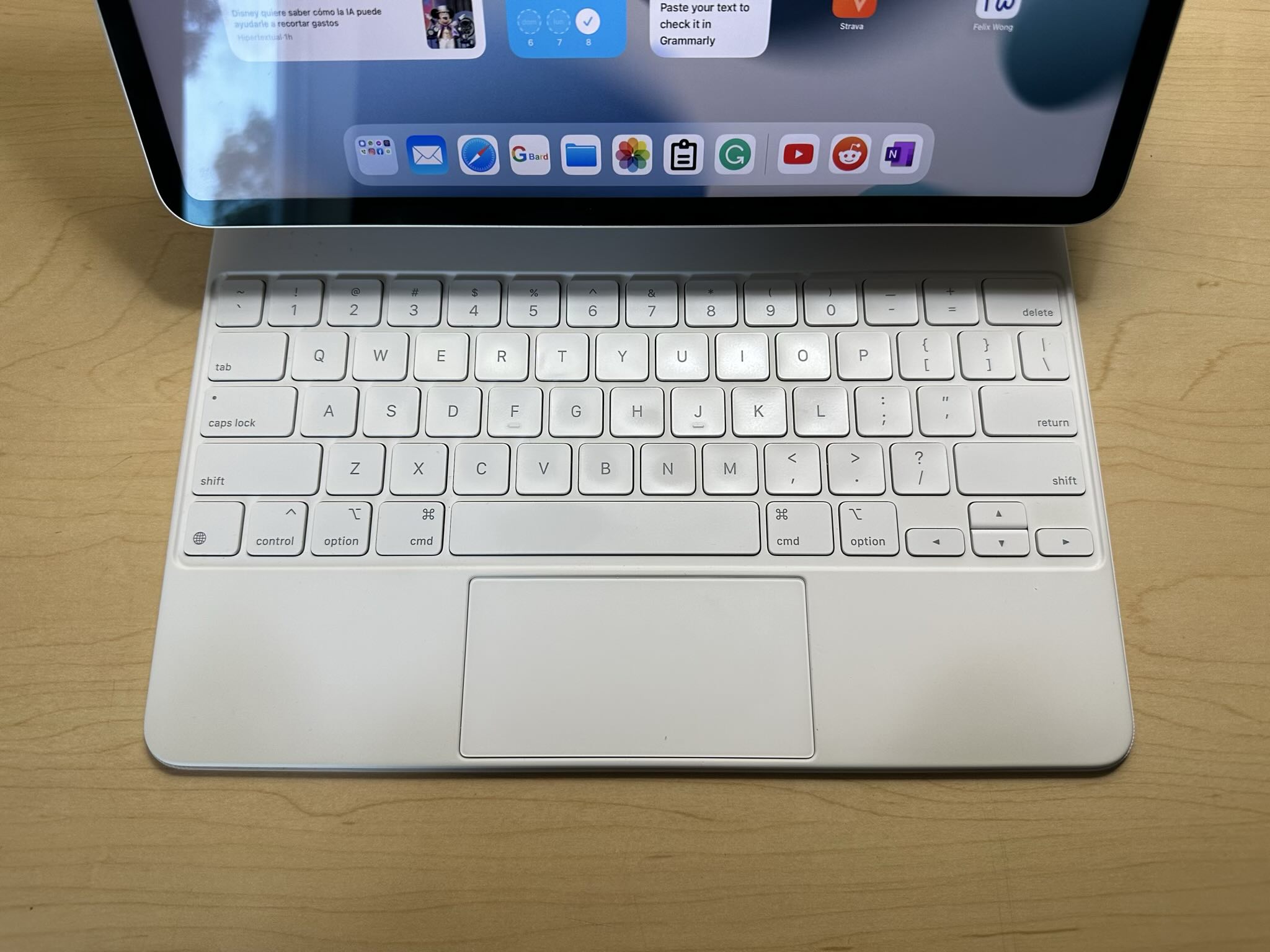
Clean your Apple Magic Keyboard every week. Use a soft, dry cloth. Avoid using water. Dust can harm the keys. Compressed air helps remove dust. Gently blow air between keys. Check for dirt in corners. Wipe all surfaces. Make sure keyboard is dry before use. Do not spray cleaners directly on the keyboard. Keep it dry and clean.
Use a keyboard cover. It protects from dirt and spills. Store your keyboard safely. Avoid eating near it. Keep liquids away. Place it in a safe spot when not in use. Avoid heavy objects on it. Regular cleaning keeps it new. Careful use makes it last longer.
Credit: felixwong.com
Frequently Asked Questions
How Do I Start Cleaning My Magic Keyboard?
Begin by unplugging the keyboard and turning it off. Use a soft, lint-free cloth lightly dampened with water or isopropyl alcohol. Gently wipe the surface to remove dirt and smudges. Avoid getting moisture inside the keyboard. This prevents damage and ensures thorough cleaning.
Can I Use Water To Clean My Keyboard?
Yes, but only a small amount of water should be used. Lightly dampen a cloth and avoid excess moisture. Ensure no liquid enters the keyboard, as this can cause damage. For stubborn grime, use a mixture of water and isopropyl alcohol for effective cleaning.
What Products Should I Avoid Using?
Avoid using harsh chemicals, bleach, or abrasive materials. These can damage the keyboard’s surface and affect its functionality. Stick to mild cleaners like water or isopropyl alcohol. These are safe for electronics and ensure effective cleaning without causing harm to your Magic Keyboard.
How Often Should I Clean My Keyboard?
Clean your Magic Keyboard every few weeks or when visibly dirty. Regular maintenance prevents buildup of dust and grime. This ensures optimal performance and extends the lifespan of your keyboard. Adjust cleaning frequency based on usage and environmental conditions for best results.
Conclusion
Keep your Apple Magic Keyboard clean for better performance. Regular cleaning prevents dust buildup. Dust can affect key sensitivity. Use mild cleaning agents. Avoid harsh chemicals. Ensure the keyboard is dry before use. Clean between keys carefully. A soft brush works well.
Remove debris gently. This helps maintain functionality. A clean keyboard enhances typing experience. It also looks appealing. Spend a few minutes each month on maintenance. Your keyboard will thank you. Cleaner devices last longer. They work more efficiently. Enjoy a seamless typing session.
Keep your workspace neat and tidy. Happy typing!

Finnian Delaney is a seasoned writer and editor specializing in technology and electronics. At ElectroDoz, he covers a wide range of topics, with a focus on MacBooks, laptops, fitness trackers, keyboards, and computer hardware. With a knack for making complex tech accessible, Finnian helps readers stay informed and confident when choosing their next device or upgrade.