How to Pick a Laptop Quiz: Find Your Perfect Match
Choosing the perfect laptop can feel like a daunting task. You face countless options, brands, and specs, each promising to be the best fit for your needs.
But how do you sift through the noise and find the laptop that’s truly right for you? Imagine a tool that simplifies this decision-making process, a quick and fun quiz that helps match your preferences with the ideal laptop. You deserve a device that complements your lifestyle, whether you’re a gamer, a student, or a professional.
Let’s dive into this engaging quiz that not only saves you time but aligns with what you truly want. Get ready to discover the laptop that fits you like a glove!
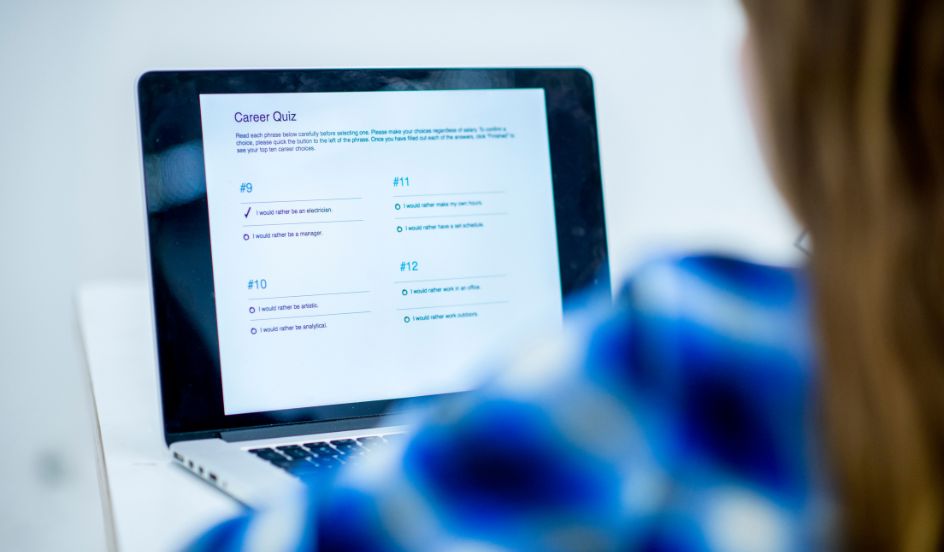
Credit: www.easterncollege.ca
Quiz Purpose
This quiz helps find the best laptop for you. Many people feel lost with choices. Laptops come in all shapes and sizes. It is hard to know which one fits your needs. This quiz will guide you through easy steps. It asks simple questions. You choose what matters most to you. Speed, screen size, and battery life are key features. The quiz is designed to focus on what you need. You will get a clear idea of the right laptop. No more guessing. Choosing a laptop becomes easy and fun.

Credit: justincharnell.com
Assessing Your Needs
Think about how you will use your laptop. Is it for school, work, or games? School needs basic tasks like writing and browsing. Work may need special programs and more power. Gaming demands high-speed and graphics.
Consider battery life, screen size, and storage. Battery life is vital for long use. Screen size affects viewing and portability. Storage determines how many files you can save. RAM and processor speed are also important for fast performance.
Decide how much money you can spend. Cheaper laptops may lack features. Expensive ones may have extras you don’t need. Balance your needs and budget to find the best fit.
Understanding Specifications
Choosing the right processoris crucial. Intel and AMD are popular brands. Intel has Core i3, i5, and i7. AMD offers Ryzen 3, 5, and 7. Faster processors run programs smoothly. For simple tasks, a basic processor is enough. Complex tasks need more power.
RAM helps your laptop run programs. More RAM means faster performance. 4GB RAMis suitable for basic tasks. 8GB RAMis better for multitasking. Heavy tasks need 16GB RAMor more. Always check what you need before buying.
Storage is where your files stay. SSDis faster than HDD. SSD makes your laptop start quickly. HDD is cheaper but slower. Choose SSD for speed. HDD is fine for storing large files. Think about what you need most.
Graphics are important for games and videos. Integrated graphics are basic. Dedicated graphics are powerful. NVIDIAand AMDmake good graphics cards. High-end cards improve gaming and design work. Simple tasks need basic graphics.
Operating Systems
Windows is very popular. Most people use it. It works on many laptops. Windows has many apps. It is easy to use. Updates are frequent. Security is strong. You can play games on it. Many schools use Windows. It helps students learn. Businesses also use Windows. It is a trusted system.
MacOS is made by Apple. It looks nice. It is very smooth. MacOS works on Apple laptops. Security is good. Many artists like MacOS. It is good for design work. MacOS has special apps. Updates are regular. It is easy to use. Support is strong. It is good for creative work.
Linux is free. Many people use it. It is very flexible. You can change it. Linux is good for programmers. It is very safe. Updates are quick. Many servers use Linux. It is a powerful system. Linux has many versions. Some are easy to use. Others need more skill.
Chrome OS is light. It is simple. Google makes it. Chrome OS works on Chromebooks. It is very fast. You need the internet to use it. Many students use Chrome OS. It is good for school work. Chrome OS has many apps. It is easy to learn. Security is strong. It is good for basic tasks.
Portability Factors
Size and Weightmatter a lot when choosing a laptop. A smaller laptop is easier to carry. Lightweight laptops are best for travel. They fit well in backpacks. Big laptops have more features. They are not easy to move.
Battery Lifeis important. Long-lasting batteries are ideal for long trips. Short battery life means frequent charging. Some laptops last all day. Others last only a few hours.
Durabilitykeeps your laptop safe. Strong laptops handle drops well. Weak ones break easily. Some laptops have metal cases. Others have plastic cases.
Connectivity And Ports
USB portsconnect many devices. Keyboards, mice, and printers. Thunderboltis faster. It connects monitors and storage devices. It is great for quick data transfer. Check how many USB ports are on the laptop. More ports are usually better. Thunderbolt is less common but very useful.
HDMIconnects laptops to TVs or monitors. It sends video and sound. DisplayPortis similar. It may offer better video quality. Think about what you will connect. A laptop with both is handy. Make sure your laptop has the right port for your needs.
Wi-Fiis for internet access. Most laptops have it. Check the Wi-Fi version. Newer versions are faster. Bluetoothconnects wireless devices. Like headphones and speakers. It is useful for many gadgets. Make sure your laptop can connect easily. Good Wi-Fi and Bluetooth are important.
Additional Features
Touchscreens are fun and useful. They make tasks quick and easy. A 2-in-1 laptop is both a laptop and a tablet. It can fold or detach. This gives more ways to use it. Choose these features if you need flexibility. They are great for drawing or sketching. Kids might love using touchscreens too. But, they might cost more. Think about what you need most.
A comfy keyboard is crucial. You will type a lot. A good trackpad helps move the cursor smoothly. It should be responsive. Test them before buying. Some laptops have backlit keys. They help in low light. Others have special keys for shortcuts. Consider what you type or play games. A good keyboard and trackpad make tasks easier.
A clear webcam is vital for video calls. Friends and teachers will see you better. Look for a built-in microphone. It should capture your voice clearly. Good speakers matter too. They make videos and music sound nice. Check the laptop’s audio quality. Some laptops have noise-canceling mics. This helps in noisy places. Choose wisely for better communication.

Credit: www.theforage.com
Brand Considerations
Choosing the right laptop brand influences performance and longevity. Consider brand reliability and customer support. Evaluate user reviews and warranty options for a well-informed decision.
Reputation And Support
Brands like Dell, HP, and Apple are well-known. They have a strong reputationfor making good laptops. People trust them. Good support is very important. Helpful support teams solve problems quickly. Look for brands with positive customer feedback. They often provide better service. Check if the brand has a support center near you. It makes getting help easier.
Warranty And Repairs
Warranty protects your laptop if it breaks. Most brands offer one-year warranty. Some brands offer extended warranties. Extended warranties cost extra but offer more protection. Make sure you understand the warranty terms. Some repairs need specific parts. These parts can be expensive. Choose a brand with affordable repair options. Check how long repairs take. Fast repairs get your laptop back sooner.
Making The Final Choice
Choosing the perfect laptop becomes easier with a tailored quiz. This interactive tool guides you through key features, ensuring you find the right match for your needs. Get personalized results and make informed decisions without hassle.
Comparing Options
List the features of each laptop. Compare them side by side. Look at the screen size, battery life, and weight. Check the processor speed and RAM. Consider the storage space too. A table can help with this task.
Seeking Reviews
Read what others say about the laptops. Find reviews online. Check for both good and bad feedback. Look for common issues. Reviews can tell you a lot. They help in making the right choice.
Testing Before Purchase
Try the laptop in a store. See how it feels in your hands. Test the keyboard and trackpad. Listen to the speakers. Check the screen’s brightness. Make sure it fits your needs. Testing helps in making the best decision.
Frequently Asked Questions
What Factors Should I Consider When Choosing A Laptop?
When choosing a laptop, consider your primary use, budget, and desired features. Think about portability, battery life, and storage needs. Evaluate the processor, RAM, and graphics capabilities. Don’t forget to check the display quality and keyboard comfort. Lastly, read reviews and compare different models to make an informed decision.
How Does Budget Affect Laptop Choice?
Your budget significantly influences the type of laptop you can buy. Higher budgets allow for premium features like better processors, SSD storage, and high-resolution displays. For budget constraints, prioritize essential features and look for deals or refurbished models. Remember, investing wisely can save money in the long run.
Is A Touchscreen Laptop Worth It?
Touchscreen laptops offer enhanced interactivity and ease of use, especially for creative tasks. They are ideal for artists, designers, and those who prefer intuitive navigation. However, they can be pricier and may consume more battery. Consider your usage and budget before deciding if a touchscreen is necessary for you.
Which Operating System Is Best For Laptops?
Choosing an operating system depends on your personal preference and usage needs. Windows offers versatility and compatibility with most software. MacOS is known for its sleek design and is favored by creatives. Linux is preferred by developers for its customization.
Consider software requirements and familiarity when deciding.
Conclusion
Choosing the right laptop can feel overwhelming. This quiz simplifies the process. It guides you through important factors like budget, use, and features. You gain clarity on what suits your needs. No more guessing or stress. Just clear, helpful insights.
Feel confident in your decision. A laptop tailored to your lifestyle awaits. Take the quiz and discover your perfect match today. Your ideal device is closer than you think. Enjoy a smoother shopping experience with informed choices. Happy laptop hunting!

Finnian Delaney is a seasoned writer and editor specializing in technology and electronics. At ElectroDoz, he covers a wide range of topics, with a focus on MacBooks, laptops, fitness trackers, keyboards, and computer hardware. With a knack for making complex tech accessible, Finnian helps readers stay informed and confident when choosing their next device or upgrade.