How to Use a Projector As a Tv: Ultimate Guide
Imagine transforming your living room into a personal cinema. It’s not as hard as you might think.
With a projector, you can enjoy your favorite shows and movies on a grand scale, right at home. But maybe you’re wondering, “How do I actually use a projector as a TV? ” Don’t worry, you’re not alone. Many people want to elevate their viewing experience but are unsure where to start.
This guide will walk you through the process, step by step, so you can enjoy big-screen entertainment anytime you want. By the end, you’ll be ready to swap your TV for a projector, creating a more immersive experience that you and your loved ones will adore. Ready to dive in and learn how to do it? Let’s get started!
Choosing The Right Projector
Projectors come in many types. DLP projectors use mirrors for images. They are very sharp. LCD projectors use liquid crystal displays. They can be brighter. LED projectors are energy-saving. They are long-lasting. Laser projectors offer the best picture. They are costly.
Resolution is key. High resolution means clearer images. Brightness matters for daylight use. More lumens means brighter picture. Contrast helps with color depth. Higher contrast means better colors. Connectivity is important. HDMI ports are common. Check for more options. Sound is essential too. Built-in speakers can be handy.
:max_bytes(150000):strip_icc()/projectorastv-b0c2c26d6d1d4cae95c51ffdae5f129b.jpg)
Credit: www.lifewire.com
Setting Up The Projector
Transforming your projector into a TV starts with connecting it to a streaming device or cable box. Ensure the projector’s input matches your source device for seamless viewing. Adjust the projector settings for optimal picture quality and sound.
Selecting The Ideal Location
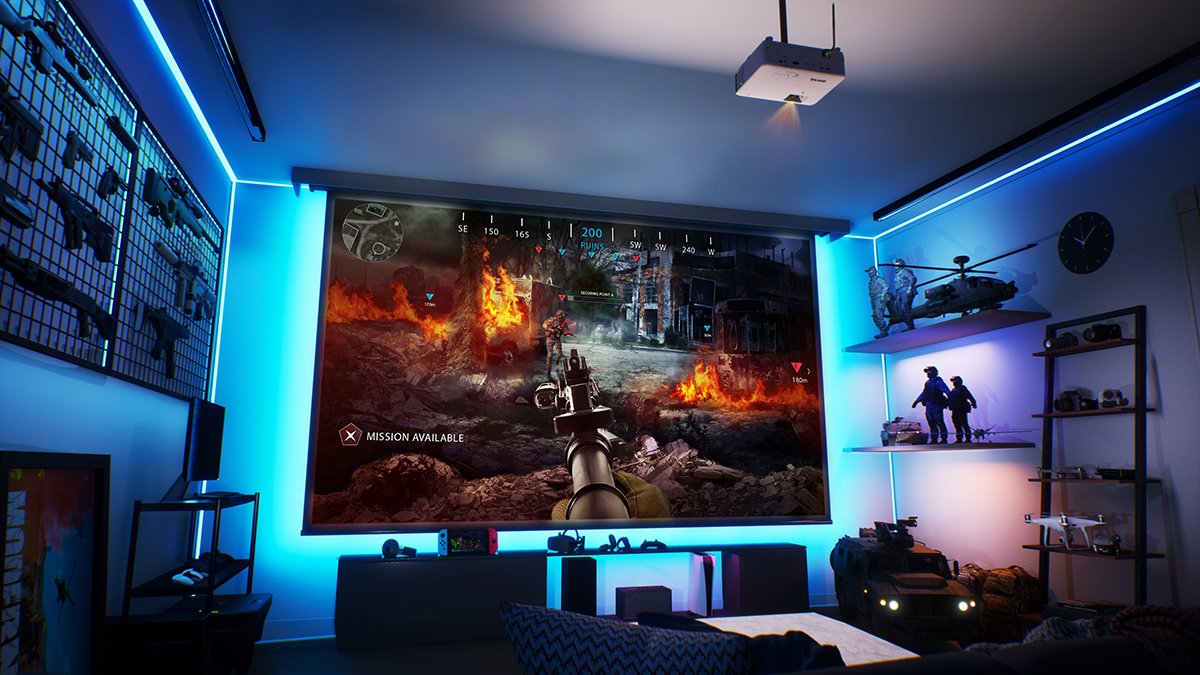
Choose a flat surface for your projector. Walls work well. Ensure the surface is clean. Distance between projector and wall matters. Too close, and the picture is small. Too far, and it might blur. Dark rooms are best for a clear view. Avoid placing it near windows. Sunlight can make the screen hard to see.
Adjusting The Screen Size
Use the zoom feature to change size. Make the screen fit your wall. Use the focus button to make the image clear. A blurry screen is hard to watch. Adjusting these settings helps in getting a perfect view.
Connecting The Projector To Tv Sources
HDMI cables help connect projectors to TV sources. They carry both audio and video signals. Plug one end into the TV source. Insert the other end into the projector. Make sure both devices are turned off first. After connecting, turn them back on. Adjust settings for optimal viewing. Check sound and picture quality. Ensure the cable is securely connected.
Wireless options are great for connecting projectors. Use a wireless adapter or Wi-Fi. Connect to your TV source. This avoids cables and wires. Ensure both projector and TV source support wireless. Look for Bluetooth or Wi-Fi options. Follow instructions for pairing devices. Keep devices within range for best connection. Make sure signals are strong and clear.
Credit: www.benq.com
Enhancing Audio Experience
External Speakers Setupcan make your projector experience better. Connect speakers using a cable. Most projectors have a port for this. Check for the audio port. Plug the speaker cable into it. Some speakers need power. Use a power outlet. Turn on the projector and speakers. Adjust the volume. Listen and enjoy.
Soundbar Integrationoffers clearer sound. Connect the soundbar to the projector. Use an HDMI or optical cable. Soundbars often have their own power source. Plug it into the wall. Turn on the soundbar and projector. Adjust settings for better sound. Enjoy movies and shows with rich audio.
Optimizing Picture Quality
Brightness sets how light or dark the picture looks. Contrast changes how different colors appear. Start by setting the brightness to a medium level. Too much brightness makes the picture look washed out. Too little makes it hard to see details. Adjust the contrast so colors look clear. High contrast makes shadows deep. Low contrast can make colors blend together. Find a balance for clear images.
Color settings decide how vibrant the picture is. Make colors look natural. Adjust color temperature for warmer or cooler tones. Warm tones look redder. Cool tones look bluer. Set saturation to control color intensity. High saturation makes colors pop. Low saturation can make colors dull. Balance hue for correct shades. Incorrect hue can make skin tones look odd. Aim for colors that match your room lighting.
Maintaining Your Projector
Transforming your projector into a TV involves connecting it to a streaming device. Select a quality HDMI cable for connection. Adjust the projector settings for optimal picture quality and sound.
Cleaning The Lens
A clean lens makes the picture clear. Use a soft, dry cloth. Gently wipe the lens. Avoid pressing hard. Dust can scratch the lens. Clean it regularly. This keeps the image bright. It also helps the projector last longer. Never use water on the lens. Water can damage it. Use a special lens cleaner if needed. Always follow the instructions. A clean lens makes your movie time fun.
Replacing The Bulb
The bulb is important for a bright image. Check the bulb’s life. Use the projector’s settings menu. It shows the hours used. Replace the bulb when needed. Always use the right bulb type. Follow the manual for instructions. Switch off the projector. Let it cool before replacing. Be gentle while removing the old bulb. Install the new one carefully. Secure it in place. This ensures the projector works well.
Troubleshooting Common Issues
Connectivity issues can stop your projector from working. Check all the cables. They must be plugged in right. Look for any loose ends. Wi-Fi connections can also cause trouble. Make sure the projector is close to the router. Try restarting both devices. Update your projector’s software if needed. Sometimes, this fixes the problem. Check the device settings to ensure they are correct.
A clear picture is important for a good viewing experience. Adjust the focus ring on your projector. This helps sharpen the image. Move the projector closer or farther from the screen. This can fix size issues. Keystone settings can help make the picture straight. Check these settings in the projector menu. If colors look strange, adjust the color settings. This can make the image look right again.

Credit: www.youtube.com
Frequently Asked Questions
Can I Connect A Projector To My Tv Tuner?
Yes, you can connect a TV tuner to your projector. Use an HDMI cable to connect the tuner to the projector. Ensure the projector supports HDMI input for smooth transmission.
What Cables Do I Need For Projector Tv Setup?
You’ll need HDMI or VGA cables for a projector TV setup. HDMI cables are preferable for high-quality video. Ensure your projector and TV source have compatible ports.
How Do I Get Sound From My Projector?
Connect external speakers or a soundbar to your projector using an audio cable. Some projectors have built-in speakers, but external ones offer better sound quality.
Is Streaming Possible With A Projector?
Yes, streaming is possible with a projector. Use streaming devices like Chromecast or Roku. Connect them via HDMI for seamless content access.
Conclusion
A projector can transform your TV experience. Enjoy larger-than-life visuals. Gather friends and family for movie nights. Setting up is simple and rewarding. Connect your devices easily. Adjust settings for the best picture. Sound quality matters too. Use external speakers if needed.
Experiment with placement for optimal viewing. The right setup makes all the difference. Create a cozy atmosphere. Dim the lights and relax. Projectors offer versatility and fun. Perfect for sports, gaming, and films. Experience entertainment in a new way. Your living room becomes a theater.
Enjoy your shows on a bigger screen. Make it memorable every time.

Everett Ashford is an electrical engineer and expert in electronics reviews, tips, and troubleshooting. Specializing in audio and sound devices, including earbuds, AirPods, and headphones, he brings in-depth knowledge and practical advice to help consumers make informed decisions.