What is the Best Camera App for Android Phones: Top Picks
Imagine capturing a moment so perfectly that it feels like you’re reliving it every time you look at the photo. Your Android phone can become a powerful tool to make that happen, but only if you have the right camera app.
You might be wondering, “What is the best camera app for Android phones? ” With countless options available, choosing the right one can feel overwhelming. But fear not! You’re about to discover the top contenders that will transform your photography experience.
Dive in to find out which app will enhance your photos, unleash your creativity, and make your memories truly unforgettable.
Credit: www.techradar.com
Key Features To Look For
A simple user interfaceis very important. Buttons should be easy to find. Menus should not be confusing. The screen should be clear. Anyone should understand how to use it.
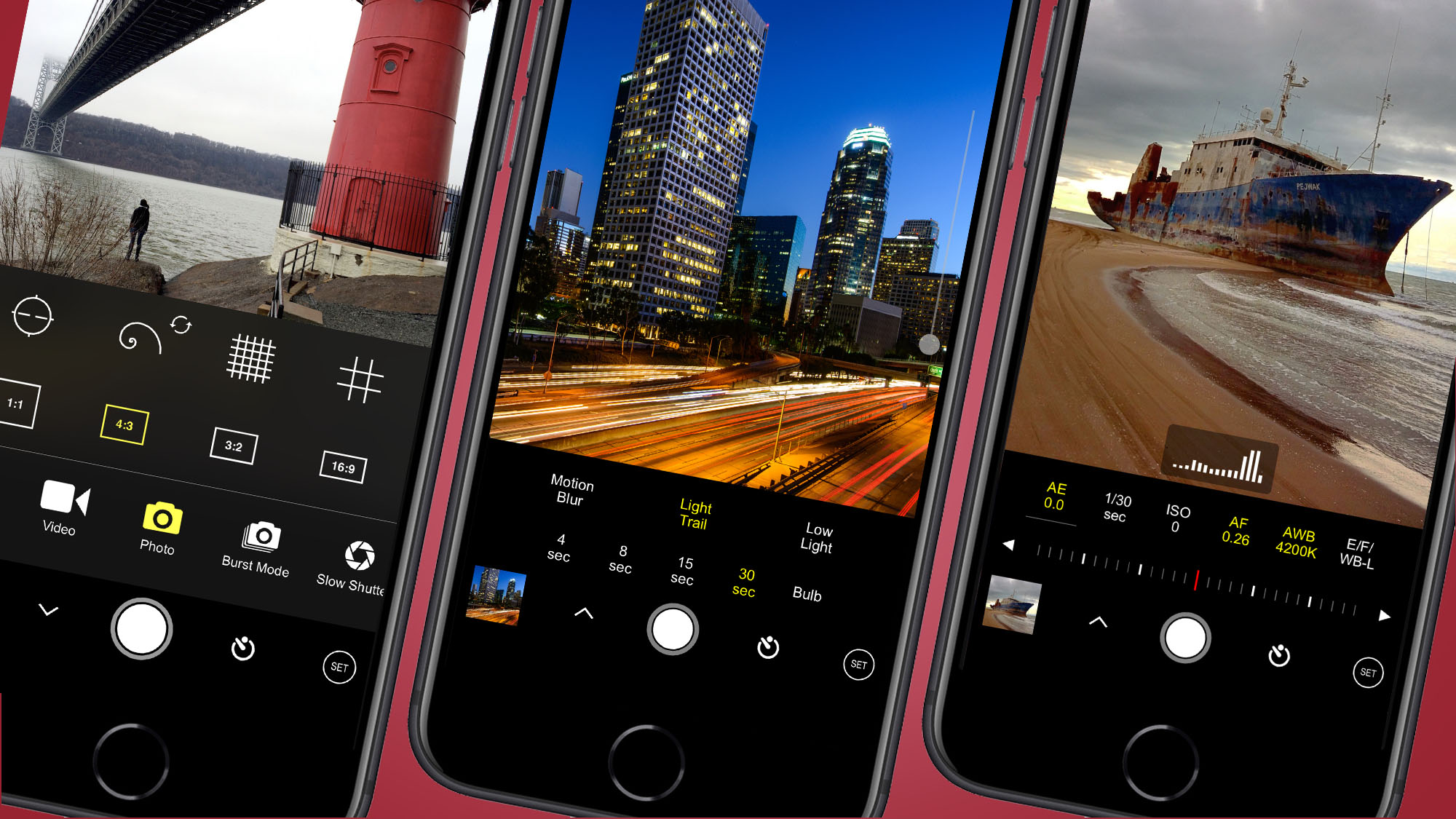
Manual controls let you change things like focus and brightness. This is important for taking better photos. You can adjust them as needed. It makes taking pictures more fun.
Good editing tools help you make your photos look nice. You can crop, rotate, and adjust colors. Some apps let you add filters. You can fix mistakes and improve your photos.
Sharing photos is easy with social media links. You can post photos fast. This saves time and effort. Your friends will see your photos quickly.
Credit: www.kevinandamanda.com
Top Camera Apps For Android
Google Camera is a popular choice for Android phones. It offers HDR+ and Night Sight for better photos. The app is easy to use. It has a simple interface. Many users love its portrait mode. This mode blurs the background nicely.
Open Camera is free and open-source. It has many features. You can control ISO and white balance. The app supports external microphones. This is great for videos. It also has a widget for quick access. Many users like its auto-stabilize feature.
Camera FV-5 is for serious photographers. It offers manual controls like a real camera. You can adjust shutter speed and exposure. The app saves photos in RAW format. This is perfect for editing. Users enjoy its long exposure capabilities.
ProCam X is a professional app. It has burst mode and time-lapse features. The app lets you control focus and exposure. It supports 4K video recording. Many people appreciate its face detection feature. It makes capturing moments easy.
Google Camera Advantages
HDR+ Technologymakes photos look amazing. It captures more details. It balances light and dark areas. Your pictures will look bright and clear.
Portrait Modehelps focus on the face. It blurs the background. This makes the subject stand out. Photos look professional and neat.
Night Sightallows you to take photos in the dark. It makes night scenes bright. Details are sharp even in low light. Colors are more vibrant.
Open Camera Highlights
Open Camera is an open-source app. This means it is free to use. Anyone can improve it. Developers around the world help make it better. This makes the app safe and reliable. Many users trust it for their photography needs.
This app offers many customizable settings. You can change the focus. Adjust the brightness easily. Choose different photo modes. Even the camera grid can be changed. These options help you take the best photos.
With Open Camera, you get remote control options. You can use a timer to take photos. Control the camera with sound too. Just say “cheese” to click a photo. This is great for group pictures or selfies.
Camera Fv-5 Features
Camera FV-5 gives users professional controls. You can adjust focus easily. It helps in taking clear pictures. ISO settings can be changed quickly. This control suits different lighting conditions. Shutter speed is adjustable too. Capture motion or freeze action with ease.
Exposure bracketing ensures perfect shots. Take three pictures at different exposures. Combine them later for a balanced photo. This feature is ideal for sunset or sunrise scenes. It captures both bright and dark areas well. Users enjoy more dynamic range in their photos.
Long exposure support allows creative shots. Capture trails of lights or moving water. Set exposure time longer than usual. It helps in taking stunning night photos. Blur effects can be achieved easily. The app supports timers for steady shots. Use a tripod for best results.
Procam X Capabilities
Real-time filtersmake photos look amazing. Choose from many filter options. See changes instantly. Make your photo unique. No need for editing later. Create stunning images on-the-go. Simple and fun!
Focus peakinghelps capture sharp images. Shows focus areas in bright colors. Helps get perfect focus every time. Easy for everyone to use. Great for beginners and experts. Take clear photos without guessing.
Burst modecaptures fast action. Takes many photos in a second. Ideal for sports or moving objects. Never miss a moment. Choose the best shot from many. Perfect for exciting events and adventures.
Factors To Consider
Always check if the camera app works with your phone. Some apps only fit certain Android versions. Others may not support specific phone models. Compatibility is key for smooth usage. Make sure your phone can run the app without issues.
Camera apps can be free or paid. Free apps offer basic features. Paid apps give more options and tools. Choose based on what you need and your budget. Price matters, but quality counts too. Some apps have a one-time fee, others need a subscription.
Read what others say about the app. User reviews tell you if the app is good. They show how the app performs in real life. Look for reviews on app stores or forums. High ratings mean users like the app. Bad reviews warn you of problems.
Tips For Choosing The Right App
Test Before Buying: It’s wise to try the app first. Check for free trials. See if it meets your needs. Testing helps you avoid wasting money. Make sure the app works well on your phone.
Check for Updates: Good apps get updated often. Updates fix problems and add new features. Check if the app has recent updates. Updated apps are safer to use.
Prioritize Your Needs: Think about what you need. Do you want high-quality photos? Or simple editing tools? Choose an app that fits your style. Make a list of features you want. This helps in making a smart choice.

Credit: www.youtube.com
Frequently Asked Questions
What Features Should A Camera App Have?
A good camera app should offer manual controls, filters, and editing tools. It should support high-resolution photos and videos. Integration with social media for easy sharing can be beneficial. User-friendly interface and fast performance are also crucial.
Can Camera Apps Improve Photo Quality?
Yes, camera apps can enhance photo quality by providing advanced settings like exposure and focus adjustments. They offer filters and editing options to refine images. These apps often include features that optimize lighting and reduce noise, resulting in clearer and more vibrant photos.
Are Free Camera Apps Worth Downloading?
Free camera apps can be valuable, offering basic features and decent quality. They usually provide essential tools like filters and basic editing. While premium apps may offer more advanced features, free apps are perfect for casual users seeking improved camera performance without cost.
How To Choose The Best Camera App?
Choosing the best camera app depends on your needs. Consider features like manual controls, editing tools, and user interface. Read user reviews and check compatibility with your phone model. Opt for apps with regular updates and good customer support.
Conclusion
Choosing the best camera app for Android can enhance your photos. Consider features like ease of use and editing options. Popular choices include Camera MX and Open Camera. Each app has unique strengths. Test a few to find your perfect fit.
Remember, the best app suits your style and needs. Explore options, and enjoy capturing memories. Your ideal camera app awaits. Happy snapping!

Callen Ridgeway is a senior writer at ElectroDoz, where he shares his expertise on the latest in drones, webcams, cameras, and a wide range of cutting-edge electronic devices. With a passion for exploring emerging tech and breaking it down into practical insights, Callen helps readers make smarter choices when it comes to gadgets and gear. When he’s not testing the newest electronics, he’s busy keeping up with the innovations shaping the future of consumer technology.