
Why is My Airpod Case Flashing Orange: Fix It Fast
You’ve just noticed your AirPod case flashing orange, and now you’re wondering what that means. You’re not alone; many users experience this mysterious blinking light and seek answers.
As you stare at your device, curiosity and a bit of worry might start to creep in. Is something wrong with your AirPods? Are they malfunctioning? The truth is, that orange light has a story to tell, and understanding it could save you from future headaches.
Dive into this article to discover exactly why your AirPod case is flashing orange and what you can do about it. Get ready to unlock the secrets behind that tiny beacon and ensure your AirPods are always in top shape.

Credit: www.esrtech.com
Common Reasons For Orange Light
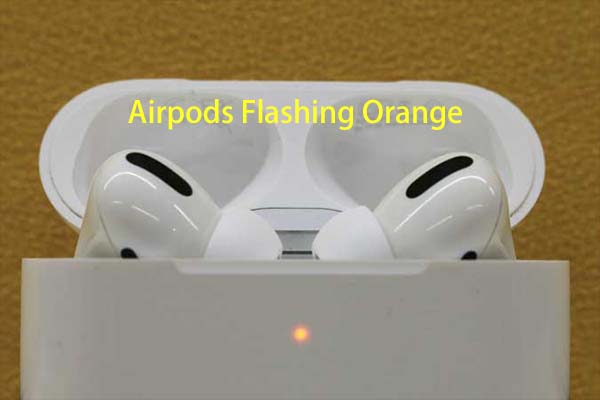
The orange light often signals a battery problem. It means the battery is low or not charging properly. Try plugging it in and see if the light changes. Sometimes, dirt can block the charging port. Clean it gently.
Charging issues can cause the orange flash. Use a working cable to check if it helps. If the cable is damaged, replace it. Also, check if the power outlet works. Sometimes, changing the outlet solves the problem.
A glitch in the software can make the light flash. Try resetting the Airpod case. Hold the button until the light changes. If the issue persists, update the firmware. Updates often fix glitches.
Quick Fixes To Try
A simple reset might help. Press and hold the button on the case. Wait until the light flashes white. This means the AirPods are reset. Try reconnecting them to your device. This can solve many issues.
Low battery can cause the light to flash orange. Open the case near your iPhone. Check the battery level on the screen. Make sure both AirPods and the case are charged. A charged device works better.
Faulty charging equipment can be a problem. Check the cable and adapter. Ensure they are in good condition. Try using a different cable or adapter. Sometimes, this can fix the issue. Charging equipment should always work properly.
Advanced Troubleshooting Steps
Keeping your AirPods updated is important. Firmware updates fix bugs and improve performance. Connect your AirPods to a compatible device. Ensure that the device is connected to Wi-Fi. Place the AirPods in their case. Keep the lid open. The update should start automatically. Wait for a few minutes. Check the settings app to see the update status.
Dust and dirt can affect the AirPods case. Use a soft, dry cloth for cleaning. Avoid using water or sprays. Clean the charging port with a small brush. Gently remove any visible debris. A clean case works better. Helps in maintaining the battery life too.
Sometimes, problems persist. Apple Support can help. Visit the official Apple website. You can chat with a support agent. You can also book an appointment at an Apple Store. Experts there will inspect and fix the issue. Always rely on official support for best results.
Credit: www.partitionwizard.com
Preventive Measures
An orange light on your AirPod case often signals a connection issue or low battery. Regularly charging and ensuring Bluetooth functionality can prevent these problems. Keeping your AirPods updated and clean also helps maintain optimal performance and reduce orange light occurrences.
Regular Maintenance
Keep your Airpod case clean. Wipe it with a soft cloth. This stops dirt from building up. Check for dust in the charging port. Use a small brush to clean it. Avoid using water directly. Moisture can damage the case.
Proper Storage
Store your Airpod case safely. Avoid placing it on rough surfaces. Use a pouch or case to protect it. Keep it away from sharp objects. This prevents scratches and dents. Avoid extreme temperatures. Heat can affect battery performance.
Using Official Accessories
Use accessories from Apple. They fit your Airpods best. Third-party accessories may not work well. They can cause charging issues. Official chargers ensure safe power delivery. This keeps the battery healthy. Always check compatibility before buying accessories.
Credit: www.youtube.com
Frequently Asked Questions
What Does Orange Light On Airpod Case Mean?
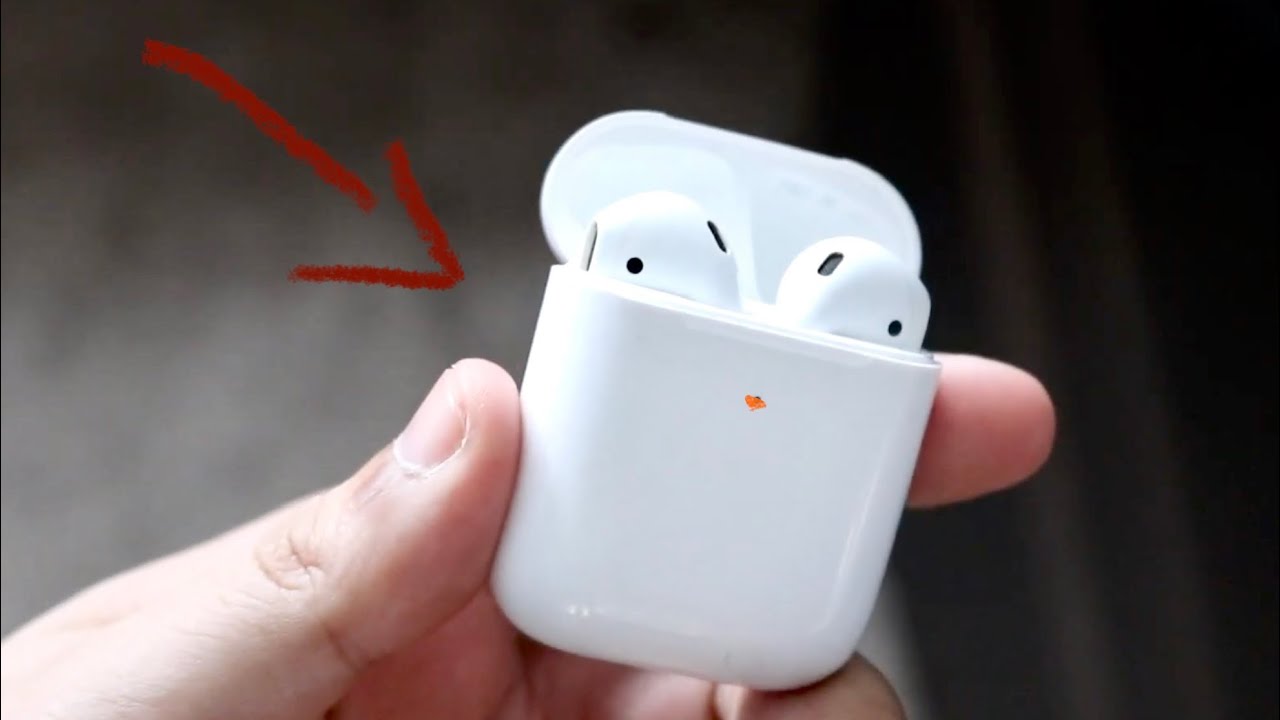
An orange flashing light on your Airpod case typically indicates a charging issue. It might mean the case is not charging properly or that the Airpods are not correctly seated. Ensure the case is plugged into a power source and the Airpods are positioned correctly to resolve this issue.
How Can I Fix Airpod Case Flashing Orange?
To fix the orange flashing light, first check if the case is correctly plugged in. Inspect the charging cable and port for any damage. Ensure the Airpods are seated properly in the case. If the issue persists, try resetting your Airpods by pressing the setup button.
Is Orange Light On Airpod Case Bad?
An orange light isn’t necessarily bad, but it signals a problem with charging. It’s a helpful indicator to alert you of potential issues with your Airpods or charging case. Address the issue promptly to ensure your Airpods are functioning correctly and fully charged.
Why Won’t My Airpod Case Stop Flashing Orange?
If your Airpod case keeps flashing orange, there might be a persistent charging issue. Check the charger, cable, and case for any damage. Ensure the Airpods are correctly seated. If unresolved, consider resetting the Airpods or contacting Apple Support for further assistance.
Conclusion
Orange light on AirPods case signals an issue. Usually, it means charging problems. Check your charging cable and adapter. Ensure proper connection. Clean the charging port gently. Software glitches can also cause it. Restart your AirPods and phone. Update firmware if needed.
Sometimes, factory reset helps. Contact Apple support for persistent problems. Regular checks prevent future issues. Keep your AirPods safe. Use protective cases. Always charge with original accessories. Follow these steps for smooth usage. Enjoy your music hassle-free. Stay informed and proactive.

Everett Ashford is an electrical engineer and expert in electronics reviews, tips, and troubleshooting. Specializing in audio and sound devices, including earbuds, AirPods, and headphones, he brings in-depth knowledge and practical advice to help consumers make informed decisions.