How to Monitor My Webcam from a Remote Location: Ultimate Guide
Imagine the peace of mind knowing you can keep an eye on your surroundings, even when you’re miles away. Your webcam can be your trusty sidekick, offering a window into your home or office from any remote location.
But how exactly can you achieve this seamless surveillance? The answer lies in learning how to monitor your webcam efficiently and securely. In this guide, we’ll walk you through the simple steps to set up remote access, ensuring you’re always connected.
Whether it’s for security or just to check in, you’ll discover how easy it is to stay informed, no matter where you are. Read on to unlock the full potential of your webcam and gain the control and reassurance you deserve.
Choosing The Right Webcam
Resolution is important for clear images. Higher resolution shows more detail. Frame rate matters for smooth videos. Look for 30 frames per second or more. Connectivity options like USB or wireless are essential. Check if the webcam supports remote access features. Security features are crucial to protect your privacy. Ensure the webcam has encryption and password protection.
| Brand | Special Features |
|---|---|
| Logitech | High-resolution, easy setup, remote access |
| Microsoft | Good image quality, reliable performance |
| Razer | Fast frame rate, gamer-friendly |
Setting Up Your Webcam
Start by placing your webcam in a safe spot. Connect it to your computer. Use the USB cable. Make sure the connection is firm. Install any necessary drivers. These come with the webcam. Follow the on-screen instructions. They are easy to follow.
Download the required software. This software helps in viewing the webcam. It’s usually free. Check the webcam manual for the link. Open the software once installed. Ensure it detects the webcam.
Open the webcam software. Look for the settings menu. Adjust the video quality. Choose a medium setting for clarity. Set the microphone volume. Make sure it is clear. Disable any noise reduction if needed.
Set up motion detection. This feature helps in security. Enable notifications for any movements. Save the settings when done. Ensure your internet connection is stable. This helps in smooth monitoring.
Selecting Monitoring Software
Choosing between free and paid webcam software can be tough. Free options are great for beginners. They offer basic features without any cost. Paid software often has more features. They might include better security or support. Some people prefer free versions to start. Paid options might be better for businesses. Each type has its own benefits.
Many software options are available for webcam monitoring. iSpy is a popular choice for many users. It offers both free and paid versions. Yawcam is another well-liked option. It is free and easy to use. Logitech Capture is good for those with Logitech cameras. It offers special features for their products. Trying different software can help find the best fit.

Credit: www.amazon.com
Ensuring Secure Connections
A VPNhelps keep your webcam connection safe. It hides your IP address. This makes it hard for hackers to find you. VPNs also encrypt your data. This means your information stays private. Always choose a trusted VPN. Free VPNs might not be safe. Paid ones offer better security. Check reviews before choosing one.
Firewalls act like guards for your computer. They block unwanted access. This keeps your webcam safe from strangers. Set up a firewall on your device. Most computers have built-in firewalls. Turn them on and configure them properly. Regularly update your firewall settings. This ensures they stay effective.
Accessing Your Webcam Remotely
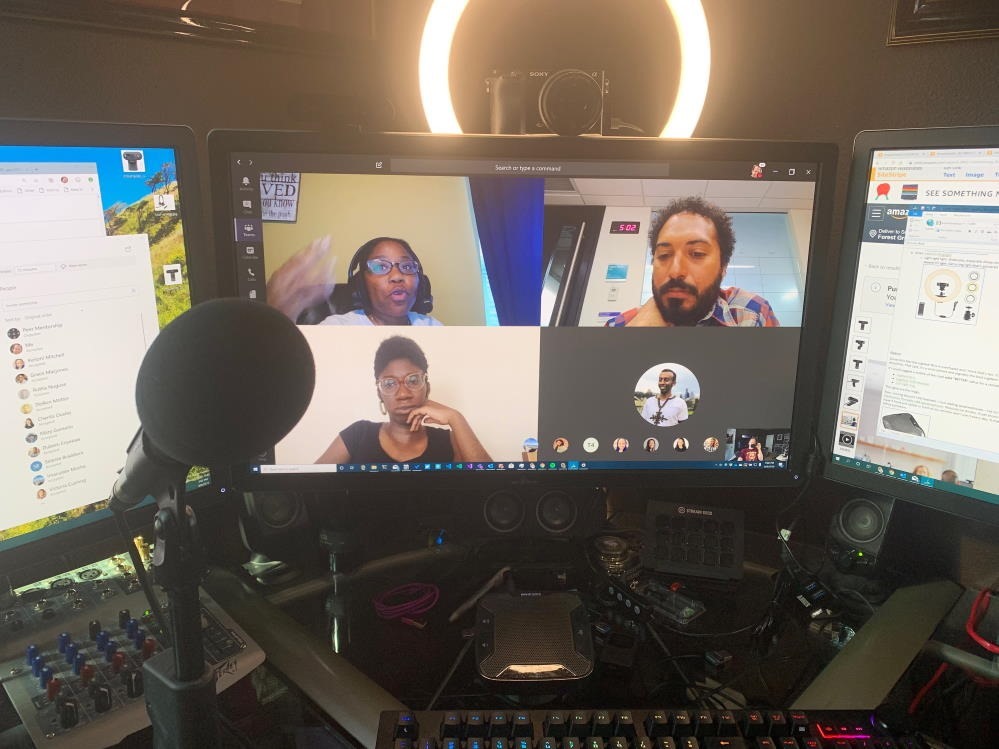
Mobile apps make it easy to watch your webcam. Download the app on your phone. Connect it to your webcam. Now you can see live video from anywhere. Check the app store for good apps. Some apps are free. Others may cost money. Choose what works for you. Set up alerts for motion detection. Alerts help you know when something moves. Stay connected wherever you go.
Web access lets you view your webcam using a browser. Log in to a secure website. Enter your webcam details. See live video anytime. Many webcams have web access. Find one with strong security features. Protect your privacy with passwords. Look for encryption options. Always update your software for safety. Enjoy peace of mind with web access.
Credit: www.hanselman.com
Troubleshooting Common Issues
Webcam connections can fail. The network might be unstable. Check the internet. It should be working well. Restart the router. This often fixes the issue. Check cables. Loose cables can cause trouble. Use strong Wi-Fi signals. Weak signals affect performance. Update network drivers. Old drivers can cause problems.
Software bugs can stop webcams. Update the software regularly. New versions fix bugs. Restart the webcam software. Sometimes it just needs a reset. Check settings. Wrong settings can stop the feed. Install antivirus. Viruses can block webcams. Keep the software compatible. Incompatible software can cause issues.
Enhancing Webcam Performance
Better hardware makes webcams work faster. Choose a high-resolution camera for clear images. High resolution means more detail. Also, get a microphone that captures sound well. Good microphones help in clear communication. Update your USB cables too. New cables ensure strong connections. Strong connections mean fewer interruptions. Consider external lighting for better visuals. Lighting helps cameras capture colors accurately.
Software updates improve webcam performance. Check for driver updates regularly. Updated drivers help in better functioning. Use programs that compress video without losing quality. Compression saves bandwidth. Bandwidth is important for smooth streaming. Adjust frame rate settings for stability. Lower frame rates can reduce lag. Lag interrupts communication. Also, explore background noise filters. Filters make sound clearer.

Credit: www.amazon.com
Legal And Privacy Considerations
Privacy laws are important. They protect people from spying. Webcam monitoring needs careful thought. Laws differ in each country. Knowing these laws helps avoid trouble. Consent is key. Always ask before recording. Respect privacy rights.
Ethical practices are about doing right. Respect is central. Be honest about monitoring. Share reasons and methods. Use secure systems. This protects data. Never share without permission. Trust builds strong relationships. Always act responsibly.
Frequently Asked Questions
How Can I Access My Webcam Remotely?
To access your webcam remotely, use software designed for remote monitoring. Install it on your computer and configure the settings. Ensure your webcam and computer are connected to the internet. You can then log in to the software from another device to view your webcam feed.
Is Remote Webcam Monitoring Secure?
Remote webcam monitoring can be secure if you use trusted software and follow best practices. Always use strong passwords and enable encryption features. Regularly update your software to protect against vulnerabilities. Ensure your internet connection is secure to prevent unauthorized access.
What Software Do I Need For Remote Monitoring?
You need remote monitoring software compatible with your webcam and computer system. Popular choices include software like TeamViewer, AnyDesk, and webcam-specific applications. Choose software that offers encryption and user authentication for enhanced security. Ensure it supports live streaming and remote access functionalities.
Can I Monitor My Webcam Via Smartphone?
Yes, you can monitor your webcam via smartphone using compatible software. Install the software on both your computer and smartphone. Access the webcam feed by logging in to the app from your smartphone. This allows you to view live footage remotely and manage settings conveniently.
Conclusion
Monitoring your webcam remotely keeps your home secure. It offers peace of mind. Start by choosing reliable software. Ensure your internet connection is strong. Test your setup before leaving. Always update software for safety. Check privacy settings regularly. This protects your data.
Stay informed about new security features. Adjust settings as needed. A secure system is crucial. Monitoring from afar is easy with preparation. Stay vigilant. Protect what matters most. Your webcam can be your eyes at home. Make it a valuable tool in your security plan.

Callen Ridgeway is a senior writer at ElectroDoz, where he shares his expertise on the latest in drones, webcams, cameras, and a wide range of cutting-edge electronic devices. With a passion for exploring emerging tech and breaking it down into practical insights, Callen helps readers make smarter choices when it comes to gadgets and gear. When he’s not testing the newest electronics, he’s busy keeping up with the innovations shaping the future of consumer technology.