
What is the Home Key on a Keyboard: Essential Guide
Imagine typing away on your keyboard, navigating through documents, or browsing the web. Suddenly, you find yourself needing to jump back to the beginning of a line or a page.
This is where the magical ‘Home’ key comes into play. You might have seen it sitting quietly on your keyboard, but do you really know its power and potential? Understanding the Home key can revolutionize the way you interact with your computer, saving you time and effort.
By the end of this article, you will uncover the secrets behind this unassuming key and learn how it can enhance your typing and navigation efficiency. Whether you’re a seasoned computer user or a curious beginner, mastering the Home key will make your digital life smoother and more intuitive. Are you ready to unlock the hidden capabilities of your keyboard? Let’s dive in!
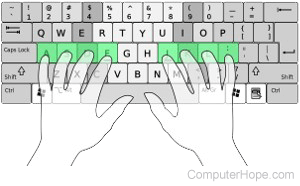
Credit: www.computerhope.com
Purpose Of The Home Key
The Home key helps you move quickly. Press it and the cursor jumps to the start of a line. Handy when typing or reading text. It saves time by avoiding arrow keys. Also useful in spreadsheets. Press Home to go to the first cell in a row. This makes editing data faster. Many find it useful for browsing. Jump to the top of a webpage with the Home key. It’s simple but very useful. Great for both kids and adults learning computers. This key makes navigation easy.

Credit: www.youtube.com
Location On Different Keyboards
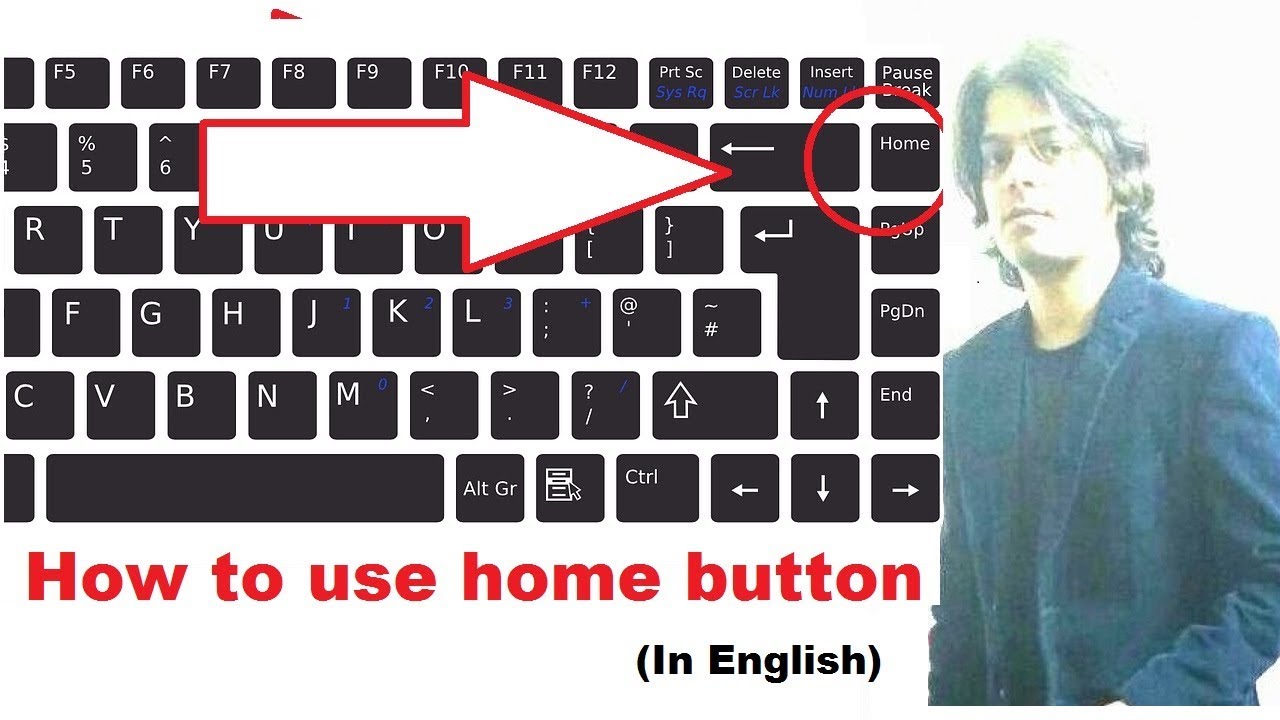
The Home key has a special spot on keyboards. On most desktop keyboards, it is near the top right. It usually sits above the arrow keys. This makes it easy to find. Laptops might place it differently. Some laptops have it as a function key. You may need to press the “Fn” key. On smaller keyboards, it might share space with another key. Knowing where it is helps you work faster. Different keyboards, different places. But it’s always there to help. Understanding its position is useful.
Functions In Text Editing
The Home keyhelps you move quickly in text. It takes you to the start of a line. This saves time. You don’t need to press arrow keys many times. Just one press and you are there. It’s simple and fast. Kids can use it easily. It makes text work easier.
Selecting text with the Home keyis easy too. Press Shiftand Hometogether. This selects text from where you are to the start. You can copy or cut this text. It’s helpful for editing. Try it and see how quick it is.
Credit: www.youtube.com
Role In Web Browsing
Home keyhelps in web browsing. It moves the page to the top. This is useful for long pages. Users can reach the start quickly. No need to scroll a lot.
One tap on the Home keyscrolls to the top. This action saves time. It is a fast way to navigate. Especially on lengthy web pages.
The Home keyoffers quick access. It brings users to the beginning of a page. This can be handy while reading. It’s a simple yet effective tool. A small key with big help.
Usage In Software Applications
Code Editorsoften use the Home key for quick navigation. Pressing Home moves the cursor to the start of the line. This helps programmers edit code faster. Many editors have shortcuts with the Home key. Combining with Ctrlmoves to the beginning of the document. It’s a tool for efficiency.
Spreadsheet Programsuse the Home key too. It jumps to the first cell in a row. This is handy in large spreadsheets. Users find data faster with it. Sometimes, it works with other keys. Ctrl and Home go to cell A1. This saves time during data tasks.
Customizing Home Key Actions
The Home keycan be part of many keyboard shortcuts. Pressing it with other keys makes tasks faster. For example, pressing Ctrl + Homemoves the cursor to the top of a document. It saves time when reading long texts. You can also use it with the Shift key. This selects text from the current position to the start of a line. These shortcuts are useful for students, writers, and office workers.
Many programs let you change Home key actions. In settings, you can choose what the key does. This is helpful if you use special software. Some apps allow you to set the Home key for specific tasks. This can make your work faster and easier. Changing settings is simple and often found in the help menu.
Troubleshooting Common Issues
The home key on a keyboard helps users quickly return to the beginning of a line or document. It’s often located near the center of the keyboard, providing easy navigation during text editing. Using the home key can save time and streamline typing tasks.
Unresponsive Key
The home key might not work sometimes. Dirt can block it. Cleaning the keyboard often helps. Use a soft brush or air spray. Ensure no liquid goes inside. The key might also be stuck. Press gently but firmly. If nothing works, check software settings. Update or reinstall drivers. Software glitches can cause issues. Seek help if still unresponsive.
Incorrect Functionality
Sometimes the home key acts strange. It might open wrong programs. Wrong settings can cause this. Check keyboard shortcuts in settings. Restore default settings if needed. Conflicts with other software can occur. Disable unnecessary programs. Restart the computer to fix errors. If problems persist, consult a technician. They can check the hardware. Proper functioning is important.
Frequently Asked Questions
What Is The Function Of The Home Key?
The Home key moves the cursor to the beginning of a line. It’s commonly used in text editing applications. It saves time by eliminating the need for manual cursor navigation. This key is particularly useful for quickly accessing the start of a document or webpage.
How Do I Use The Home Key Effectively?
To use the Home key, press it once to jump to the start of a line. In combination with the Ctrl key, it can navigate to the beginning of a document. This enhances productivity by reducing keystrokes needed for navigation.
Where Is The Home Key Located On A Keyboard?
The Home key is usually located near the top-right section of the keyboard. It’s often found above the arrow keys and next to the End key. Its position may vary slightly depending on the keyboard layout or manufacturer.
Can The Home Key Be Used In All Applications?
The Home key’s functionality depends on the application in use. Most text editors and word processors support it for navigation. However, some software may not recognize the key or assign it a different function.
Conclusion
The home key is vital for quick navigation. It saves time by jumping to the start of a line. This key simplifies editing tasks. Easy access to the home key boosts efficiency in typing. Knowing its function enhances your keyboard skills.
Experiment with using it in different applications. Enjoy smoother workflow with simple shortcuts like this. It’s an essential tool for everyday keyboard users. Keep practicing, and you’ll notice the benefits. The home key is small but mighty. Embrace its utility for better productivity.

Finnian Delaney is a seasoned writer and editor specializing in technology and electronics. At ElectroDoz, he covers a wide range of topics, with a focus on MacBooks, laptops, fitness trackers, keyboards, and computer hardware. With a knack for making complex tech accessible, Finnian helps readers stay informed and confident when choosing their next device or upgrade.