
Can You Play PS2 Games On PS4 Console: The Truth
Introduction
In the United States, a PS4 cannot play original PlayStation 2 discs. The PS4 has no disc support for PS2 games, and placing a PS2 disc in the console will not start the game.
However, you may still play some PS2 games on a PS4 through official digital versions. These include selected PS2 Classics sold through the U.S. PlayStation Store and some games included in the PlayStation Plus Classics Catalog. The exact list depends on the game, account region, subscription plan, and current catalog.

Can a PS4 play PS2 discs?
No. A standard PS4, PS4 Slim, or PS4 Pro cannot read or run an original PS2 game disc.
The PS4 uses a Blu-ray drive, but disc shape is not the main issue. The console also needs the right system support to read, install, and run the game. Sony did not make the PS4 backward compatible with original PS2 software.
This means the following will not work:
- Putting a PS2 disc into a PS4
- Downloading a PS2 disc to the PS4
- Using a PS2 memory card with a PS4
- Connecting a PS2 disc through a USB drive
- Buying a PS2-to-PS4 adapter
- Installing a PS2 game from a PS2 disc onto the PS4 hard drive
The PS4 may accept the disc physically, but it will not turn the disc into a playable PS4 game.

How can you play PS2 games on a PS4?
You can play a PS2 game on a PS4 only when Sony has released a supported digital version for the PS4.
There are two main official routes in the United States.
Buy a PS2 Classic from the PlayStation Store
Sony released selected PS2 games as digital PS2 Classics for the PS4. These versions use software emulation. The PS4 runs a digital package that contains the game and the files needed to make it work on the newer console.
To check for a game:
- Turn on the PS4 and connect it to the internet.
- Open the PlayStation Store.
- Search for the game by name.
- Check the product page for PS4 support.
- Buy and download the game if it is available.
- Start the game from the PS4 home screen.
A digital PS2 Classic is not the same as a PS2 disc. Buying the old disc does not normally give you the digital PS4 version.
Use PlayStation Plus Premium
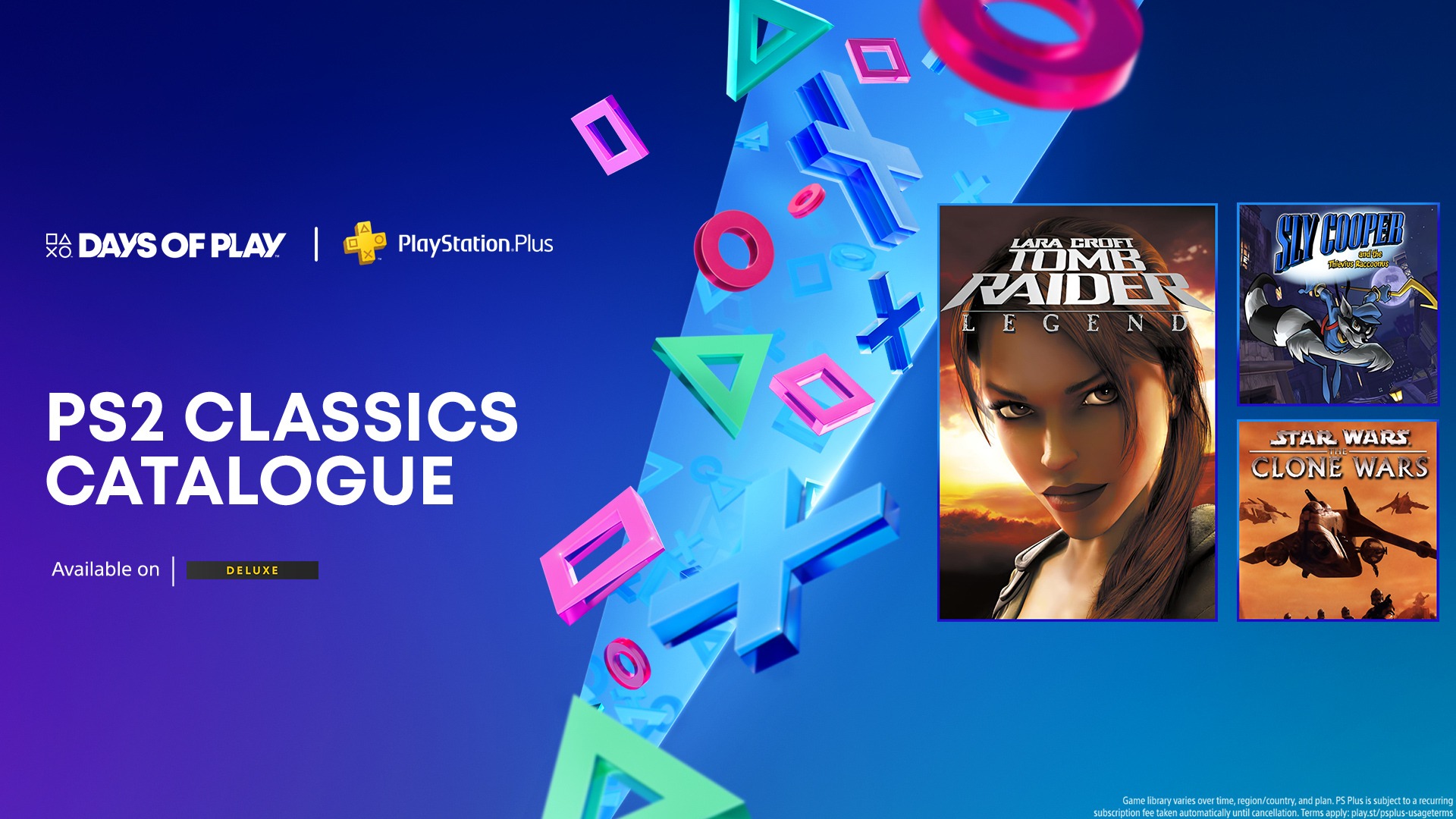
In the U.S., PlayStation Plus Premium may include selected classic games. Some titles come from the PS2 library, but the catalog changes over time.
Before subscribing, check the current catalog on the PlayStation Store or the PlayStation Plus section of the PS4. Look for the exact game title and the supported platform.
Keep these points in mind:
- A Premium subscription does not include every PS2 game.
- Catalog games may leave the service.
- Some games can be downloaded, while others may use streaming.
- Streaming depends on your internet connection and the game’s availability.
- Catalogs can differ by country.
- A game in the catalog may not be the same version as your old disc.

Which PS2 games work on PS4?
Only selected PS2 games have official PS4 versions. Sony did not create a universal PS2 compatibility system for the PS4.
The best way to confirm support is to search for the exact game in the U.S. PlayStation Store. A compatible listing should clearly show that the product works on PS4.
Some PS2 games released digitally for PS4 include titles from well-known series such as:
- Grand Theft Auto
- Jak and Daxter
- Ratchet & Clank
- Star Wars
- The King of Fighters
- Dark Cloud
- Rogue Galaxy
- Ape Escape 2
This list is only an example, not a complete catalog. Availability can change, and some titles may no longer be sold in the same way.
A game may also have several versions. For example, a PS4 release may be:
- A PS2 Classic
- A remaster made for PS4
- A remake with new graphics and controls
- A PS3 title that does not work on PS4
- A game available only through PlayStation Plus
- A game unavailable in the U.S. store
Check the platform label before you buy.
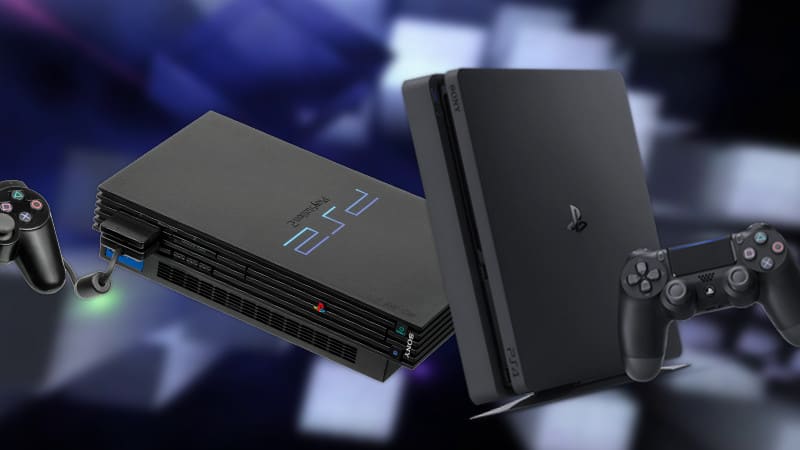
PS2 discs, PS2 Classics, remasters, and remakes
These terms describe different ways to play an older game.
| Version | Works from an original PS2 disc on PS4? | How it works |
|---|---|---|
| Original PS2 disc | No | Requires a PS2 or another compatible system |
| PS2 Classic for PS4 | Yes, if purchased digitally | Uses a PS4-compatible software version |
| PS4 remaster | Yes, if sold for PS4 | Updated version made for the PS4 |
| PS4 remake | Yes, if sold for PS4 | New version rebuilt with major changes |
| PS3 version | Usually no | PS4 does not run most PS3 games |
| PlayStation Plus version | Yes, while supported | Requires the correct plan and catalog access |
The key difference is ownership format. Your PS2 disc is physical PS2 software. A PS4 digital release is a separate product made for the PS4.
Does a PS2 game bought on PS3 work on PS4?
Usually, no.
Buying a PS2 Classic or older game on the PlayStation Store for a PS3 does not guarantee access to a PS4 version. Sony has used different compatibility programs for different consoles.
Before buying, check:
- The listed platform
- The product description
- Whether the game appears in your PS4 game library
- Whether the purchase includes a PS4 version
- Whether the title is part of the current PlayStation Plus catalog
Do not assume that a game license transfers across every PlayStation console.
What should you do if a PS2 game will not work on PS4?
Start with the format. Most problems come from trying to use a PS2 disc or from confusing a PS3 version with a PS4 version.
If you are using a PS2 disc
The disc will not work on a PS4. Look for an official PS4 digital edition instead. If no PS4 edition exists, you need a PS2 console, a compatible PlayStation 3 model, or another legal way to play the game.
If you bought a digital version
Try these checks:
- Confirm that the purchase is for PS4.
- Sign in to the PlayStation Network account that bought the game.
- Open Library and check Purchased.
- Restore licenses from Settings > Account Management > Restore Licenses.
- Check that the PS4 has enough storage.
- Install available system updates.
- Restart the PS4 and try the download again.
If the game is on PlayStation Plus
Confirm that:
- Your Premium membership is active.
- The game is still in the catalog.
- The game is available in the U.S. catalog.
- Your PS4 is connected to the internet.
- The title is supported on PS4 rather than only PS5 or streaming hardware.
If the game left the catalog, you may need to buy it separately. If Sony removed the digital listing, a new purchase may not be possible.
Can you use a PS2 controller on a PS4?
Not directly.
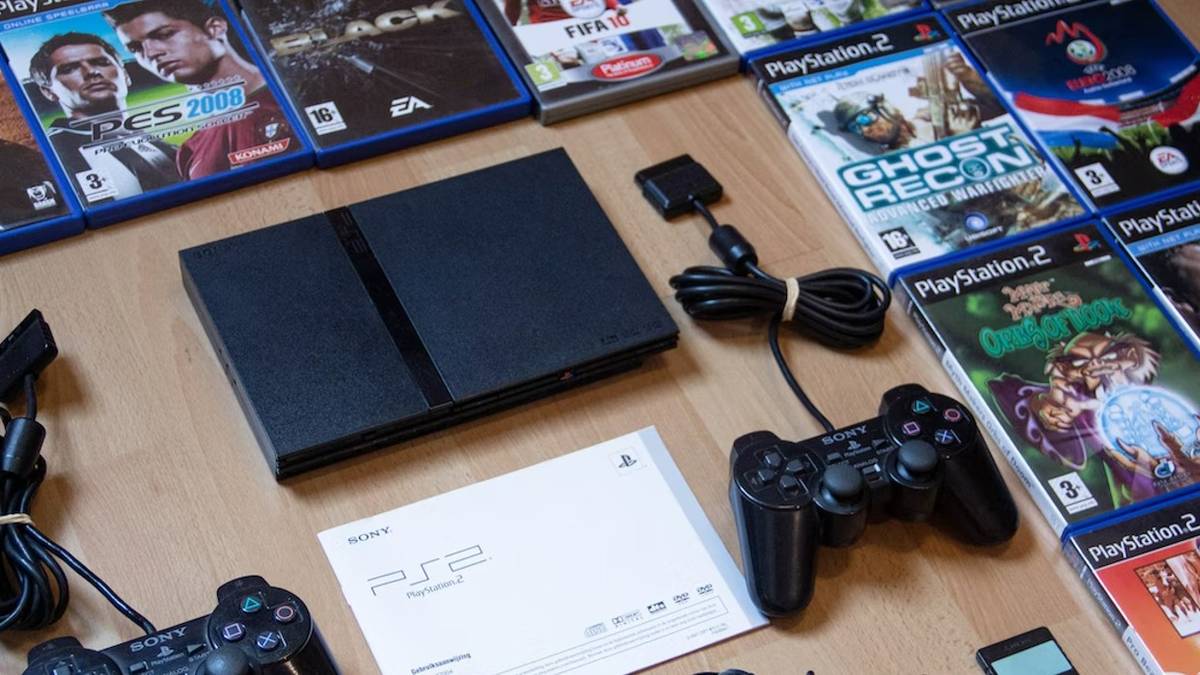
The original PS2 controller uses a connector designed for the PS2. The PS4 uses DualShock 4 wireless controllers and compatible USB devices.
Some third-party adapters claim to connect older controllers to a PS4. Support can vary by game and adapter. Buttons may not map correctly, vibration may not work, and Sony does not guarantee that every adapter will function.
For the most reliable result, use a DualShock 4 or an officially supported PS4 controller.
Is PS4 backward compatible with PS2 games?
The PS4 is not broadly backward compatible with PS2 games.
It can run selected PS2 games that Sony converted for PS4. This is different from full backward compatibility. A backward-compatible console would normally run a wide range of original games. The PS4 instead supports a limited set of specially prepared digital releases.
This distinction explains why one PS2 game may be available on PS4 while another is not.

What is the best way to play an old PS2 game?
The best option depends on what you already own and whether the game has an official PS4 release.
| Your situation | Most practical option |
|---|---|
| You own the PS2 disc and want to use it | Use a working PS2 |
| You want to play one game on your PS4 | Search for its official PS4 digital release |
| You want several classic games | Check the PlayStation Plus Premium catalog |
| The game has no PS4 version | Use a PS2 or another officially compatible system |
| You want improved graphics | Look for a PS4 remaster or remake |
| You want to use original PS2 accessories | Use original PS2 hardware |
A used PS2 may be the simplest answer when you already own many discs. A digital PS4 version may be easier when you want one game and do not want extra hardware.
Some PlayStation 3 models can play PS2 discs, but compatibility depends on the exact PS3 model. Do not buy a PS3 for this purpose without checking its model number and documented disc support.
Can you emulate PS2 games on a PS4?
The PS4 is not designed for ordinary consumer PS2 emulation.
Sony’s official PS2 Classics use a controlled emulator package prepared for specific games. That does not mean you can install any PS2 game or any emulator on a normal PS4.
Avoid unofficial downloads that promise free PS2 games. They may infringe copyright, contain malware, or require unsafe changes to the console. A legal backup or emulation question can involve local copyright rules, so use official software and hardware unless you understand the rules that apply to you.

Common mistakes to avoid
Assuming every PS2 game has a PS4 version
Most PS2 games were not released as PS4 digital titles. Search the exact name before buying a disc or subscription.
Buying the PS3 version by mistake
A PlayStation Store listing may show several platforms. Confirm that the product supports PS4.
Expecting a disc upgrade
A PS2 disc usually does not unlock a digital PS4 copy. The digital release is normally a separate purchase.
Assuming PlayStation Plus includes the full PS2 library
The Classics Catalog contains selected games only. It is not a complete PS2 archive.
Ignoring region differences
A title available in another country may not appear in the U.S. PlayStation Store. Your account region affects the store and catalog you see.
Forgetting catalog changes
A PlayStation Plus game can leave the service. If you want long-term access, check whether the game is available for individual purchase.
Frequently asked questions
Can I put a PS2 game disc into a PS4?
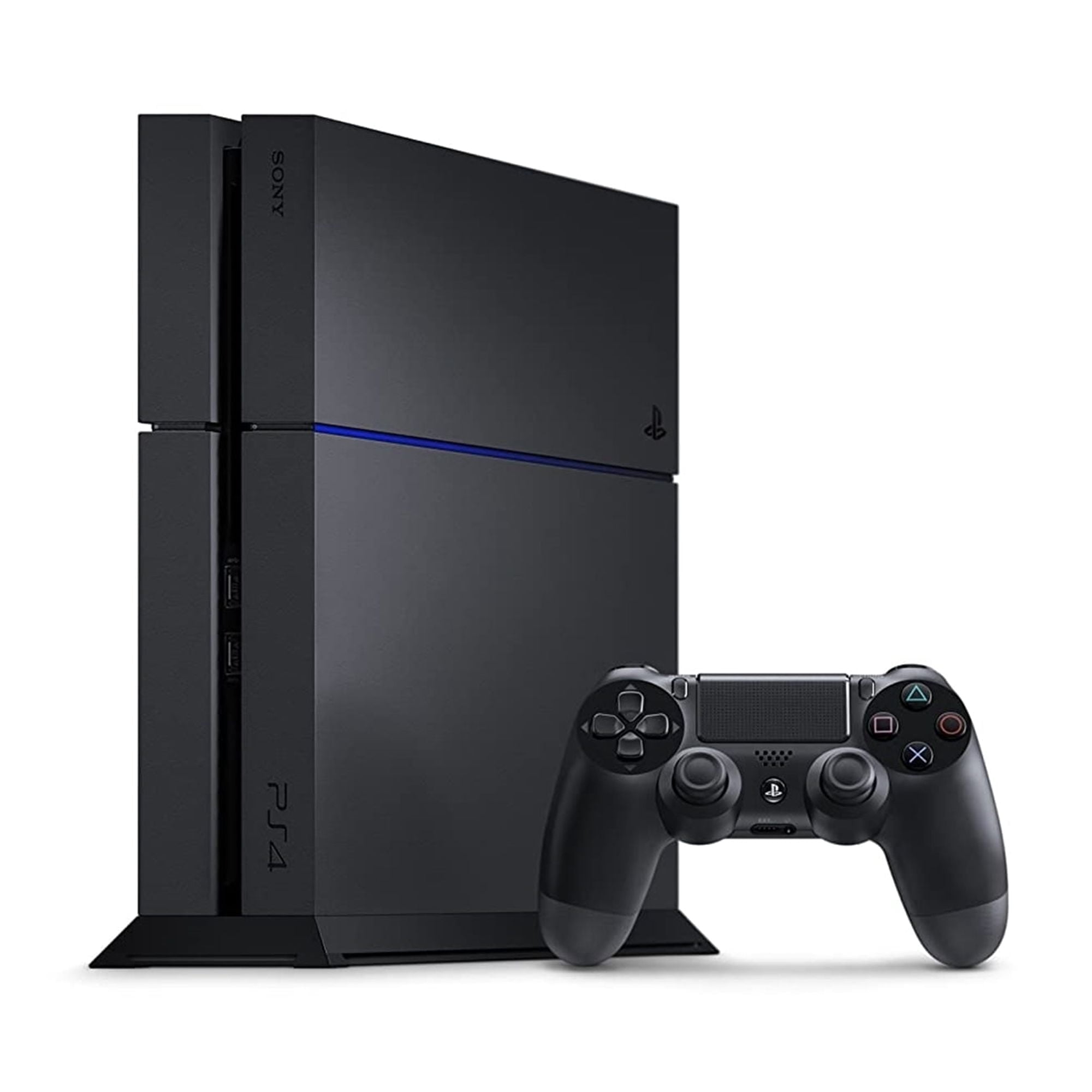
No. The PS4 does not play original PS2 discs. You need an official PS4 digital version or compatible older hardware.
Can I download PS2 games for free on PS4?
Some PS2 games may be included with PlayStation Plus Premium, but the service is not free and does not include every title. Other games require a separate purchase.
Will a PS2 memory card work with a PS4?
No. The PS4 does not read PS2 memory cards. Digital PS2 versions save data to the PS4 storage system instead.
Can PS4 play PS1 and PS3 games too?
Support varies. The PS4 does not generally play PS1 or PS3 discs. Some older games have separate digital releases, remasters, or streaming versions.
Is PlayStation Plus Premium required to play PS2 games on PS4?
No. If a PS2 game is sold separately as a PS4 digital title, you can buy it without PlayStation Plus Premium. Premium is needed only for games accessed through its catalog.
Final answer
You cannot play original PS2 discs on a PS4 console. You can play some PS2 games on PS4 only through official digital releases, PS4 remasters, or selected titles in the U.S. PlayStation Plus Premium catalog.
Before buying anything, search the exact game in the U.S. PlayStation Store and confirm the listing says PS4. If no PS4 version exists, use a PS2 or another compatible system instead.
Sources
- PlayStation Support: PS4 system software and compatibility information
- PlayStation Plus official U.S. page
- PlayStation Store U.S.
- PlayStation official support home


Everett Calloway is a consumer electronics writer and technology enthusiast at ElectroDoz. He enjoys exploring the latest gadgets, electronic devices, and innovative technologies that make everyday life easier. Everett focuses on creating helpful product reviews, detailed buying guides, practical how-to articles, and troubleshooting tips. His goal is to simplify complex technical information and help readers understand product features, compare their options, and make informed purchasing decisions. When he isn’t researching new electronics, he enjoys exploring emerging technology trends and discovering useful gadgets.