

Can You Use Windex On A Computer Monitor: Safe Tips
Introduction
For people cleaning a Windows PC, Mac, or external monitor in a U.S. home or office, the safest answer is simple: do not use regular Windex on a computer monitor. Many monitors have anti-glare, anti-reflective, or fingerprint-resistant coatings that household glass cleaners can harm.
Use a clean microfiber cloth first. If marks remain, lightly dampen the cloth with distilled water. Always check the monitor maker’s care guide before using any alcohol-based cleaner.
Can You Use Windex on a Computer Monitor?
Regular Windex is not recommended for most computer monitors. This includes many LCD, LED, OLED, touchscreen, laptop, and all-in-one computer displays.
Windex is made for hard household surfaces such as windows and mirrors. A monitor is different. Its front surface may include a thin coating that reduces glare or changes how light reflects from the screen.
Many window cleaners also contain ingredients that are too strong for display coatings. The exact formula can vary by Windex product, but traditional glass cleaners may contain ammonia, alcohol, dyes, or other cleaning agents. These can leave streaks, damage the coating, or cause a cloudy look over time.
The safest general method is:
- Turn off and unplug the monitor.
- Let the screen cool.
- Wipe it with a dry, clean microfiber cloth.
- If needed, dampen the cloth with distilled water.
- Wipe gently and let the screen dry before turning it on.
Some display makers allow a specific concentration of isopropyl alcohol for certain products. Others do not. The instructions for your exact monitor should take priority.
Why Windex Can Damage a Monitor
A monitor is not just a piece of glass. The outer layer may have a coating that household glass cleaner can weaken or remove.
Anti-glare coatings
Matte displays often use an anti-glare layer. This layer scatters light to reduce reflections. Strong cleaners, rough cloths, and repeated rubbing may create shiny patches or uneven areas.
Once this coating is damaged, cleaning usually cannot restore it. The screen may need professional repair or panel replacement.
Anti-reflective coatings
Some glossy monitors and laptop screens use an anti-reflective coating. Harsh chemicals may leave marks, streaks, or a hazy appearance.
The damage may not appear at once. A screen can look clean after the first use and develop visible wear after repeated cleaning.
Touchscreen surfaces
Touchscreens collect skin oil and dust, so they may need more frequent cleaning. However, the touch layer and surface coating still require gentle care.
Do not pour or spray liquid onto a touchscreen. Liquid can run into the bezel, ports, speakers, or buttons.
Glass does not always mean “safe for Windex”
Some monitors have a glass front. That does not mean regular Windex is suitable. Glass may cover a sensitive display layer or coating, and the manufacturer may still prohibit household window cleaner.
The key issue is not only the material you can see. It is the complete screen assembly beneath it.
How to Clean a Computer Monitor Safely
This method works for routine dust, fingerprints, and light smudges on most modern computer displays.
What you need
- A clean, soft microfiber cloth
- Distilled water, if needed
- A second dry microfiber cloth
- The monitor’s care instructions
Avoid paper towels, tissues, napkins, rough rags, and old clothing. These can leave fibers or create fine scratches.
Step-by-step instructions
- Turn off the monitor. Unplug it if practical. A dark screen makes smudges easier to see and reduces the risk of electrical damage.
- Let the display cool. Cleaning a warm screen can make liquid dry too fast and leave streaks.
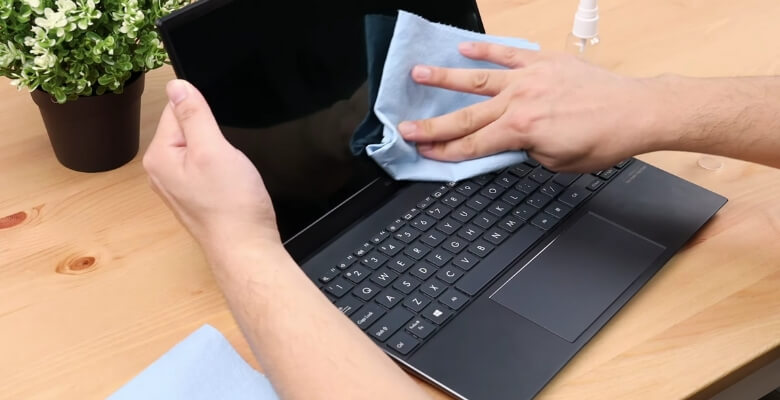
- Remove loose dust. Use a dry microfiber cloth with very light pressure.
- Dampen the cloth, not the screen. Use a small amount of distilled water. The cloth should be slightly moist, never wet.
- Wipe gently. Move across the screen with light, straight passes. Do not press hard on the panel.
- Dry the surface. Use a second clean microfiber cloth if moisture remains.
- Inspect the screen. Check for streaks, drops near the bezel, and lint before reconnecting power.
Never spray water or cleaner directly onto the display. A liquid can seep through the frame and reach internal parts.
Signs you cleaned it correctly
A properly cleaned screen should have:
- No visible wet spots
- No cleaner residue
- No new cloudy areas
- No lint or fibers
- No liquid around the edges
- No change in brightness or color
If a smudge remains, repeat the process with a slightly damp cloth. Do not use more pressure or more liquid as a first response.
What Should You Use Instead of Windex?
For most monitors, distilled water and a clean microfiber cloth are the safest starting options.
Tap water may contain minerals. These minerals can leave spots when the water dries. Distilled water reduces that risk.
Some manufacturers allow a screen-safe cleaning product. If you choose one, confirm all three points:
- It is labeled for computer displays.
- It does not contain ammonia.
- The monitor maker does not prohibit it.
A product made for monitors is not automatically safe for every screen. Follow the instructions for the display, not only the cleaner.
Cleaning option comparison
| Cleaning method | General suitability | Main concern |
|---|---|---|
| Dry microfiber cloth | Best first step | May not remove oily marks alone |
| Distilled water on microfiber | Usually suitable | Too much liquid can cause damage |
| Monitor-specific cleaner | May be suitable | Must match the display maker’s guidance |
| 70% isopropyl alcohol | Allowed for some products only | Can harm coatings on other displays |
| Regular Windex | Usually not recommended | May damage coatings or leave residue |
| Ammonia-based glass cleaner | Avoid | Can harm display surfaces |
| Paper towel or tissue | Avoid | Can scratch or leave fibers |
Apple advises avoiding household cleaners and window cleaners on many of its displays. Dell and other monitor makers also commonly recommend a soft cloth, gentle pressure, and no direct spraying. Because instructions differ by model, check the support page or manual for your specific display.
What If You Already Used Windex on the Monitor?
If you used Windex once, do not panic. A single cleaning may not cause visible damage, but repeated use increases the risk.
Take these steps:
- Turn off and unplug the monitor.
- Dampen a clean microfiber cloth with distilled water.
- Wipe away any cleaner residue.
- Dry the screen with another clean microfiber cloth.
- Let the display dry fully.
- Look for cloudy patches, streaks, peeling, or uneven shine.
Do not try to scrub away a cloudy spot. Rubbing harder can make coating damage worse.
If the screen works normally and looks unchanged, stop using Windex and switch to the gentler method. If you see peeling, permanent haze, color changes, or dark areas, contact the monitor maker or a qualified repair service.
Do not open the monitor to clean the inside. Displays can contain delicate parts and electrical hazards, even after they are unplugged.

Common Monitor-Cleaning Mistakes
Most screen damage comes from a combination of the wrong cleaner, too much liquid, or too much pressure.
Spraying the screen directly
Spray can run into the bezel and reach the panel, ports, speakers, or control buttons. Always apply liquid to the cloth.
Using too much pressure
LCD and OLED panels are thin and delicate. Pressure can create temporary ripples or permanent damage. Let the cloth and cleaner do the work.
Cleaning with a dry paper towel
Paper products can contain rough fibers. They may also leave lint that encourages more rubbing.
Using an old or dirty microfiber cloth
A cloth that contains grit can scratch the surface. Wash microfiber cloths without fabric softener, and keep them away from dust and sand.
Applying alcohol without checking first
Isopropyl alcohol is suitable for some screens and prohibited for others. A concentration that works for one model may damage another model’s coating.
Cleaning while the screen is hot
Heat can make liquid evaporate unevenly. It can also make streaks harder to remove.
Removing a screen coating
Do not scrape, peel, or polish a coating that looks damaged. A coating is part of the display surface, and aggressive cleaning may permanently change its appearance.

Does Windex Make a Special Cleaner for Electronics?
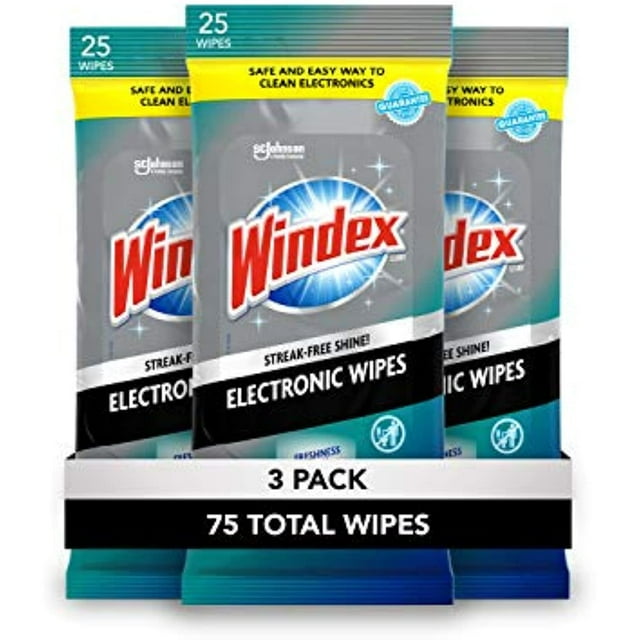
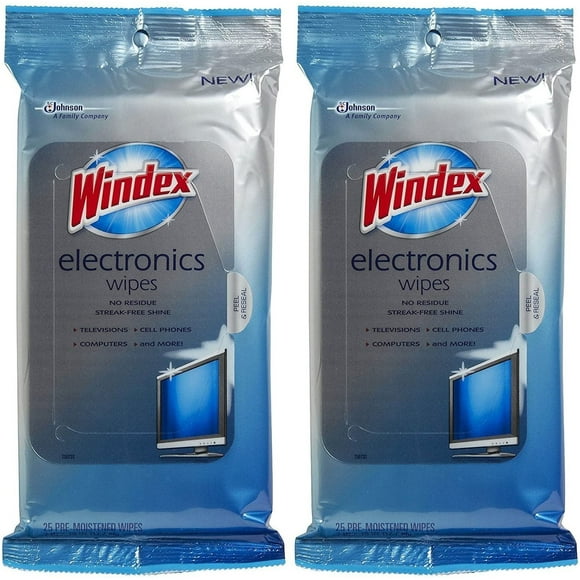
Windex has sold products marketed for electronics and screens, including formulas that differ from traditional glass cleaner. That does not make every Windex product safe for every monitor.
Read the label carefully. Then compare it with the monitor manufacturer’s instructions. Avoid any product that the display maker prohibits, even if the cleaner claims to be safe for screens.
The word “electronics” on a bottle is not enough by itself. The important details are the product formula, the display surface, and the maker’s care instructions.
Can You Use Windex on a Laptop Screen?
You should generally avoid regular Windex on a laptop screen. Laptop displays often have thin anti-glare or anti-reflective coatings that are vulnerable to harsh cleaners and pressure.
Turn off the laptop, unplug it, and open the display fully. Wipe dust with a dry microfiber cloth. For fingerprints, use a cloth lightly dampened with distilled water unless the laptop maker gives different instructions.
Keep liquid away from the keyboard and the screen hinge. Never spray the laptop directly.
Can You Use Windex on a TV Screen?
Regular Windex is also a poor choice for most TV screens. Modern LED, LCD, OLED, and QLED televisions may have coatings that household glass cleaners can harm.
Use the same basic method: power off the TV, use a dry microfiber cloth, and use only a small amount of distilled water when needed. Check the television manual before using a commercial screen cleaner.
FAQs
Can Windex damage an LCD monitor?
Yes. Regular Windex may damage or discolor an LCD monitor’s surface coating, especially with repeated use. It can also leave residue or streaks.
Can I use Windex on a monitor with a glass screen?
Not automatically. A glass front may still have an anti-reflective or anti-glare coating. Follow the monitor maker’s instructions instead of judging by the surface material.
Can I use vinegar to clean a computer monitor?
Do not use vinegar unless the display manufacturer specifically permits it. Vinegar is acidic, and its safety depends on the screen coating and product instructions.
Is rubbing alcohol safe for monitor screens?
It depends on the monitor. Some manufacturers allow 70% isopropyl alcohol for certain surfaces. Others warn against alcohol because it may damage coatings. Check the exact model guide first.
How often should I clean my monitor?
Clean it when dust, fingerprints, or smudges affect viewing. A light dusting every week or two may be enough for many desks. Frequent wet cleaning is not needed and can increase wear.
Final Answer
Do not use regular Windex on a computer monitor unless the display manufacturer clearly says it is safe for that exact model. For most screens, start with a dry microfiber cloth. If needed, use a small amount of distilled water on the cloth, never directly on the display.
The safest next step is to find your monitor’s model number and read its cleaning instructions. That guidance takes priority over a general cleaner label.

Everett Calloway is a consumer electronics writer and technology enthusiast at ElectroDoz. He enjoys exploring the latest gadgets, electronic devices, and innovative technologies that make everyday life easier. Everett focuses on creating helpful product reviews, detailed buying guides, practical how-to articles, and troubleshooting tips. His goal is to simplify complex technical information and help readers understand product features, compare their options, and make informed purchasing decisions. When he isn’t researching new electronics, he enjoys exploring emerging technology trends and discovering useful gadgets.









One Comment